












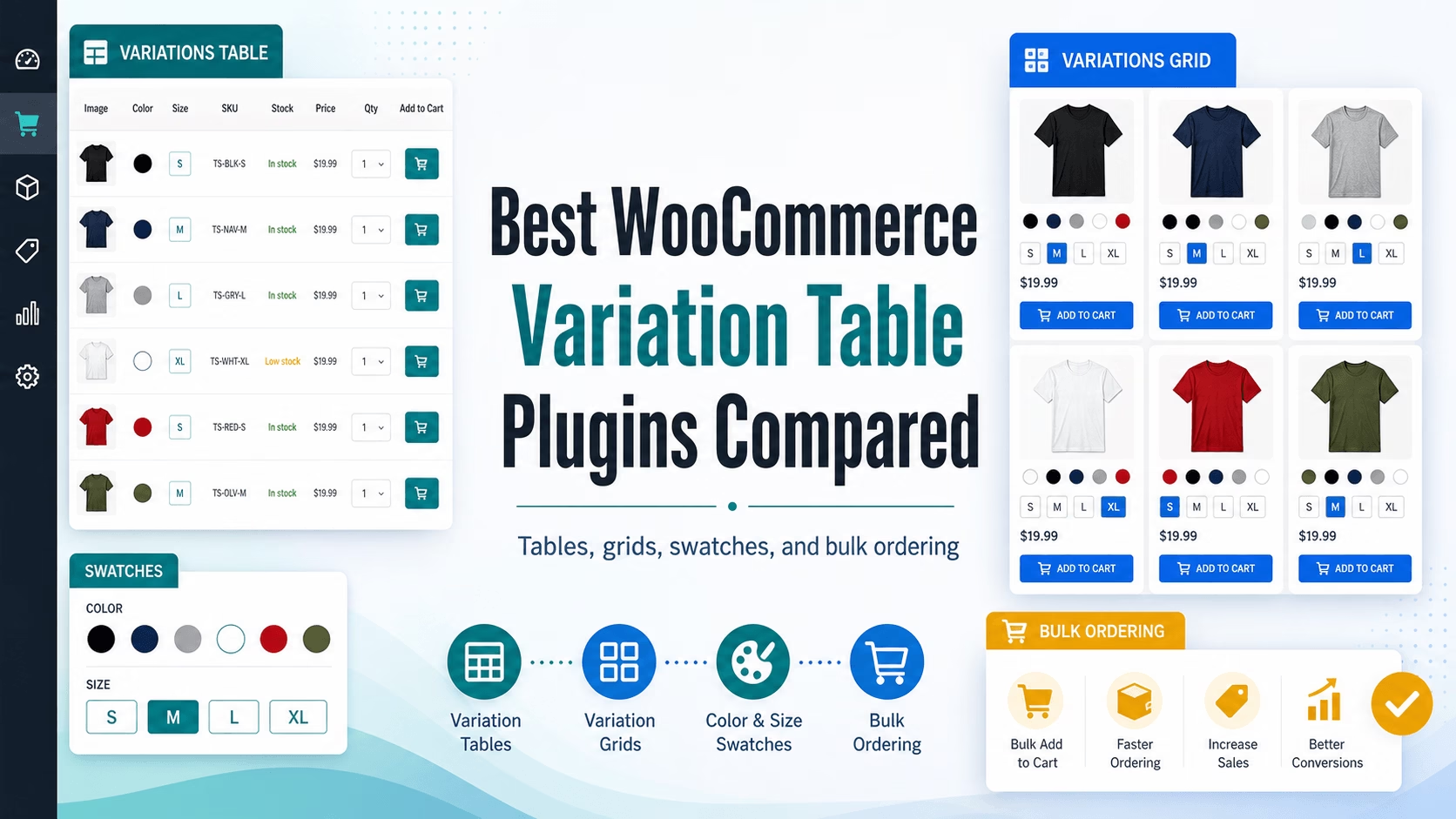
WooCommerce variable products are powerful, but the default dropdown experience is not always ideal. When a product has several colors, sizes, materials, SKUs, prices, or stock levels, customers often need to click through multiple dropdowns just to understand what is available.
A variation table or grid solves that problem by showing product variations at a glance. Instead of hiding options inside dropdown menus, it turns variations into a scannable buying interface.
In this article, we compare WooCommerce Variations to Table – Grid with other popular WooCommerce variation display plugins, including variation table plugins, product table plugins, and swatch plugins.
Quick Comparison
| Plugin | Best For | Key Strengths | Things to Consider |
|---|---|---|---|
| WooCommerce Variations to Table – Grid | Store owners who want to replace variation dropdowns with a focused table or grid on product pages | Table/grid display, SKU, stock, price, dimensions, weight, live search, sorting, bulk add to cart, AJAX cart, style controls, lightweight setup | Premium plugin |
| Barn2 WooCommerce Bulk Variations | Stores that sell variations in bulk, especially wholesale and apparel | Order form and price matrix modes, bulk editing tools, shortcode placement, responsive layouts | Higher starting price than WooCommerce Variations to Table – Grid |
| Product Variations Table for WooCommerce | Stores that want a WooCommerce Marketplace variation table/list plugin | Table/list layouts, bulk add to cart, export buttons, pagination, role/category targeting | Smaller active install base than broader table/swatch plugins |
| Barn2 WooCommerce Product Table | Stores that want full product catalog tables, not just variation tables | Product listing tables, search, filters, sortable columns, one-page ordering | Broader product table tool; may be more than needed for single-product variation display |
| Variation Swatches for WooCommerce | Stores that want visual color, image, and size buttons instead of dropdowns | Free, popular, visual swatches, shop/archive support, out-of-stock handling | Swatches are not the same as a full variation table with SKU, stock, price, and bulk ordering |
1. WooCommerce Variations to Table – Grid
WooCommerce Variations to Table – Grid is designed for store owners who want customers to see product variations clearly and buy faster.
Instead of forcing shoppers to use WooCommerce’s default dropdowns, the plugin displays each variation in a table – grid layout. Customers can compare options side by side, check stock and availability, see prices, and add one or multiple variations to the cart with just one click.
This is especially useful for:
- Clothing stores with many colors and sizes
- Hardware stores with SKUs, dimensions, and stock differences
- Electronics stores with model, capacity, or spec variations
- B2B and wholesale stores where customers order several variations at once
- Any WooCommerce store where dropdowns make buying slower
Key Features
- Replaces WooCommerce variation dropdowns with a table or grid
- Shows each variation as its own row or item
- Displays useful variation data such as SKU, stock, price, weight, and dimensions
- Live search
- Sortable columns
- Add several variations to cart in one action
- Fast AJAX add to cart
- Combined confirmation message after adding products
- Styling options from the plugin settings
- Works with WooCommerce themes
- Designed to be lightweight
- Intuitive settings page
- Pricing starts at $29/year for 1 site
Why Choose It?
Choose WooCommerce Variations to Table – Grid if you want a focused plugin that solves one very specific WooCommerce problem: variation dropdown friction.
It is not trying to be a full catalog table builder or a visual swatch plugin. It is built to make variable products easier to scan, compare, and purchase.
The biggest reasons to choose it are:
- It makes variation-heavy products easier to understand.
- It helps customers compare variations without repeated dropdown clicks.
- It supports bulk buying by letting customers add multiple variations at once.
- It shows practical purchase information like SKU, stock, price, dimensions, and weight.
- It is more affordable than many premium alternatives.
- It is focused specifically on the single-product variation buying experience.
2. Barn2 WooCommerce Bulk Variations
Barn2’s WooCommerce Bulk Variations is a strong premium plugin for displaying product variations in grids or order forms. It can replace default variation dropdowns, show quantity boxes, allow customers to add multiple variations at once, and display product data such as attributes, options, descriptions, stock, and prices.
It also includes backend variation management tools, such as filtering variations in the product editor and applying bulk actions to selected variations.
Best For
Barn2 WooCommerce Bulk Variations is a good fit for established stores that want both frontend variation ordering and backend bulk variation editing.
It is especially useful for wholesale, clothing, and stores where customers often buy many variations of the same product.
Why WooCommerce Variations to Table – Grid May Be a Better Fit
WooCommerce Variations to Table – Grid may be the better choice if you want a more affordable, focused frontend variation table/grid plugin without paying for a larger feature set you may not need.
If your main goal is to make variation selection clearer and faster on product pages, your plugin gives store owners the core buying experience: visible variation rows, search, sorting, AJAX add to cart, and bulk adding.
3. Product Variations Table for WooCommerce
Product Variations Table for WooCommerce on the WooCommerce Marketplace displays product variations in a table or list view. It includes customizable columns, search, bulk add to cart, table/list layouts, pagination, role/category targeting, and export options such as print, CSV, Excel, PDF, and copy.
It is a direct competitor because it also replaces the default variation dropdown with a table-style interface.
Best For
This plugin is a good fit for stores that want a WooCommerce Marketplace extension with table/list layouts, export features, and user-role display controls.
Why WooCommerce Variations to Table – Grid May Be a Better Fit
WooCommerce Variations to Table – Grid is attractive if you want a clean, focused, lower-cost plugin that emphasizes the core shopping experience: compare variations, search, sort, and add multiple items quickly.
For many stores, customers do not need export buttons. They need a faster way to choose size, color, SKU, stock, and price from a product page. That is where your plugin’s focused approach works well.
4. Barn2 WooCommerce Product Table
WooCommerce Product Table by Barn2 is a broader product listing and order form plugin. It lets store owners create searchable, sortable product tables across shop pages, category pages, or custom pages. It can show products, prices, SKUs, custom fields, attributes, variations, quantities, and add-to-cart buttons.
This is a powerful tool, but it is not only a variation table plugin. It is more of a full product catalog table builder.
Best For
WooCommerce Product Table is best for stores that want to turn entire product catalogs or categories into searchable order forms.
It is useful for restaurants, wholesale stores, spare parts catalogs, large product lists, and stores where customers need to order many different products from one page.
Why WooCommerce Variations to Table – Grid May Be a Better Fit
If your problem is specifically WooCommerce variation dropdowns on single product pages, WooCommerce Variations to Table – Grid is more focused.
You do not need to build a full catalog table just to make one variable product easier to buy. Your plugin is built for that exact use case: showing the product’s variations in a table or grid so customers can compare and buy faster.
5. Variation Swatches for WooCommerce
Variation Swatches for WooCommerce plugins are very popular because they replace dropdowns with color swatches, image swatches, and size buttons. This makes product options more visual and easier to tap, especially for clothing, fashion, furniture, and design-heavy stores.
A popular free option from Brainstorm Force states that it is trusted by 200,000+ active WooCommerce stores. It supports color, image, and label swatches, tooltips, out-of-stock handling, shop/archive swatches, and global/per-product customization.
Best For
Variation swatches are best when customers need to visually choose between colors, textures, patterns, or sizes.
For example, if you sell t-shirts in red, blue, and green, swatches are much nicer than dropdowns.
Why WooCommerce Variations to Table – Grid May Be a Better Fit
Swatches are great for visual selection, but they are not the same as a variation table.
If customers need to compare SKU, stock, price, dimensions, weight, or multiple variations at once, a swatch interface may not be enough. Shoppers still select one combination at a time.
WooCommerce Variations to Table – Grid is better when the product has many variations and customers need to compare them like a spec sheet or order form.
Which Plugin Should You Choose?
Choose a variation swatches plugin if your products are simple and visual: colors, sizes, labels, and image thumbnails.
Choose a product table plugin if you want to display many different products or entire categories in a searchable order form.
Choose a bulk variations plugin if you need advanced variation ordering and backend bulk editing tools.
Choose WooCommerce Variations to Table – Grid if your main goal is to make variable products easier to compare and buy on the single product page.
It is especially strong when you want:
- A table or grid instead of dropdowns
- Searchable and sortable variation data
- SKU, stock, price, weight, and dimensions visible at once
- Bulk add to cart for several variations
- Fast AJAX cart behavior
- A lightweight plugin
- A simple setup
- A lower starting price than many premium alternatives
Final Recommendation
If WooCommerce dropdowns are slowing down your customers (or driving them away), WooCommerce Variations to Table – Grid is a practical upgrade.
It turns hidden variation options into a clear buying interface. Customers can see what is available, compare details, choose quantities, and add multiple variations to the cart faster.
For stores with many product variations, that can mean less confusion, fewer abandoned product pages, and a smoother buying experience.