












Est. 2015
WooCommerce Products Variations. At a Glance.
Formerly on CodeCanyon
Selling variable products with more than a couple of options quickly turns WooCommerce’s default variation dropdowns into a frustrating experience. Shoppers have to click through select menu after select menu — color, then size, then material — just to see whether a single combination is even in stock or what it costs, with no way to compare variations side by side. If you sell products with many variations (apparel, hardware, electronics, anything with more than 2-3 attributes), your customers are doing far more work than they should to buy from you, and that friction costs you sales.
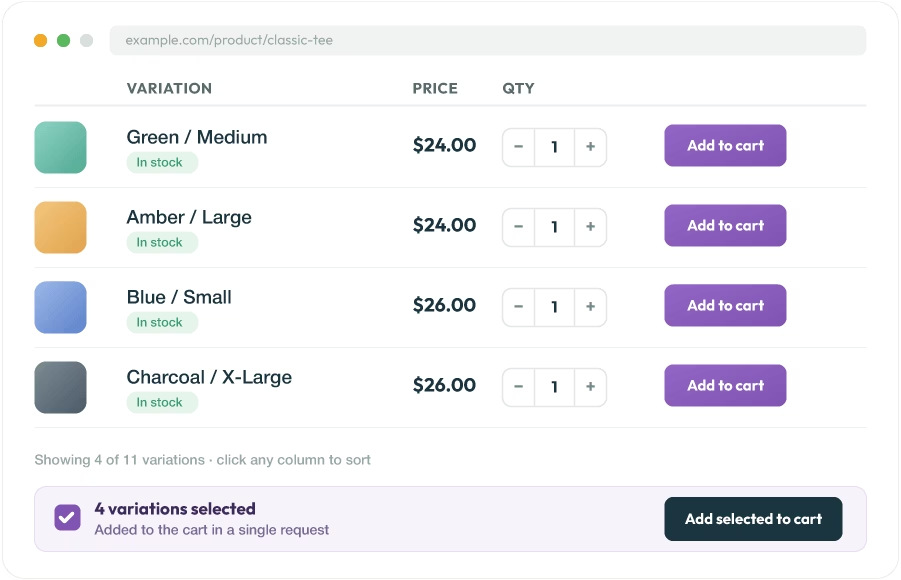
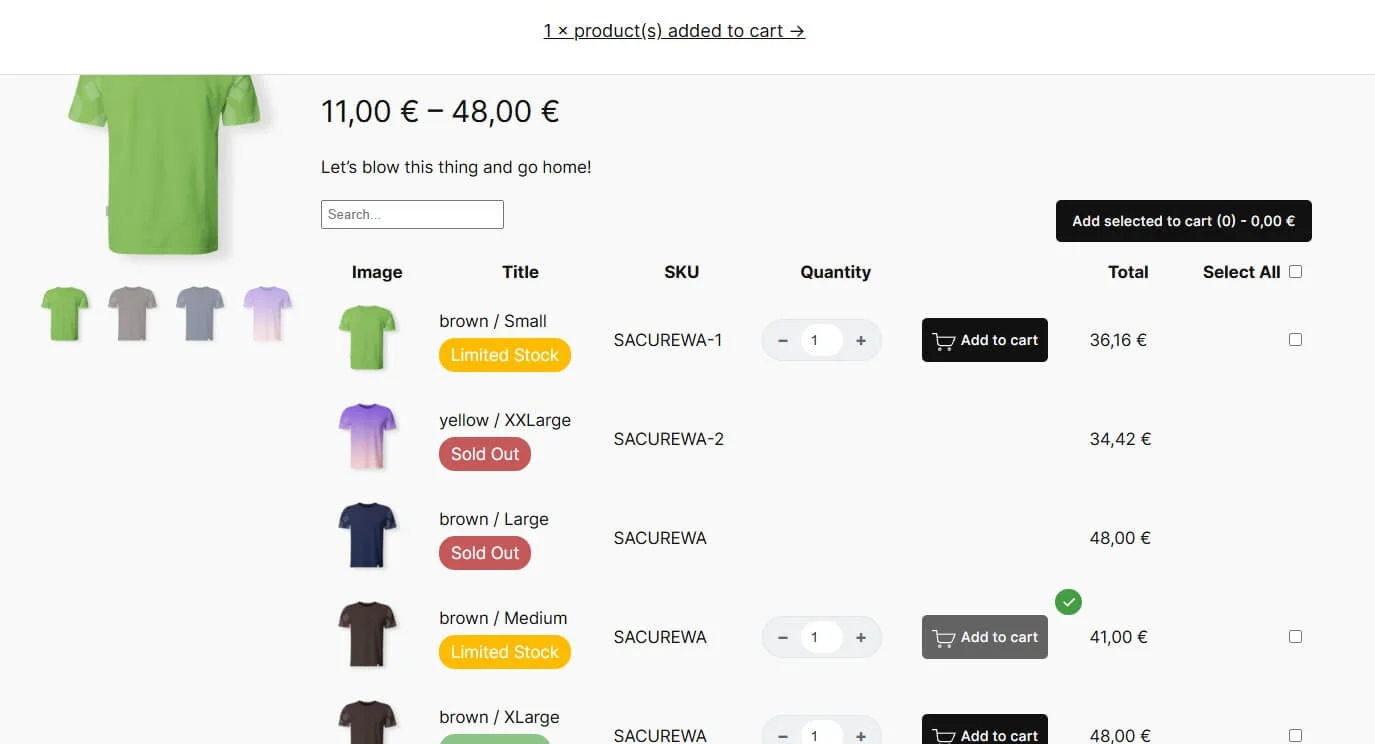
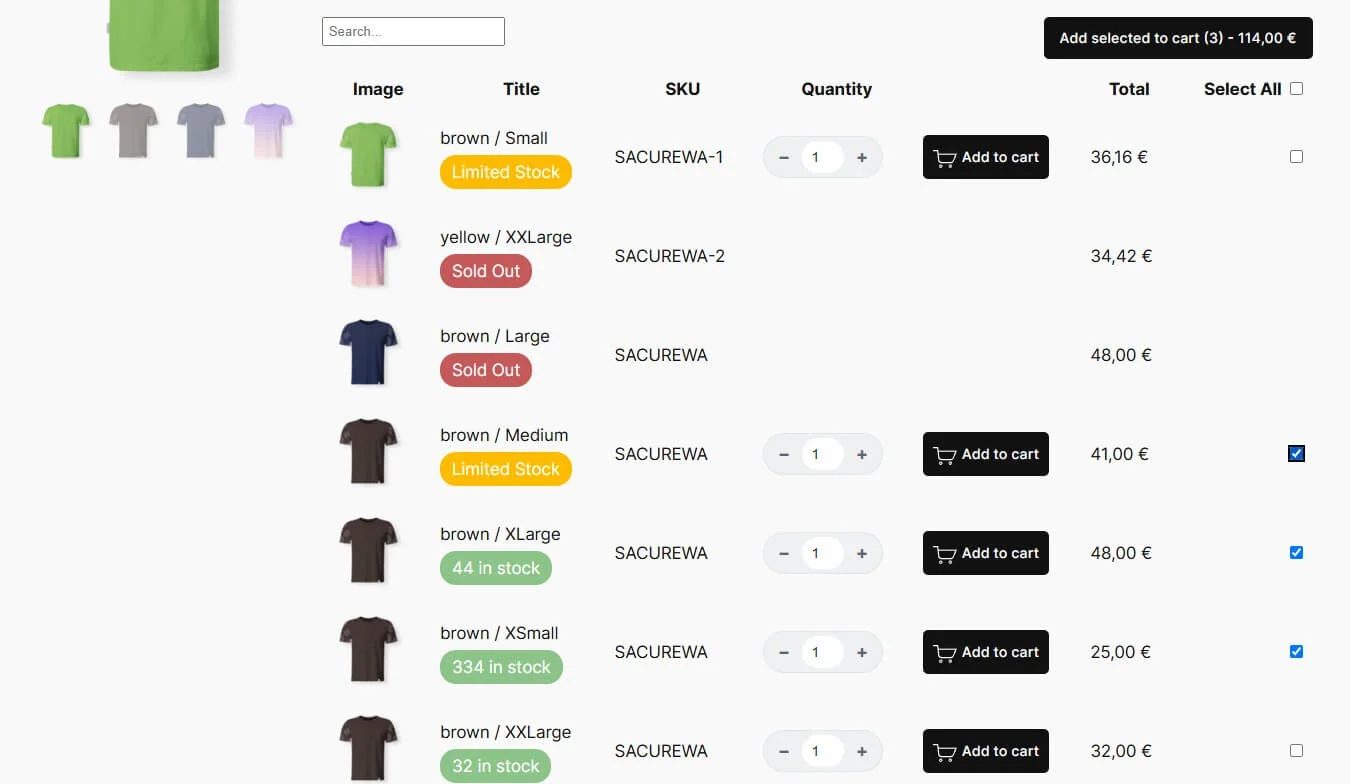
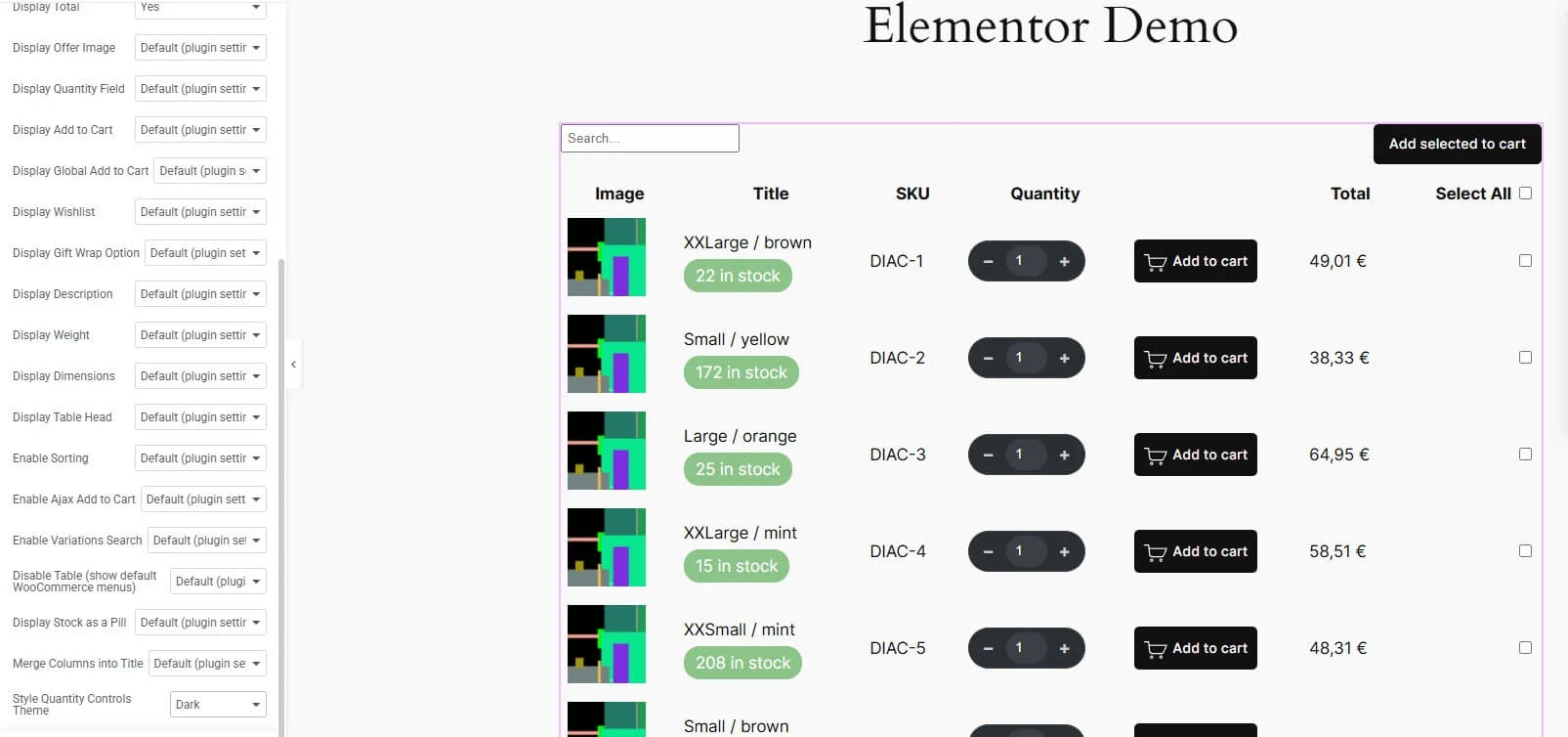
WooCommerce Variations Table – Grid replaces those stacked dropdowns with a single, scannable table or grid: every variation is its own row, with SKU, stock status, price, weight, dimensions, and an “Add to Cart” control all visible at once. Customers can sort by any column, search the table live, add several variations to the cart in one click with a single combined confirmation message.
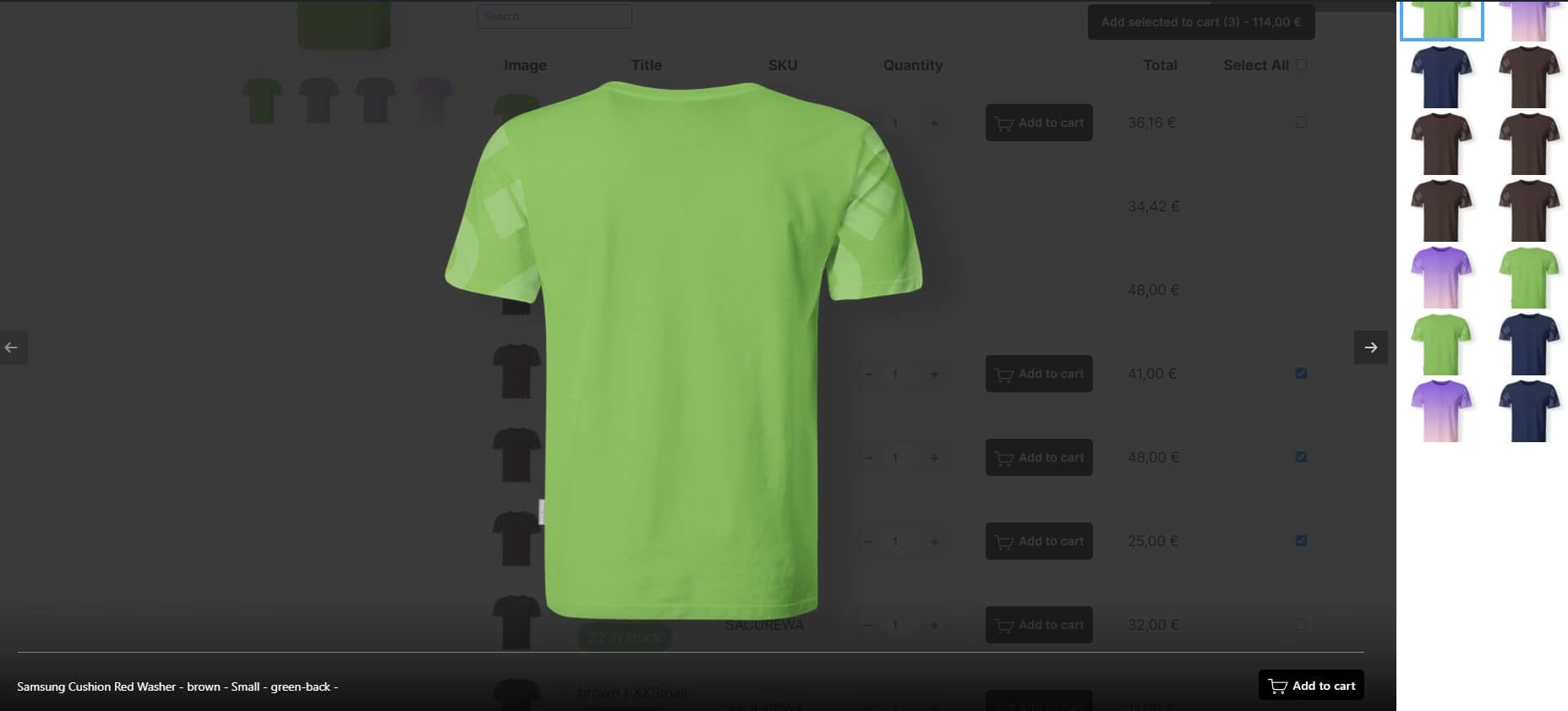
Dropdowns hide information one click at a time; the table shows it all up front, so customers compare options the way they’d compare rows in a spec sheet instead of guessing and backtracking. Bulk buying is dramatically faster — a customer restocking multiple sizes or colors ticks the ones they want and adds them all in a single request, instead of repeating the select-add-repeat cycle for each variation. And because everything (stock badges, pill-styled quantity controls, per-column fonts and colors) is styled through the plugin’s own settings rather than theme CSS overrides, you get a consistent, professional-looking variation display without touching a single line of code — something the native WooCommerce dropdown UI simply can’t offer.

Get it Now!
Do you have product variations on your WooCommerce store?
This is a must-have plugin!
Why WooCommerce store owners choose it
Works with all themes
If your theme doesn’t run on Gutenberg or Elementor, the plugin is designed to work with any WooCommerce installation.
Intuitive Settings Page
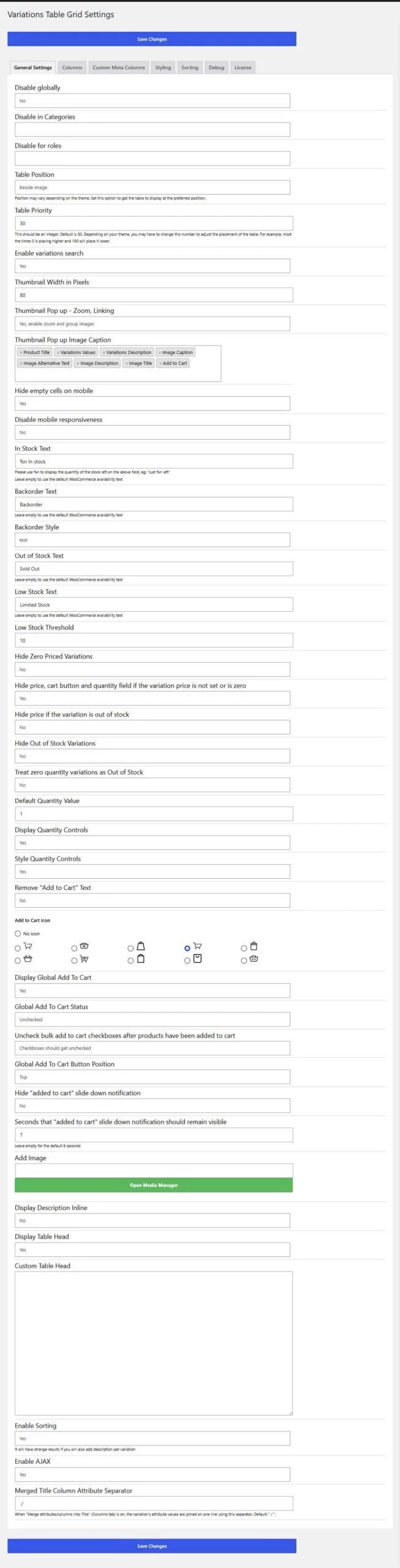
Comes with an easy to understand settings page.
Although you can customize almost every aspect, the default settings will work with most of the stores.
Fast and lightweight
The plugin itself is lightweight and coded with the best WordPress practices in mind.
Adding products into to cart is extremely fast via an AJAX request.
Core features
Table/Grid Variation Display
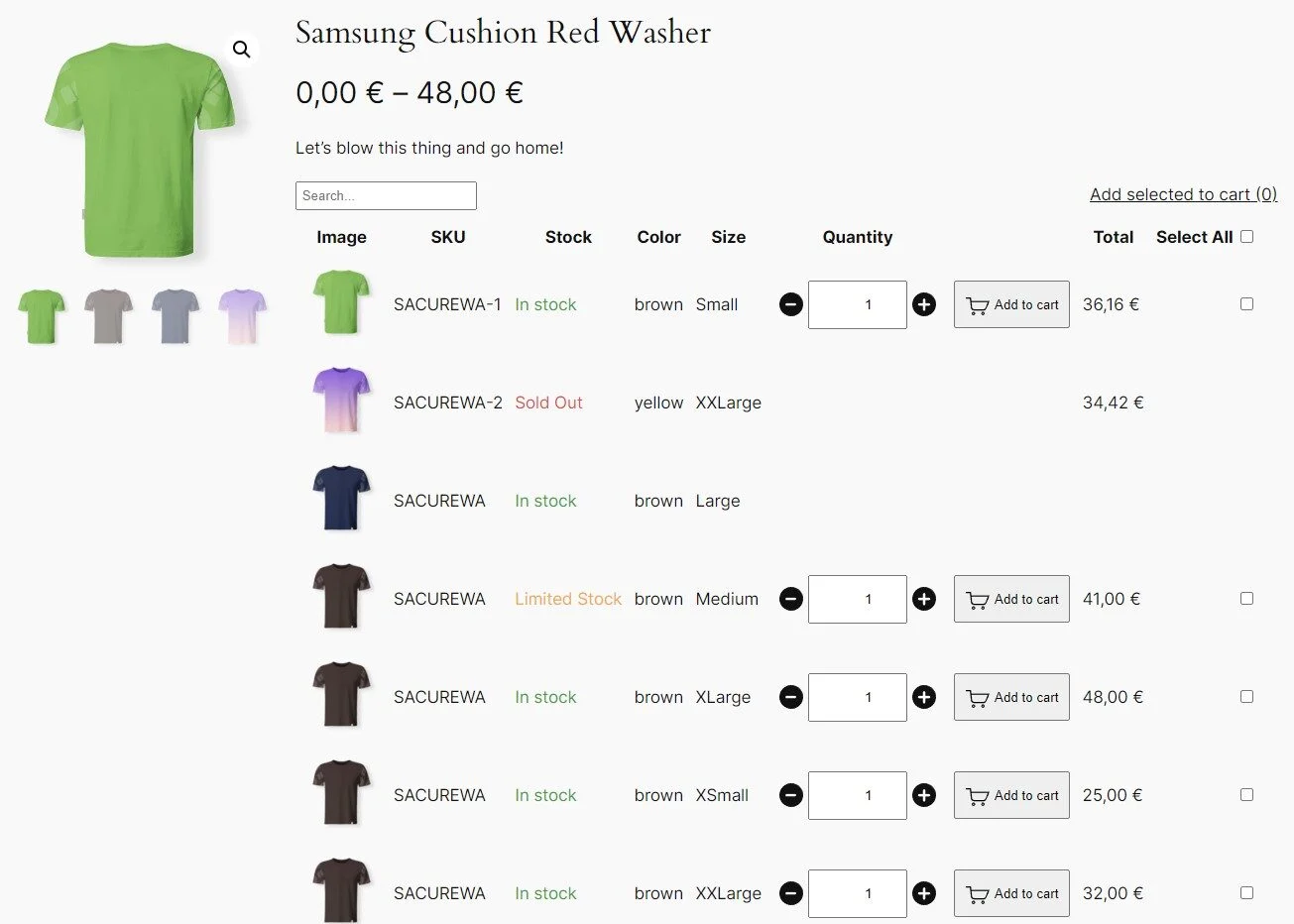
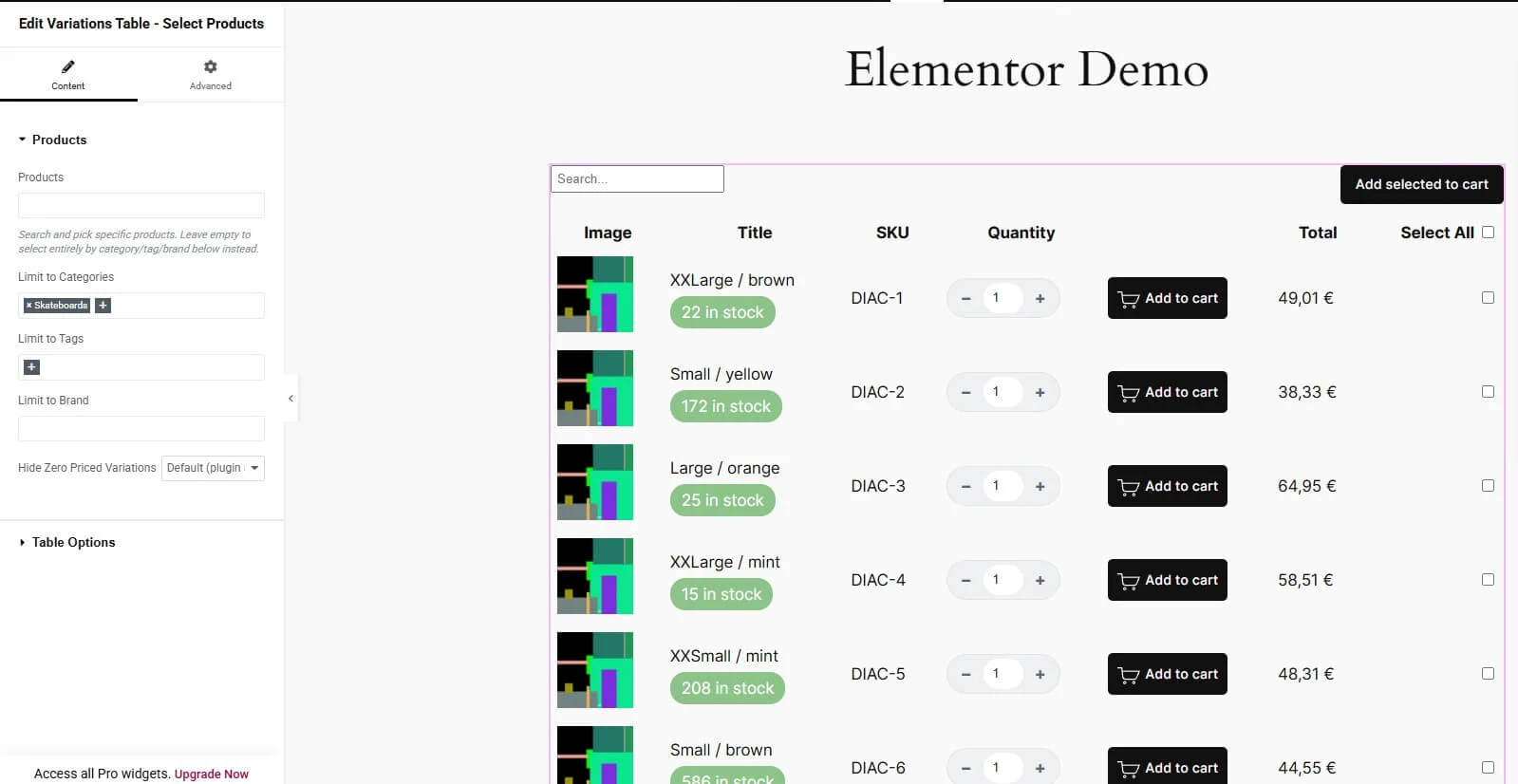
Turns WooCommerce’s stacked dropdown menus into a single scannable table, showing SKU, stock, price, weight, and more for every variation at a glance.
Full Visual Styling Control
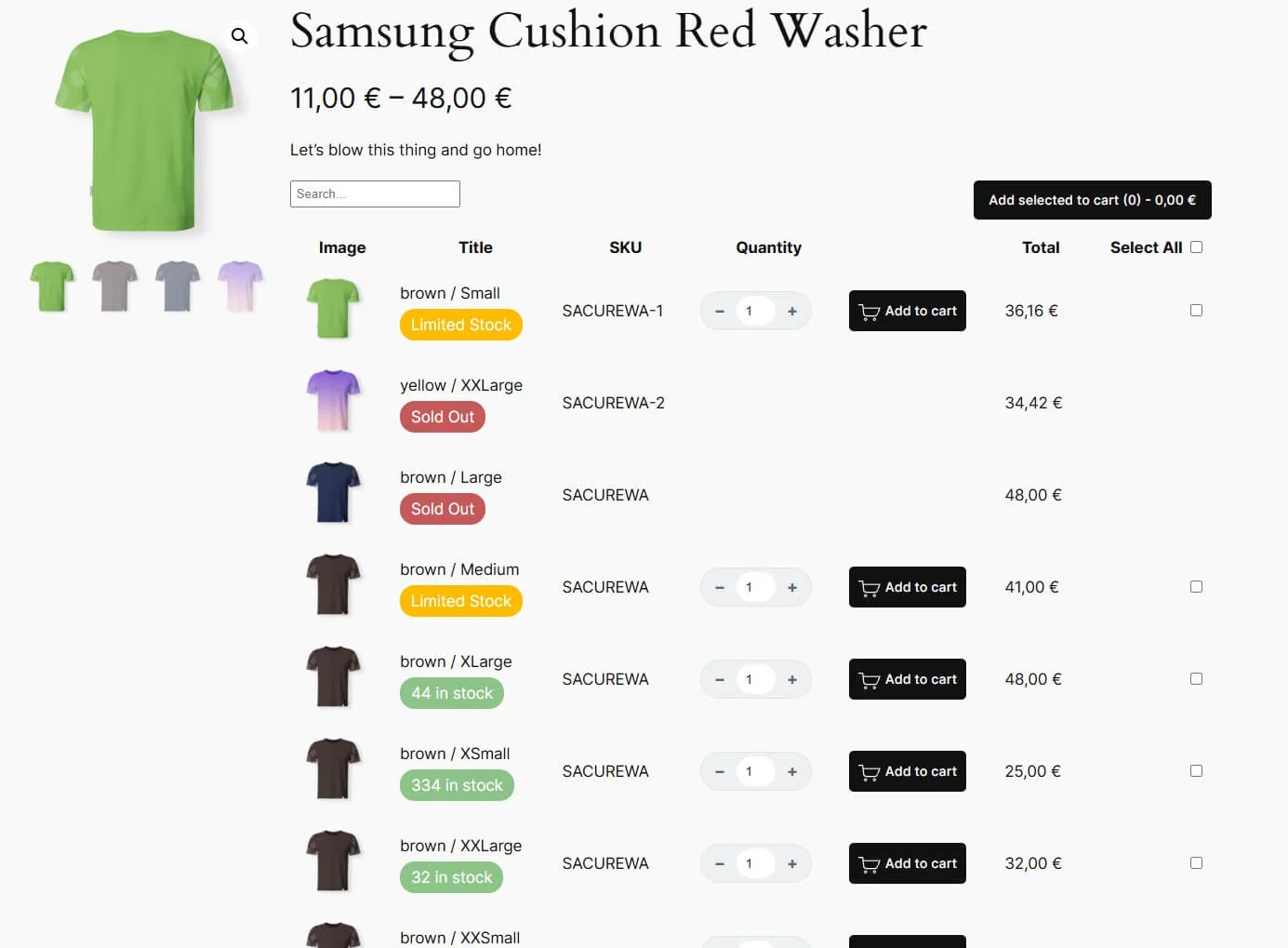
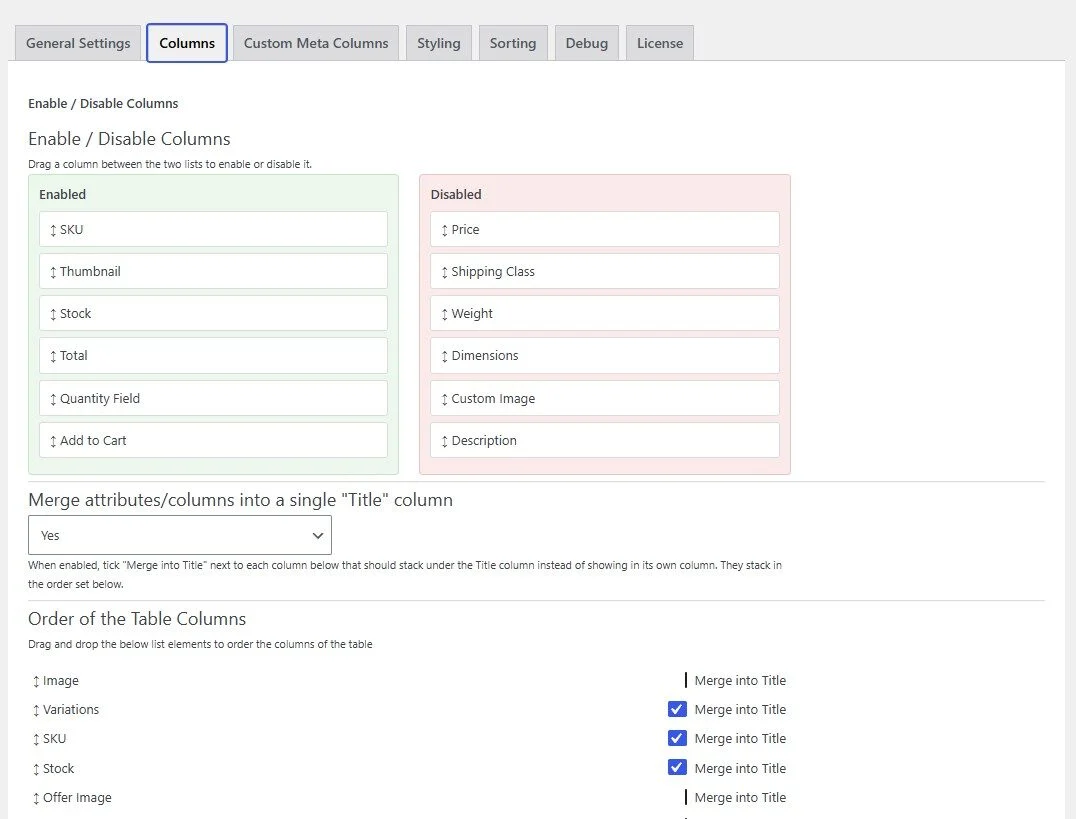
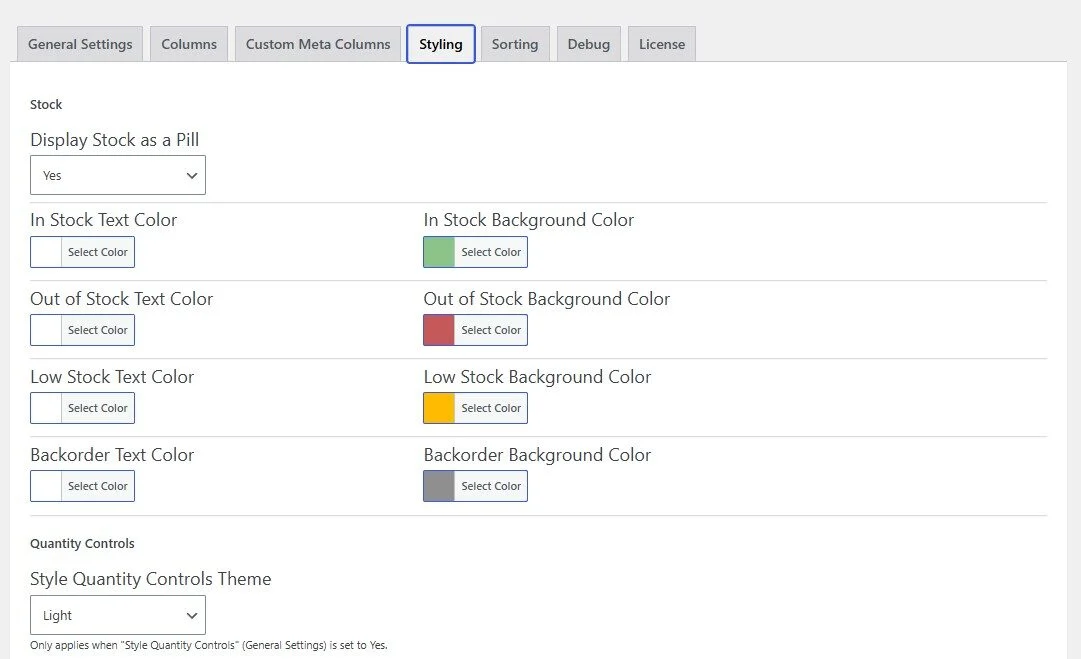
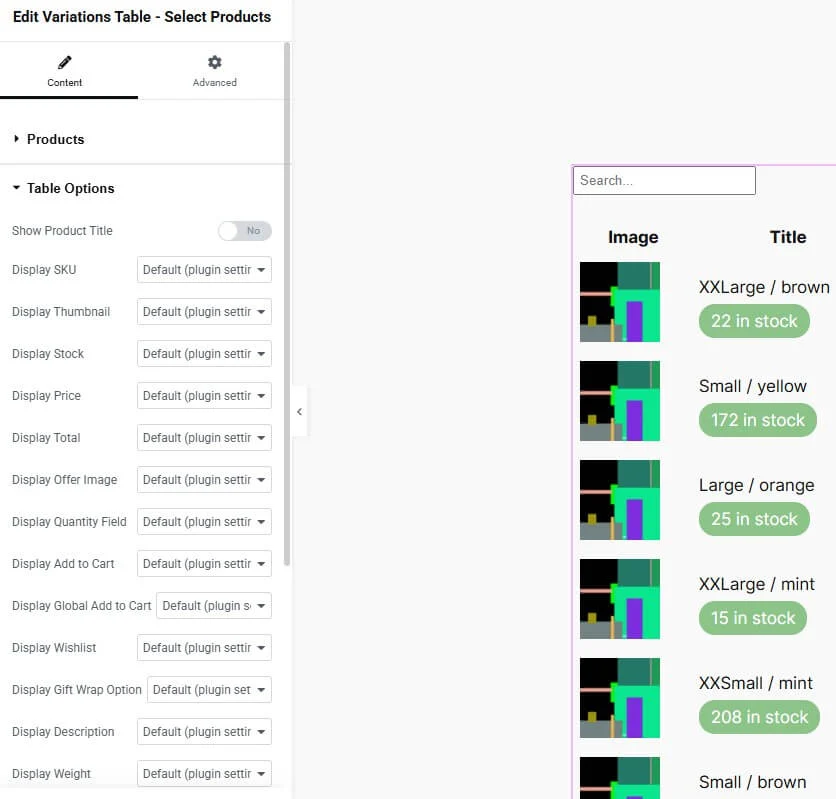
Set font size, weight, style, and text-transform per column, color-code stock statuses, and switch quantity controls to a light or dark “pill” style — all without touching CSS.
Live Sorting & Search
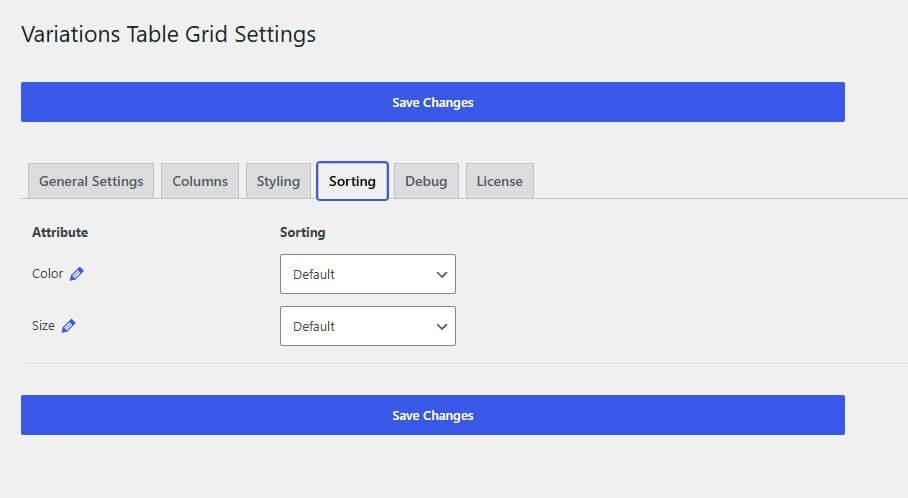
Shoppers can sort the table by any column and search variations live on the page, so large variation lists stay easy to navigate
Built for Modern WooCommerce
Declares WooCommerce as a dependency and is fully compatible with High-Performance Order Storage (HPOS), so it works cleanly on current and future WooCommerce setups.
Variations ACF support (beta)

On version v2.4.0 Advanced Custom fields support for product variations was introduced, which you may also list on the table – grid.
One-Click Bulk Add to Cart
Customers tick the variations they want and add them all to the cart in a single request, with one combined confirmation message instead of clicking “add” over and over.
Merge Attributes into a Single Title Column
Stack whichever columns you choose (attributes, SKU, description, etc.) into one clean “Title” column, in the order you set.
Elementor Widgets & Gutenberg Blocks
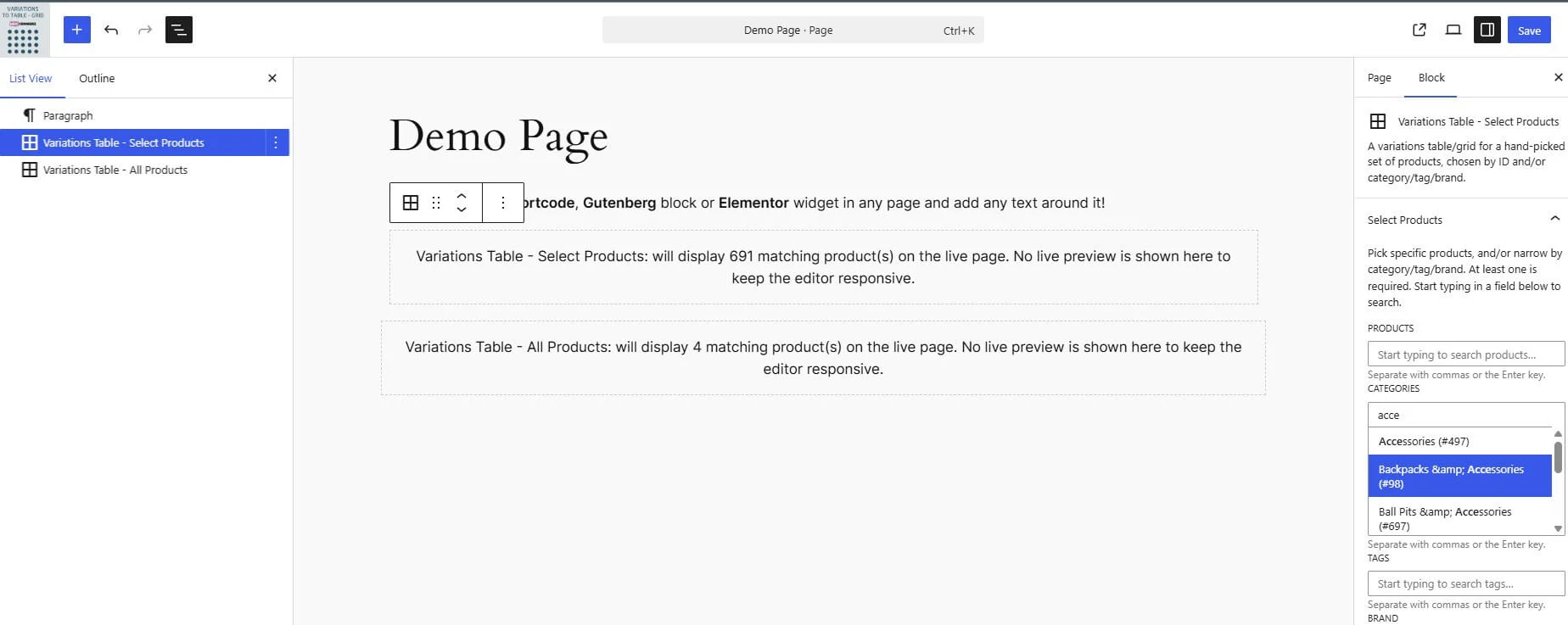
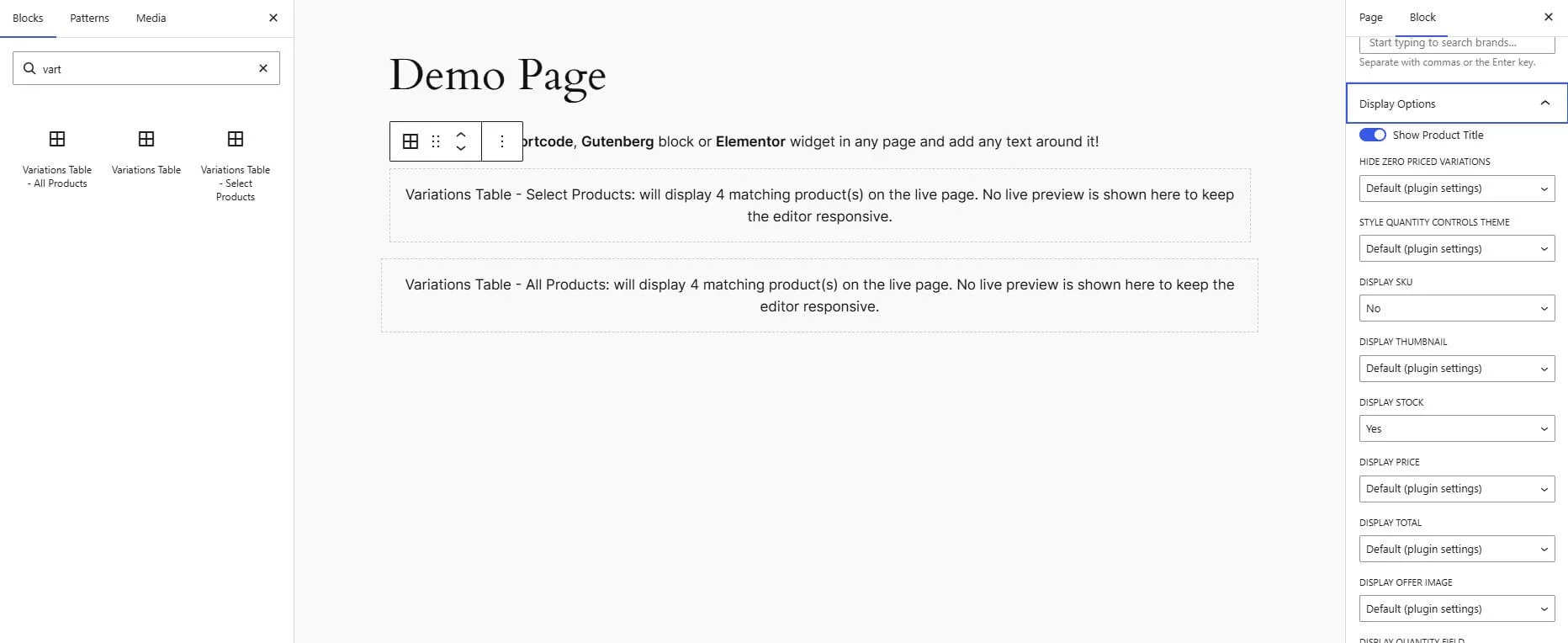
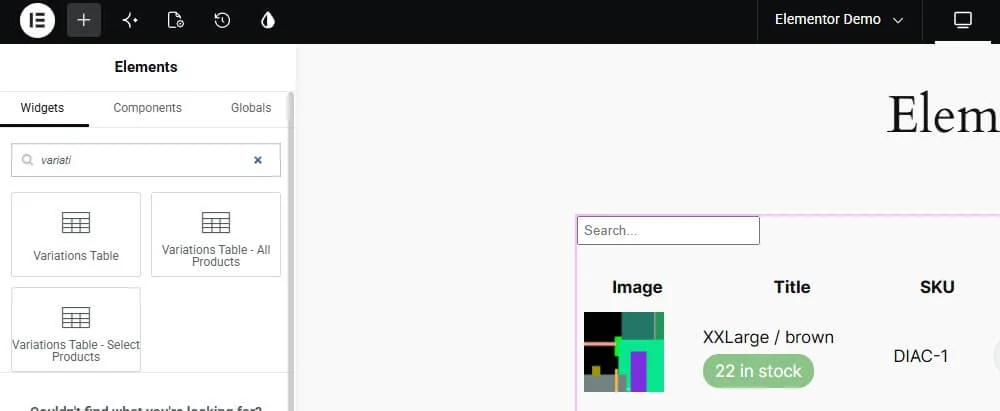
Drop the table into any page visually — no shortcodes required — with the same configuration options available in both page builders.
Deep Customization via Hooks & Integrations
Dozens of actions and filters let developers extend behavior without hacking core files, with built-in support for YITH Wishlist, YITH Quick View, and WooCommerce Product Gift Wrap.
Built for developers too
- Clean, Namespaced OOP Codebase
Built as focused, single-responsibility classes under one namespace instead of a single procedural file — easy to read, extend, or hook into without fighting spaghetti code. - Liberal Hooks & Filters Throughout
Every stage of rendering, bulk add-to-cart, and Elementor/Gutenberg attribute resolution fires its own actions and filters, so you can customize behavior with a few lines in functions.php instead of forking the plugin. - No Build Step Required
Gutenberg blocks are registered PHP-only — no React, no npm, no compiling — so developers can extend or theme the blocks using nothing but PHP and CSS they already know.
Get it Now!
Do you have product variations on your WooCommerce store?
Then you know how clunky the default dropdowns are.
This plugin fixes that with a clean, sortable table your customers can shop from in seconds