












Est. 2016
Create Unlimited WooCommerce Products Lists
Formerly on CodeCanyon
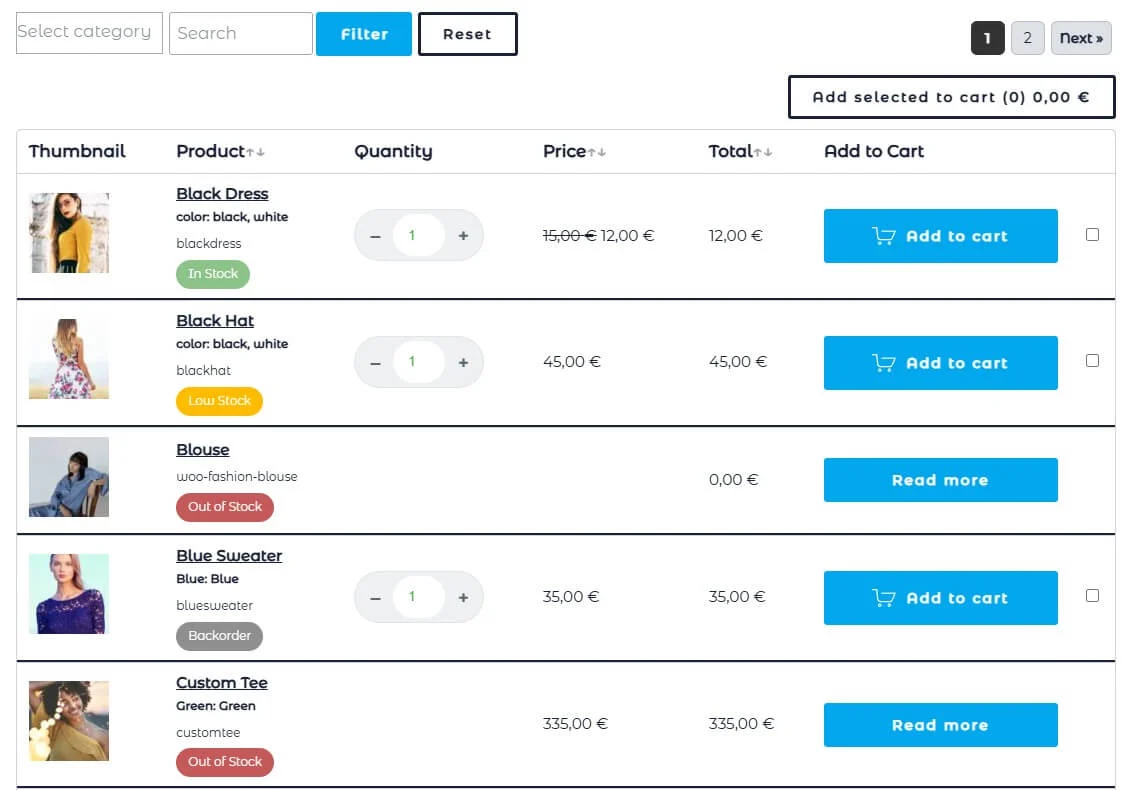
The default WooCommerce grid layout works fine for a handful of products, but it breaks down fast for stores with large catalogs, wholesale customers, or B2B buyers who need to compare and order multiple items quickly. WooCommerce Products List Pro allows you to create unlimited sortable products lists, showing SKU, stock status, price, categories, and any custom or ACF field side by side, so shoppers can scan your entire catalog and make purchase decisions in seconds instead of endlessly scrolling through paginated grids. For stores selling to retailers, contractors, or repeat bulk buyers, this single change can be the difference between an abandoned session and a completed order.
The real conversion killer for high-SKU-count stores isn’t the product itself — it’s the friction of adding it to the cart. WooCommerce Products List Pro solves this with inline quantity selectors and a bulk “Add Selected to Cart” button, letting customers check off dozens of products and send them to checkout in one click, with live AJAX filtering and pagination so the table updates instantly without a page reload. Combined with built-in search, category and tag filters, and stock-status indicators (In Stock, Low Stock, Backorder), buyers find what they need and check out faster — directly reducing cart abandonment and increasing average order value for wholesale, B2B, and high-volume WooCommerce stores.

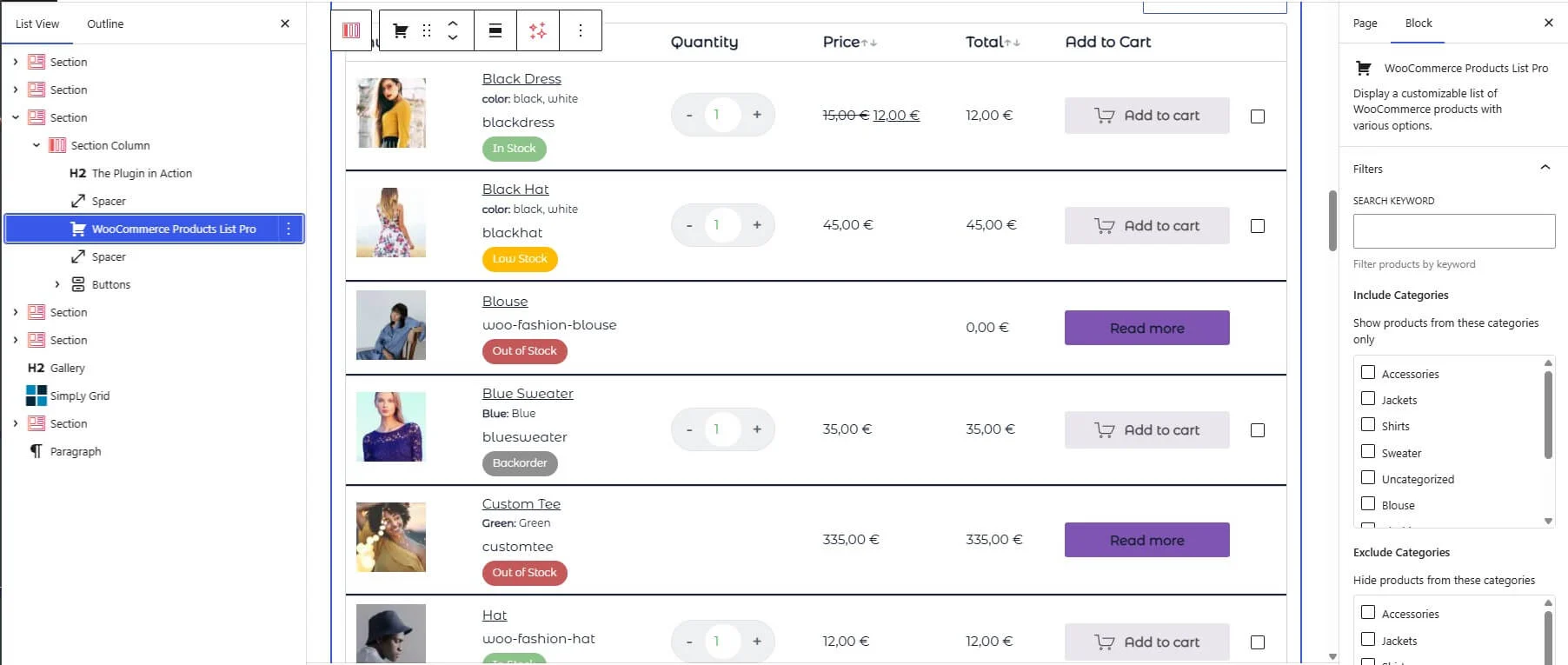
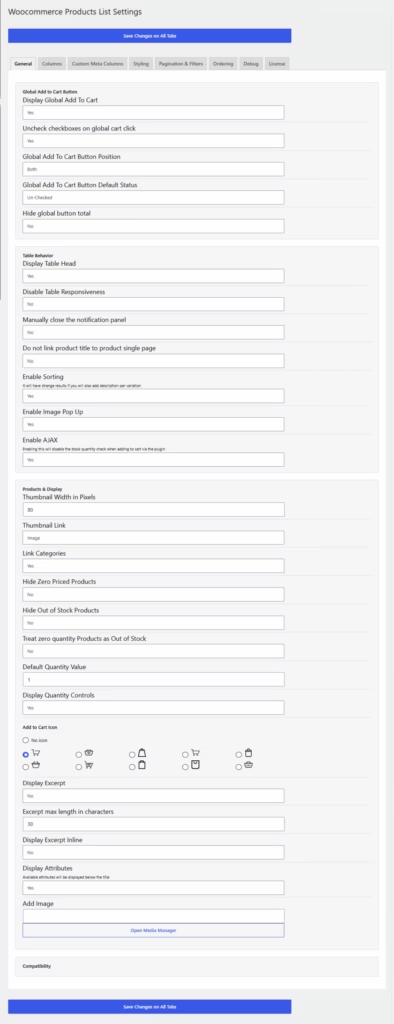
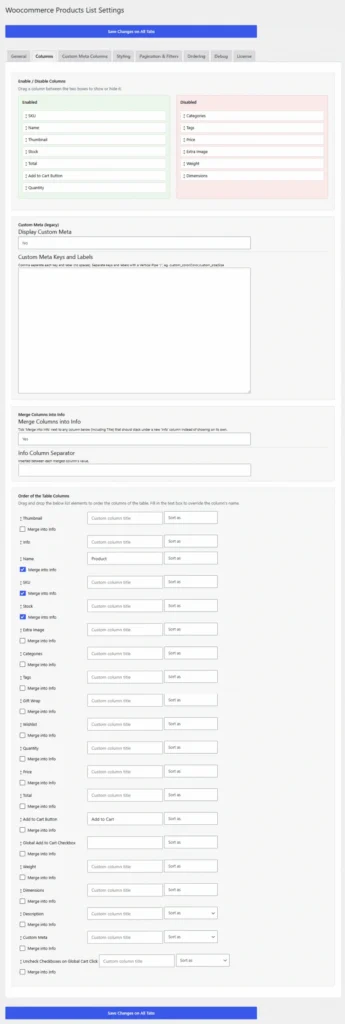
Every list is fully brandable and drops into any page with a shortcode, Gutenberg block, or Elementor widget — no developer required. Store owners can reorder, merge, rename, and style columns (including custom typography, stock pill colors, and quantity control themes), add custom meta or ACF fields as their own columns, and enable gift wrap or wishlist integration, all from a clean tabbed settings screen. Because it’s built on WooCommerce’s own APIs and stays compatible with major themes and page builders, it installs cleanly on any active WooCommerce store without conflicts — giving merchants a fast, professional product list experience that’s proven to outperform the default catalog grid for bulk and repeat purchasing.
Get it Now!
Do you have product variations on your WooCommerce store?
This is a must-have plugin!
Why WooCommerce store owners choose it
Works with all themes
If your theme doesn”t run on Gutenberg or Elementor, the plugin is designed to work with any WooCommerce installation.
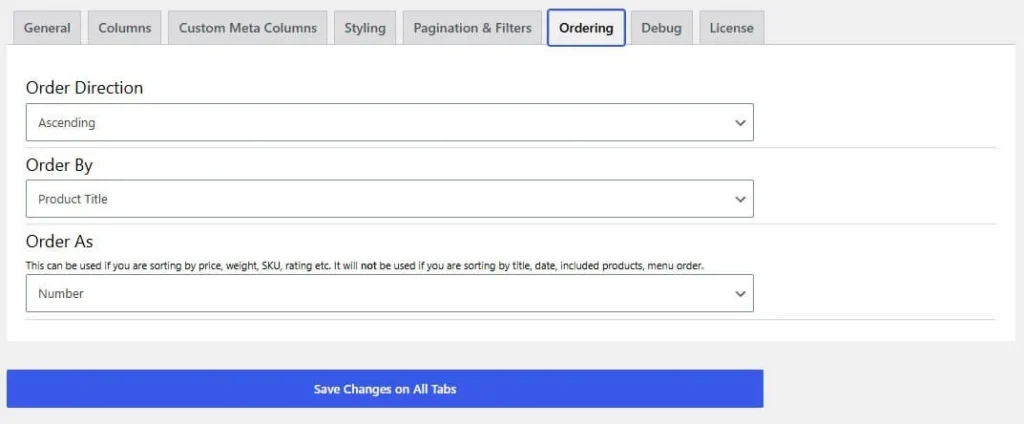
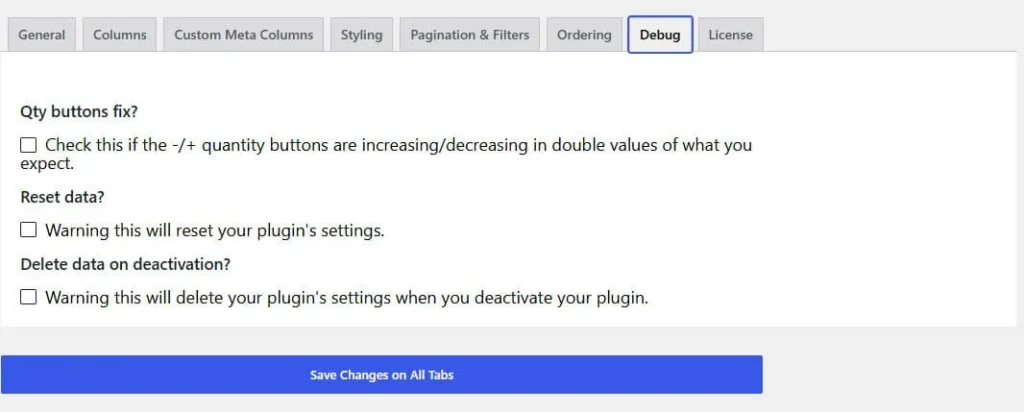
Intuitive Settings Page
Comes with an easy to understand settings page.
Although you can customize almost every aspect, the default settings will work with most of the stores.
Fast and lightweight
The plugin itself is lightweight and coded with the best WordPress practices in mind.
Adding products into to cart is extremely fast via an AJAX request.



Core features
Ditch the Grid, Sell in a List
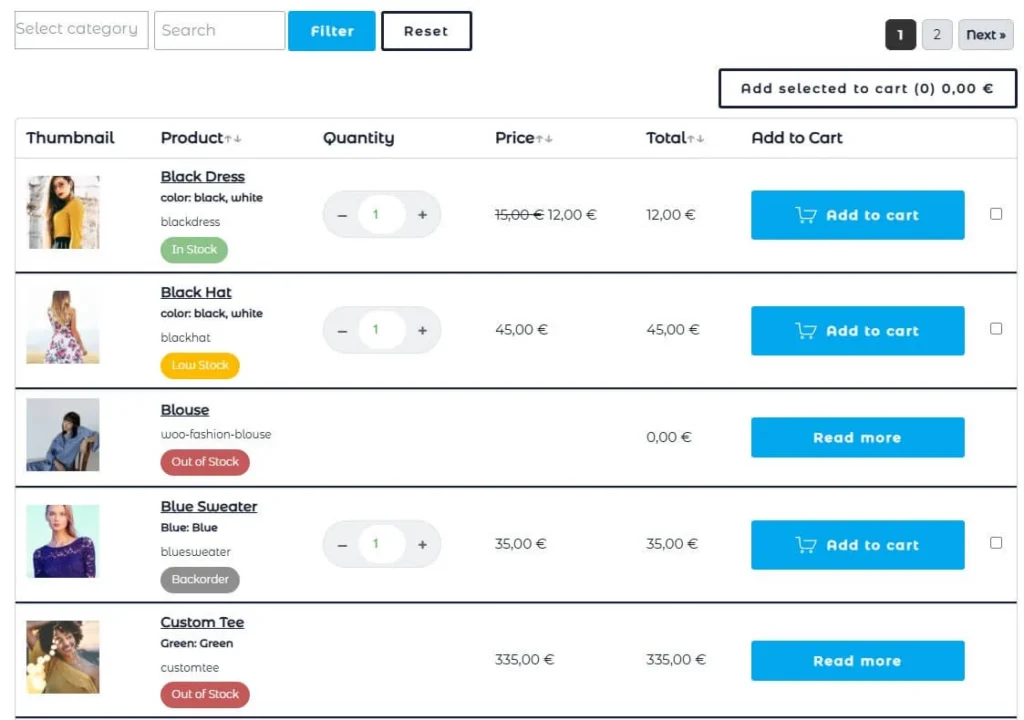
Add WooCommerce’s products lists anywhere on your website in a clean, sortable table view built for browsing dozens of SKUs at once. Perfect for wholesale, B2B, and catalog-heavy stores where customers compare before they buy.
Instant Filtering, Zero Page Reloads
Category, tag, and keyword filters update the table live via AJAX, keeping shoppers in the flow instead of waiting on full page reloads. Pagination works the same way, making browsing feel instant.
Clear Stock Status at a Glance
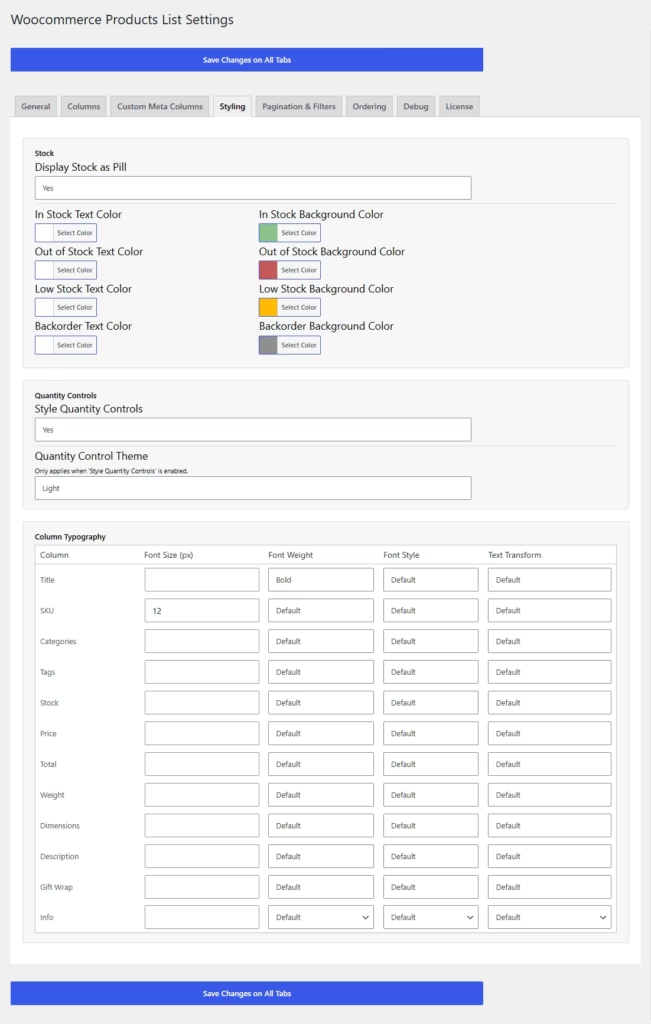
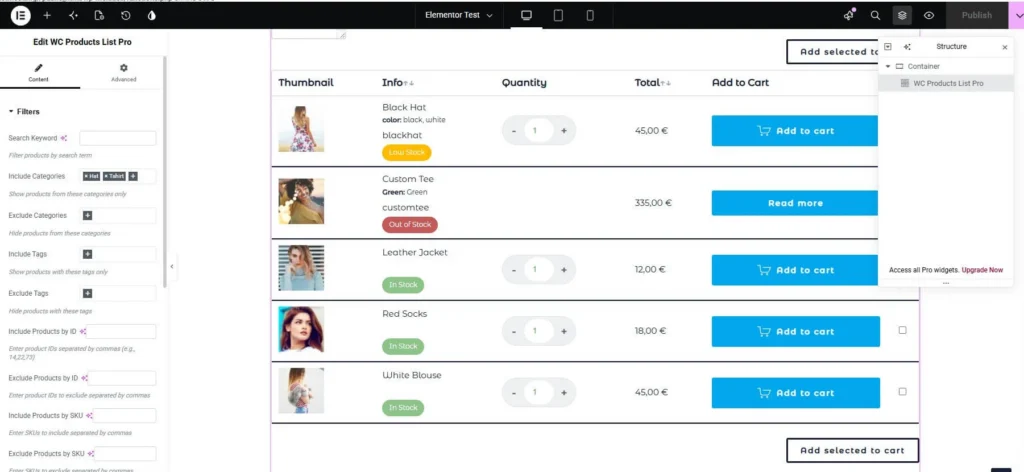
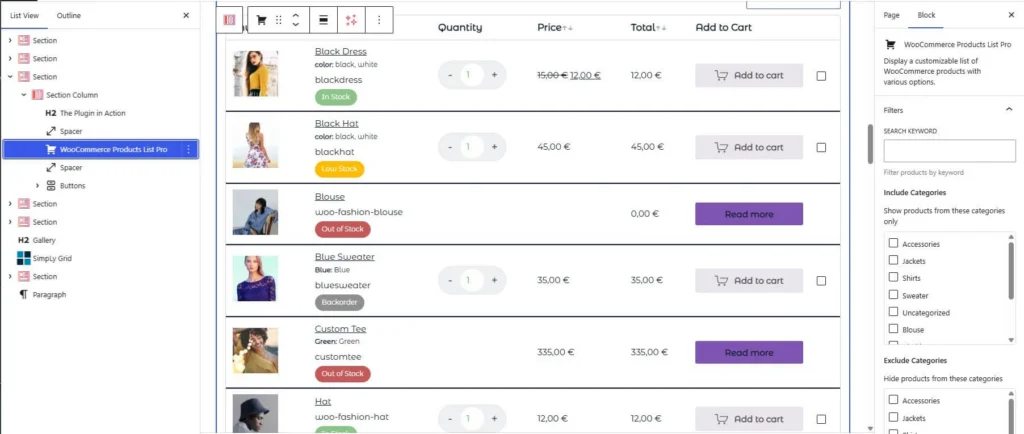
In Stock, Low Stock, Out of Stock, and Backorder are shown with color-coded pill badges, driven by WooCommerce’s own stock settings. Customers know availability before they even open the product page.
Styled to Match Your Brand, Not Ours
Every column’s typography, stock colors, and quantity control theme (light or dark pill) is customizable from a simple settings screen. The table adapts to your site’s look instead of imposing its own.
Variations ACF support

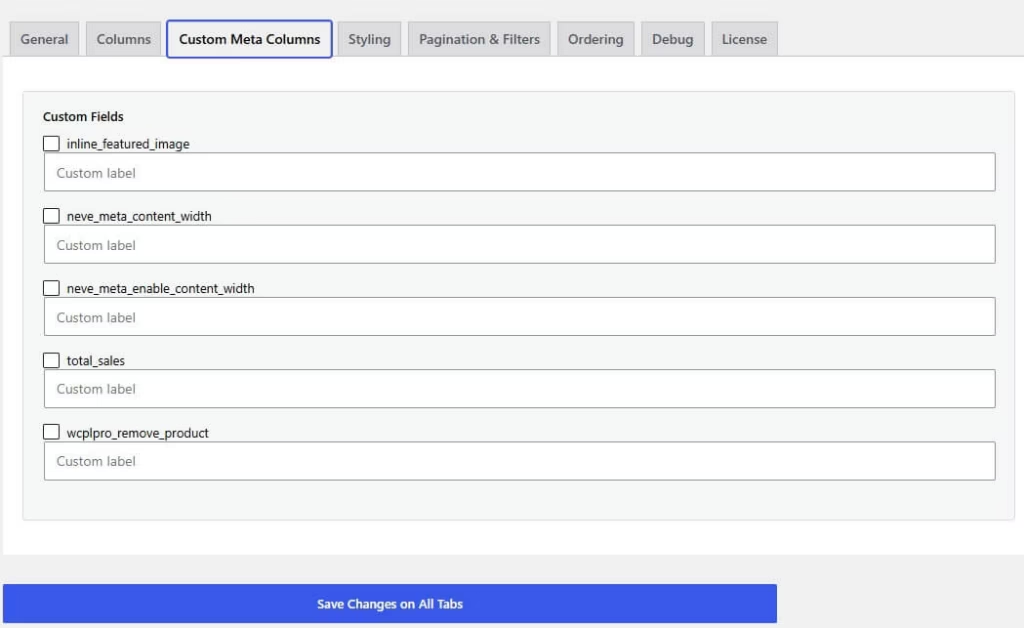
On version v2.1.0 Advanced Custom fields support was added, so you can easily display custom data for each product.
Bulk Add to Cart, One Click
Customers check off multiple products with inline quantity fields and add them all to the cart at once — no repeat “Add to Cart” clicks. Selections persist across pages, so nothing gets lost while browsing.
Show Any Field You Want
Add SKU, weight, dimensions, categories, tags, or description as their own columns — or pull in any custom field or ACF field, including repeaters and images. Merge any combination into a single tidy “Info” column.
Show Any Product Taxonomy
The plugin support any cusotm taxonomy has been assigned to the product post type. You may place the column of any taxonomy in the right order and also sort by it.
No-Code Setup with Elementor & Gutenberg
Drop the table into any page with a shortcode, a Gutenberg block, or a full-featured Elementor widget — all with live previews. No developer needed to configure filters, columns, or layout.
Built on WooCommerce, Compatible by Design
Works with HPOS, major themes, and popular plugins like YITH Wishlist and Amazing Wishlist out of the box. Installs cleanly alongside your existing WooCommerce setup with no conflicts.
Built for developers too
- Clean, Namespaced OOP Codebase
Built as focused, single-responsibility classes under one namespace instead of a single procedural file — easy to read, extend, or hook into without fighting spaghetti code. - Liberal Hooks & Filters Throughout
Every stage of rendering, bulk add-to-cart, and Elementor/Gutenberg attribute resolution fires its own actions and filters, so you can customize behavior with a few lines in functions.php instead of forking the plugin. - No Build Step Required
Gutenberg blocks are registered PHP-only — no React, no npm, no compiling — so developers can extend or theme the blocks using nothing but PHP and CSS they already know.
Get it Now!
Do you have product variations on your WooCommerce store?
Then you know how clunky the default dropdowns are.
This plugin fixes that with a clean, sortable table your customers can shop from in seconds