













Country-based access control for every corner of WordPress, from wp-admin and XML-RPC down to a single page, post or checkout, with automatic server-level bans for intruders.
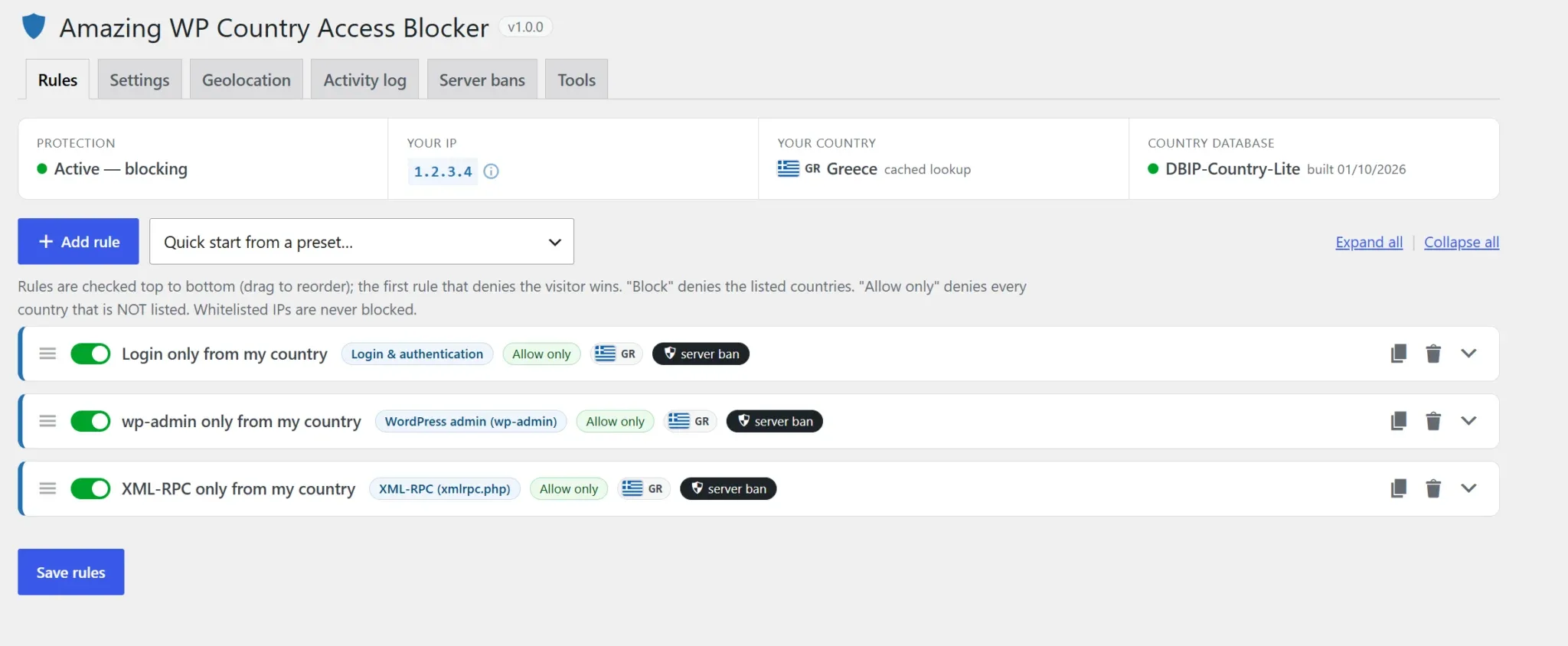
Amazing WP Country Access Blocker decides who can reach your WordPress site based on where they connect from. Allow or block countries for wp-admin, logins, XML-RPC, the REST API, or any single page, post, product or category.
Most brute-force logins, XML-RPC attacks and spam come from countries your customers don’t. Keep wp-admin open only to your team’s countries, and shut everyone else out before they get a chance to try.
Visitors who break a rule can be banned at the server level, so repeat attackers never reach WordPress again. It’s lightweight, private by design, and simple to set up, with presets and built-in protection against locking yourself out.

Get it Now!
Most attacks come from countries your customers don’t.
Lock them out of wp-admin, logins and XML-RPC, and ban them before they ever touch WordPress.
Why WordPress admins choose
Amazing WP Country Access Blocker
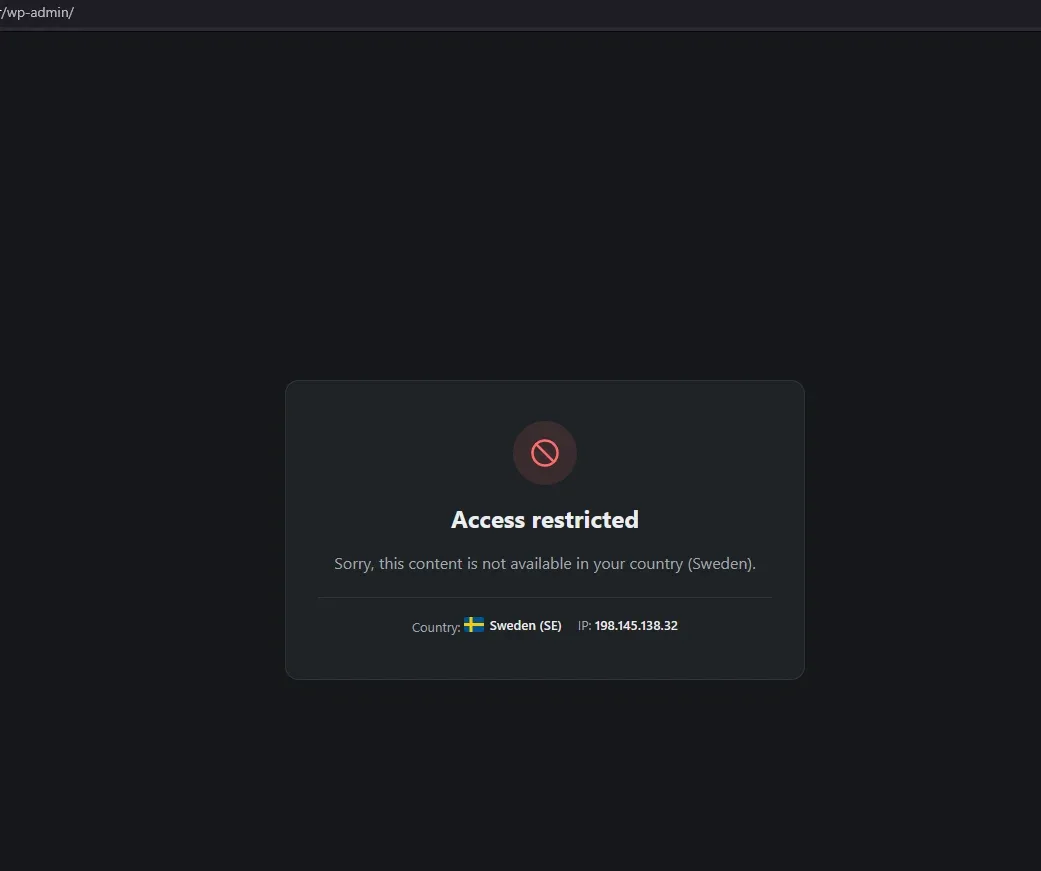
Lock down wp-admin, login and XML-RPC by country
Allow logins only from the countries you choose, and stop brute-force and XML-RPC attacks at the door.
Your customers can still log in from anywhere, while administrator accounts stay limited to your country.
Server-level bans for attackers
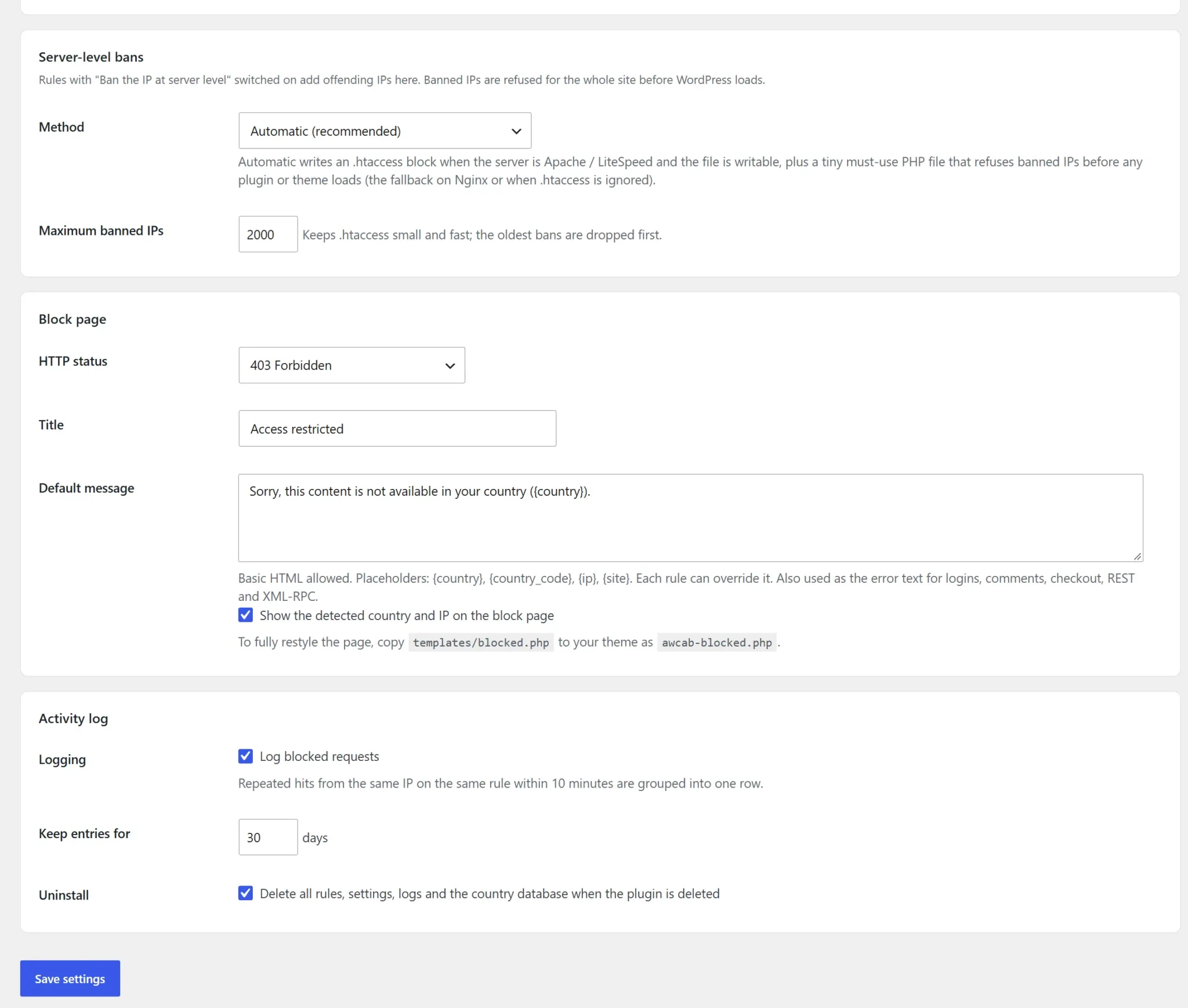
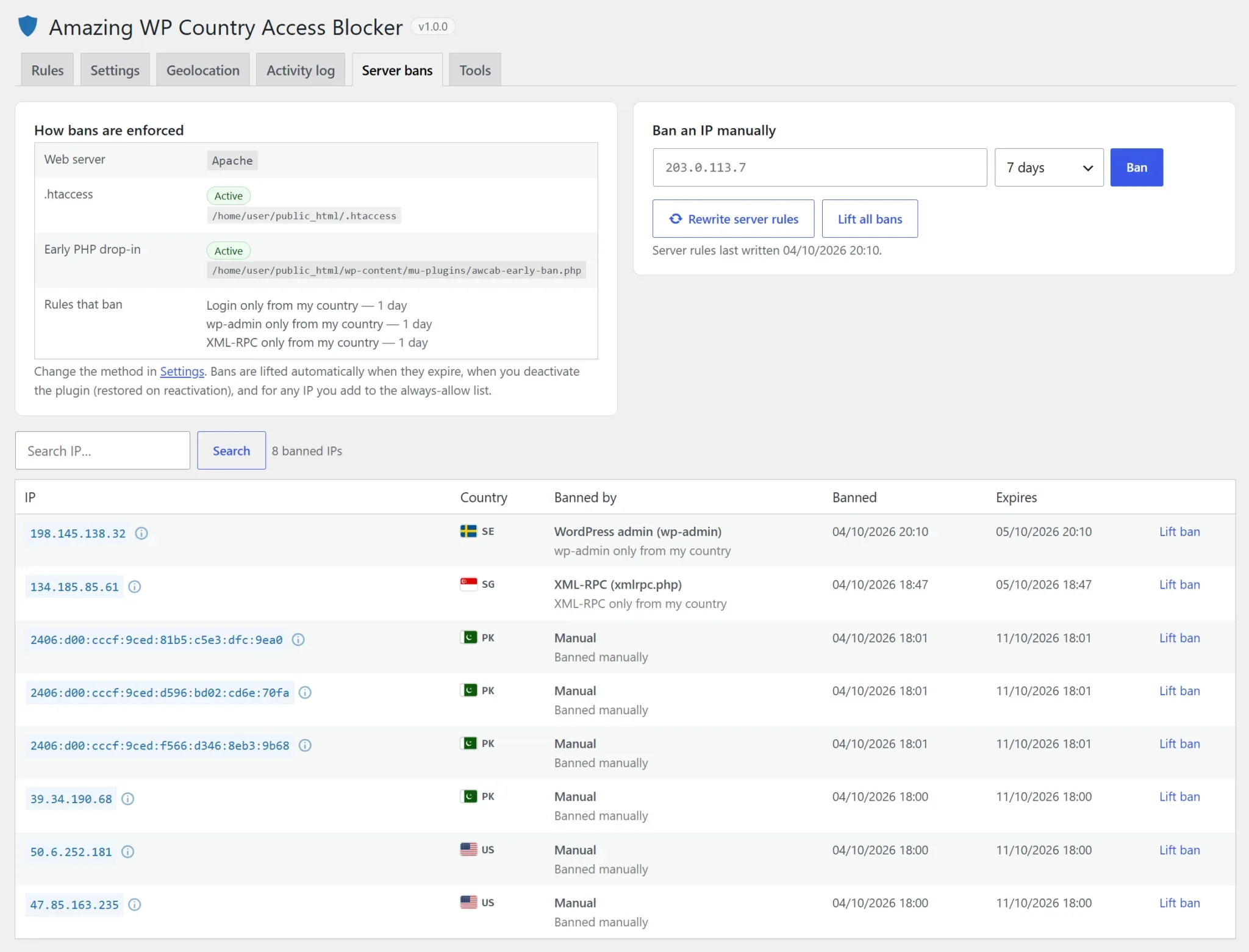
When a visitor from a blocked country probes a protected area, their IP is banned in .htaccess or before WordPress loads.
Bans expire on schedule and are never applied to logged-in users or valid logins.
Every rule has its own countries
Build a list of rules for any part of the site, each with its own allow-only or block list of countries.
Drag to reorder, duplicate, or start from one-click presets. No code or server access needed.
Screenshots
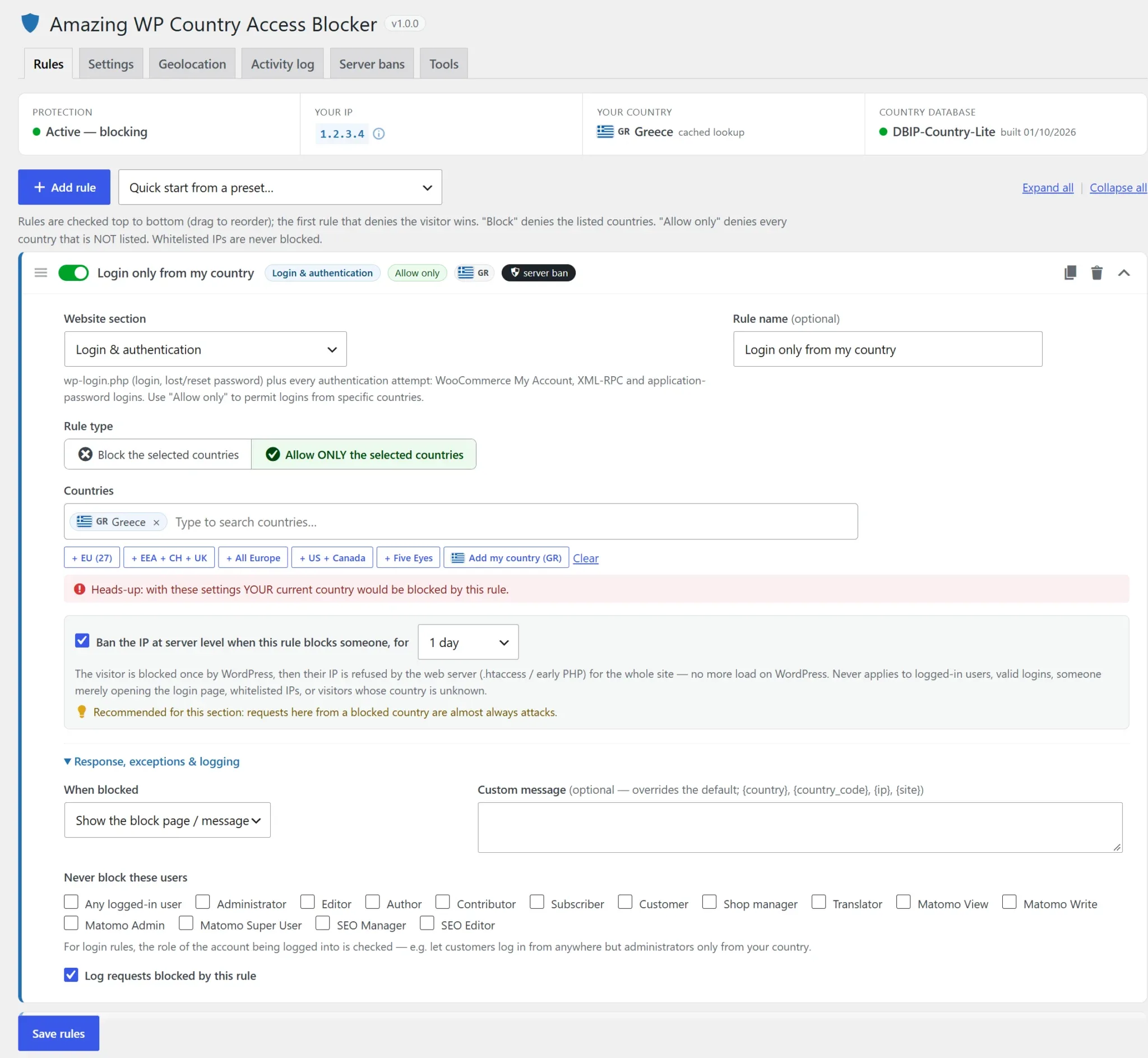
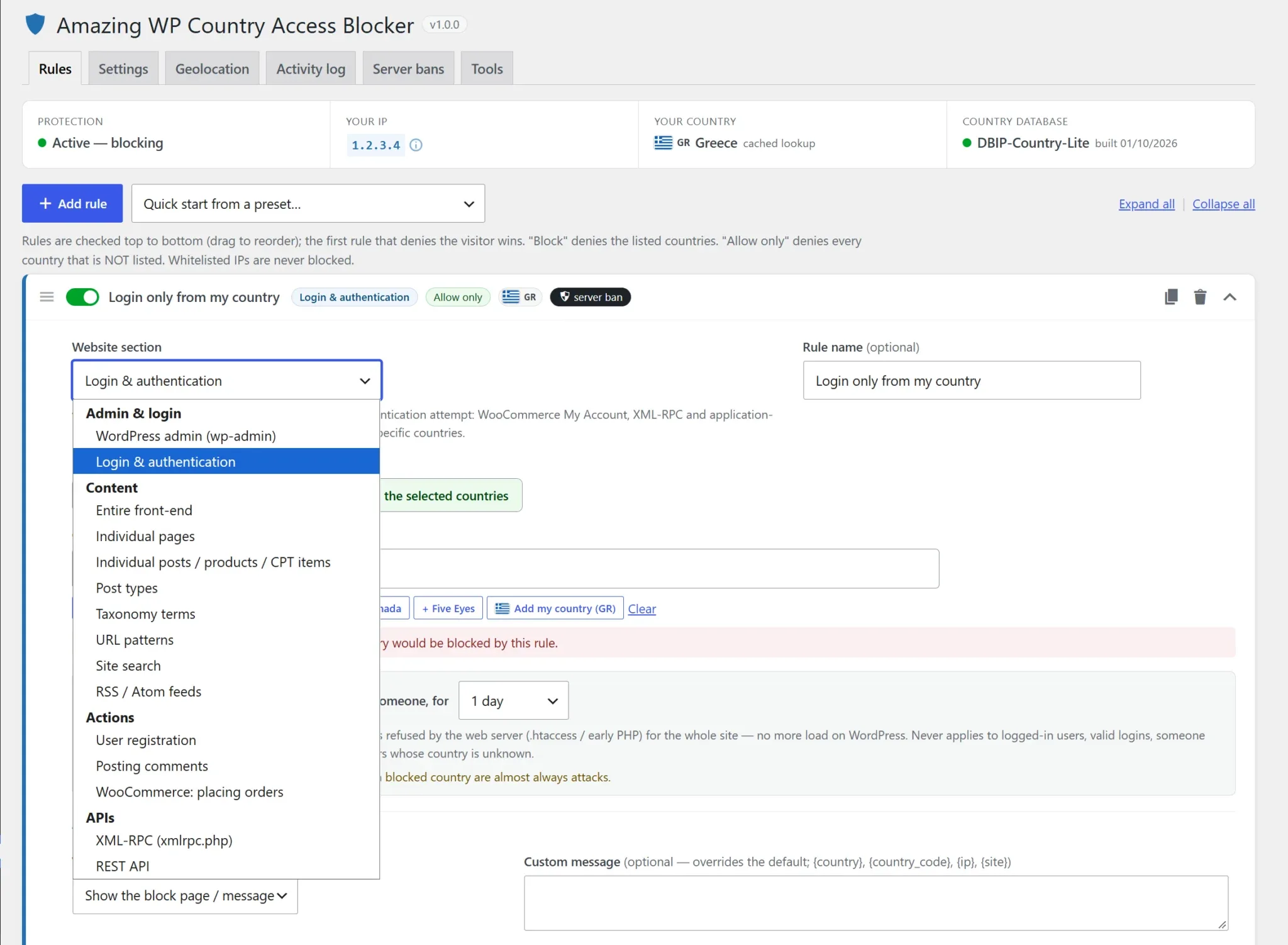
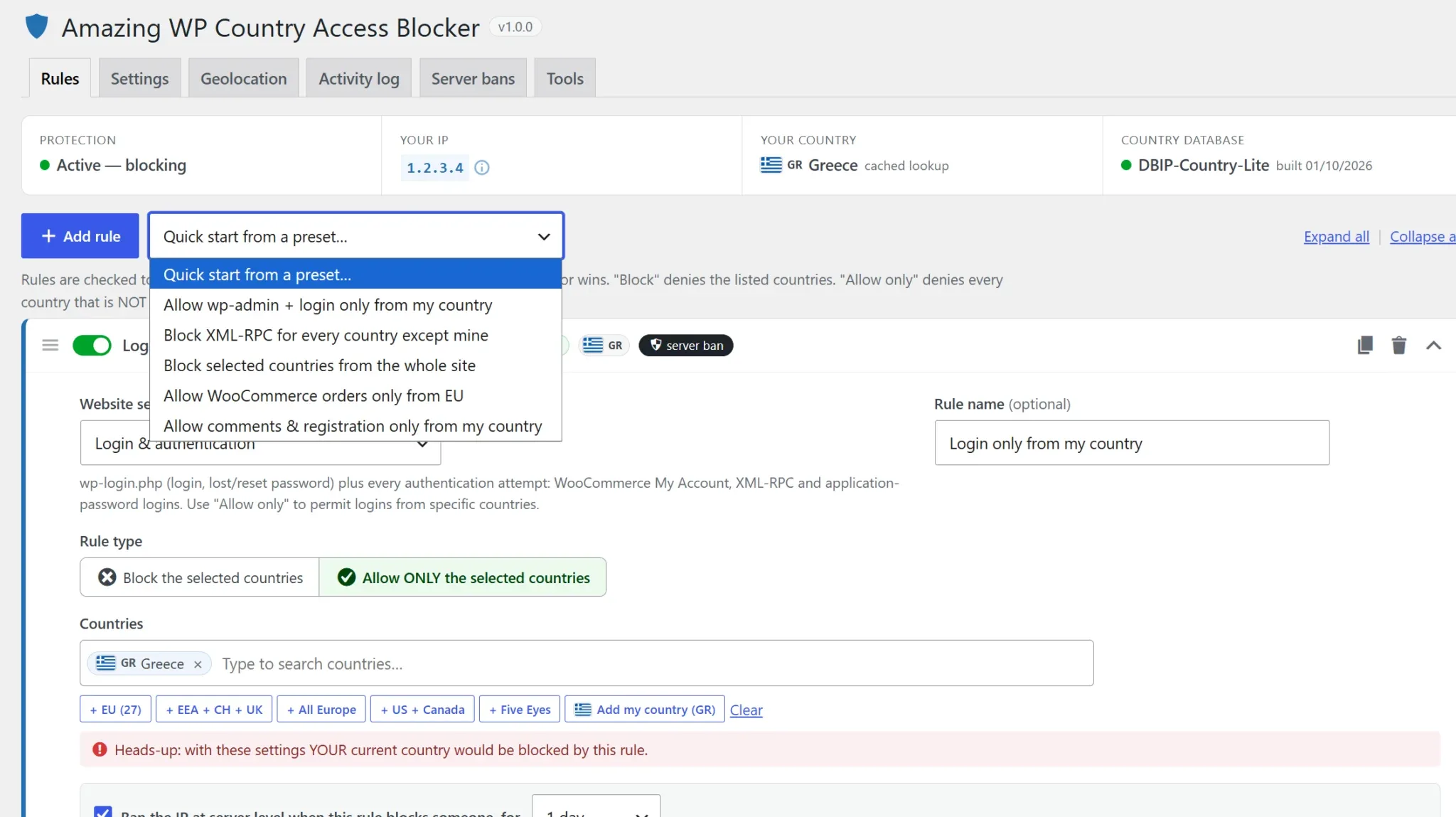
Amazing WP Country Access Blocker Core features
wp-admin & login protection
Restrict the dashboard and every login route (wp-login.php, WooCommerce My Account, XML-RPC, application passwords) to the countries you trust.
Role exemptions let customers log in from anywhere while administrators are country-locked.
Content-level geo-blocking
Allow or block individual pages (and their child pages), posts, products, whole post types, or categories and tags.
Term rules can also cover every post or product assigned to them.
WooCommerce checkout by country
Let visitors from anywhere browse and fill their cart, but accept orders only from the countries you sell to.
Works with both the classic and the block checkout.
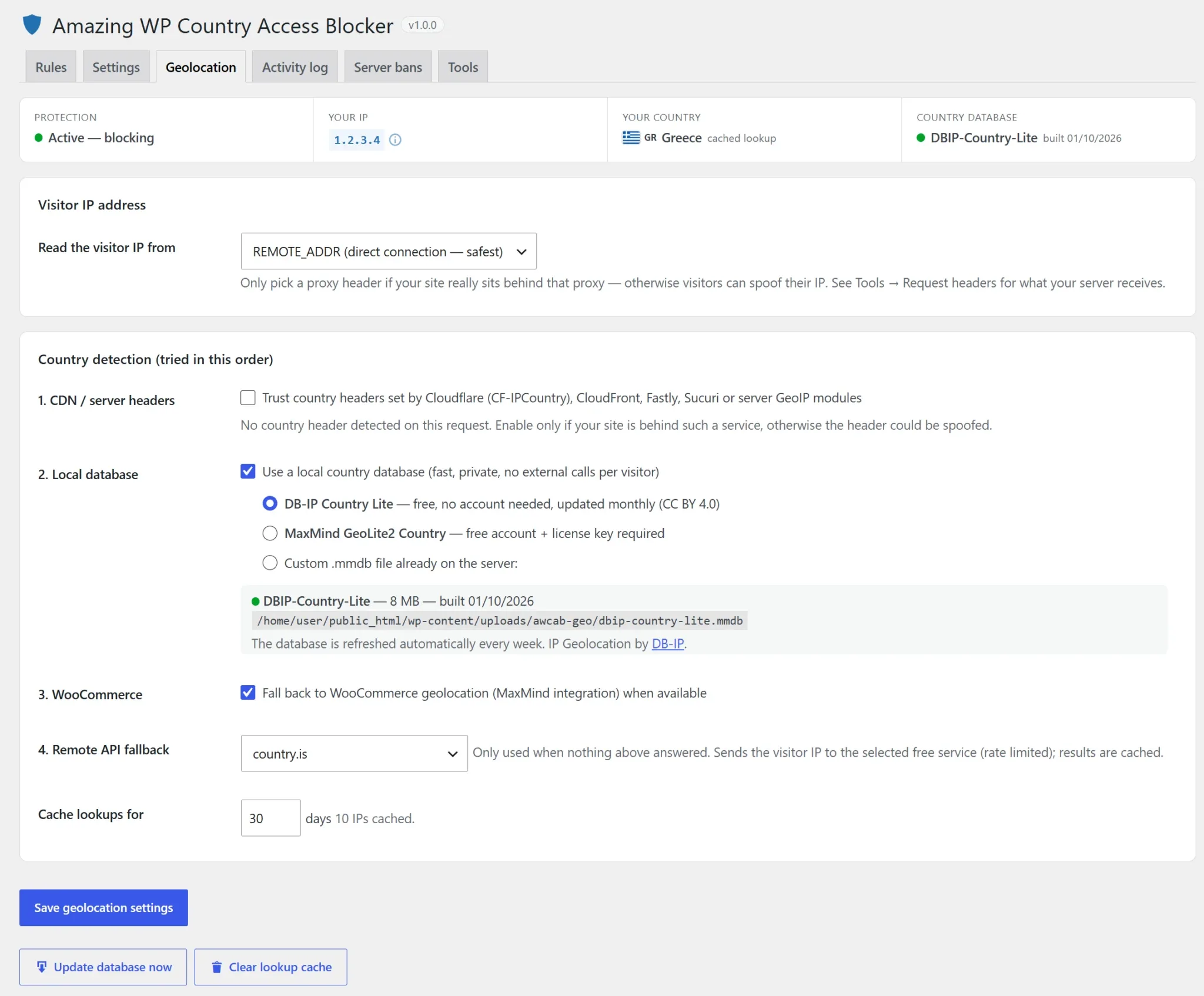
Built-in country detection, no account needed
Ships with a free country database (DB-IP Lite) that updates itself weekly, plus optional MaxMind GeoLite2.
Also supports Cloudflare and other CDN country headers, and falls back to WooCommerce detection or an online lookup service.
Safe by design
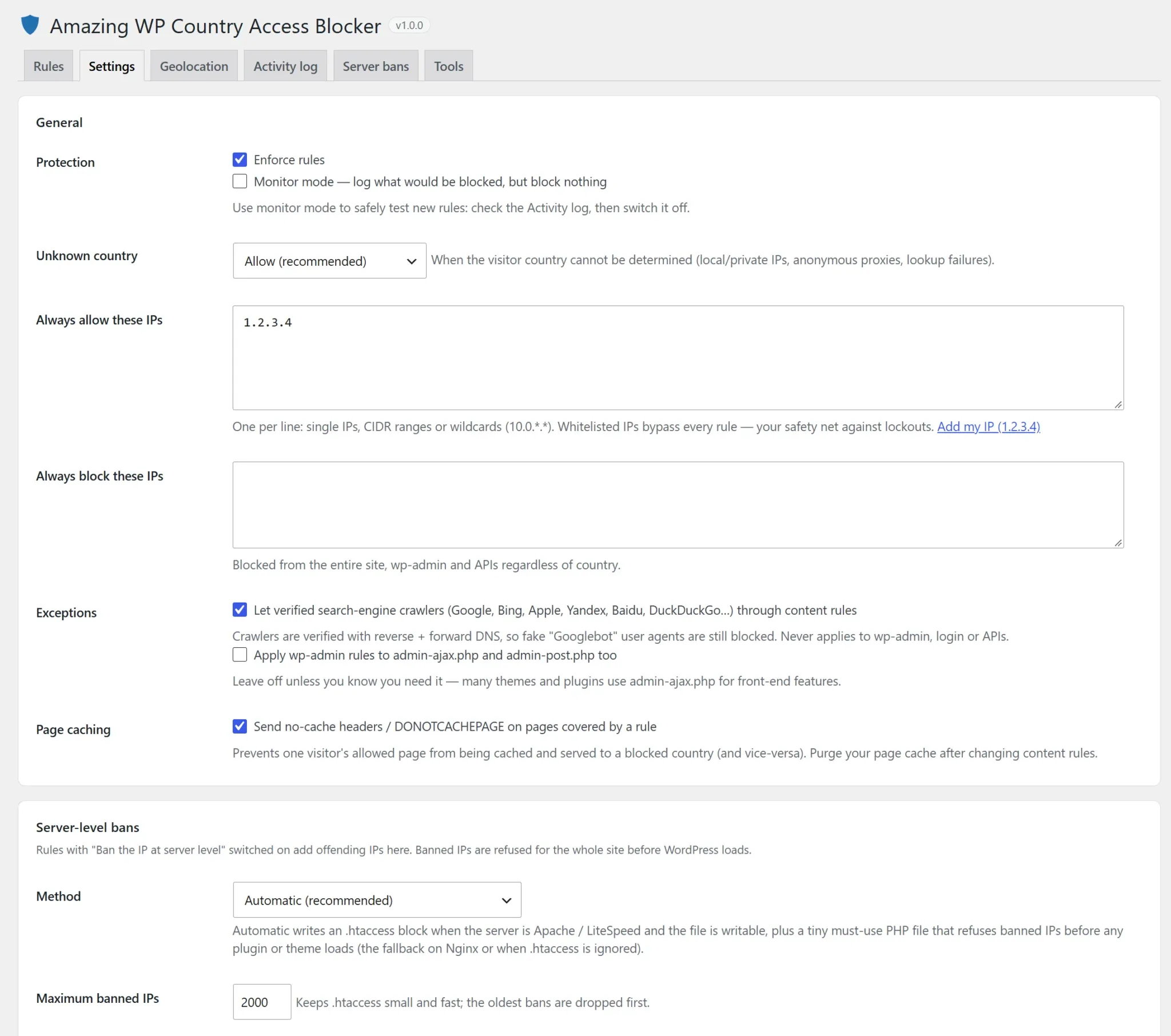
Lockout protection refuses to save rules that would block you, and a monitor mode logs what would be blocked without blocking anything.
Verified search-engine crawlers can be let through content rules so your SEO isn’t affected.
XML-RPC & REST API control
Shut down xmlrpc.php for every country except yours, or protect specific REST routes such as user listings.
Abusive API traffic is answered with a lightweight error instead of loading your whole site.
URL patterns, search, feeds & more
Protect any path with wildcards (e.g. /members/*), and control site search, RSS feeds, comment posting and user registration.
If WordPress handles the request, a rule can cover it.
Server-level IP bans
Turn any rule into an automatic ban, from 1 hour to permanent, enforced by an .htaccess block (Apache/LiteSpeed) or an early PHP guard (any server, including Nginx).
Bans can be added or lifted manually, they expire on schedule, and they’re cleaned up if the plugin is deactivated.
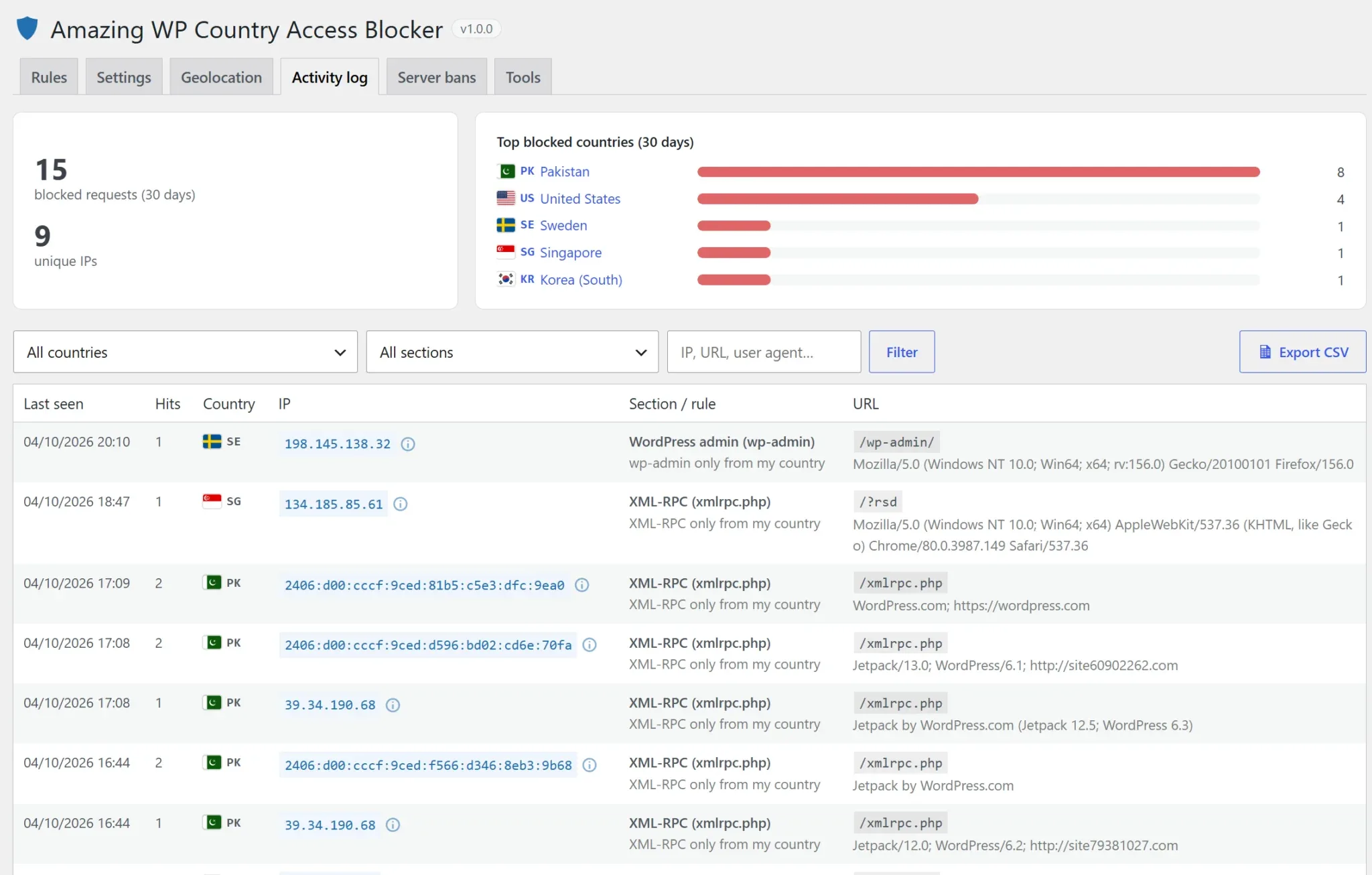
Activity log & IP details
See who was blocked, from where, and by which rule, with a top-countries chart and CSV export.
Click any IP for its hostname, block history, user agents, and one-click allow, block or ban.
Lightweight and cache-aware
When no rule applies to a page, the plugin adds no database queries and no front-end scripts.
Pages covered by rules are excluded from page caching so the wrong country is never served a cached copy.
Built for developers too
- Dozens of actions and filters
Define rules in code, plug in dynamic allow-lists, change block messages and status codes, or add your own section types and admin tabs.
Copy bans to Cloudflare or a firewall viaawcab_bans_synced, or send blocks to Slack or a SIEM withawcab_blocked. - Built for performance and real-world hosting
Code loads on demand and hooks are registered per active rule. Country lookups are cached in the database and in Redis or Memcached when a persistent object cache is installed.
It handles Cloudflare, X-Forwarded-For and custom IP headers, and IPv6, CIDR ranges and wildcards. - Client-proof
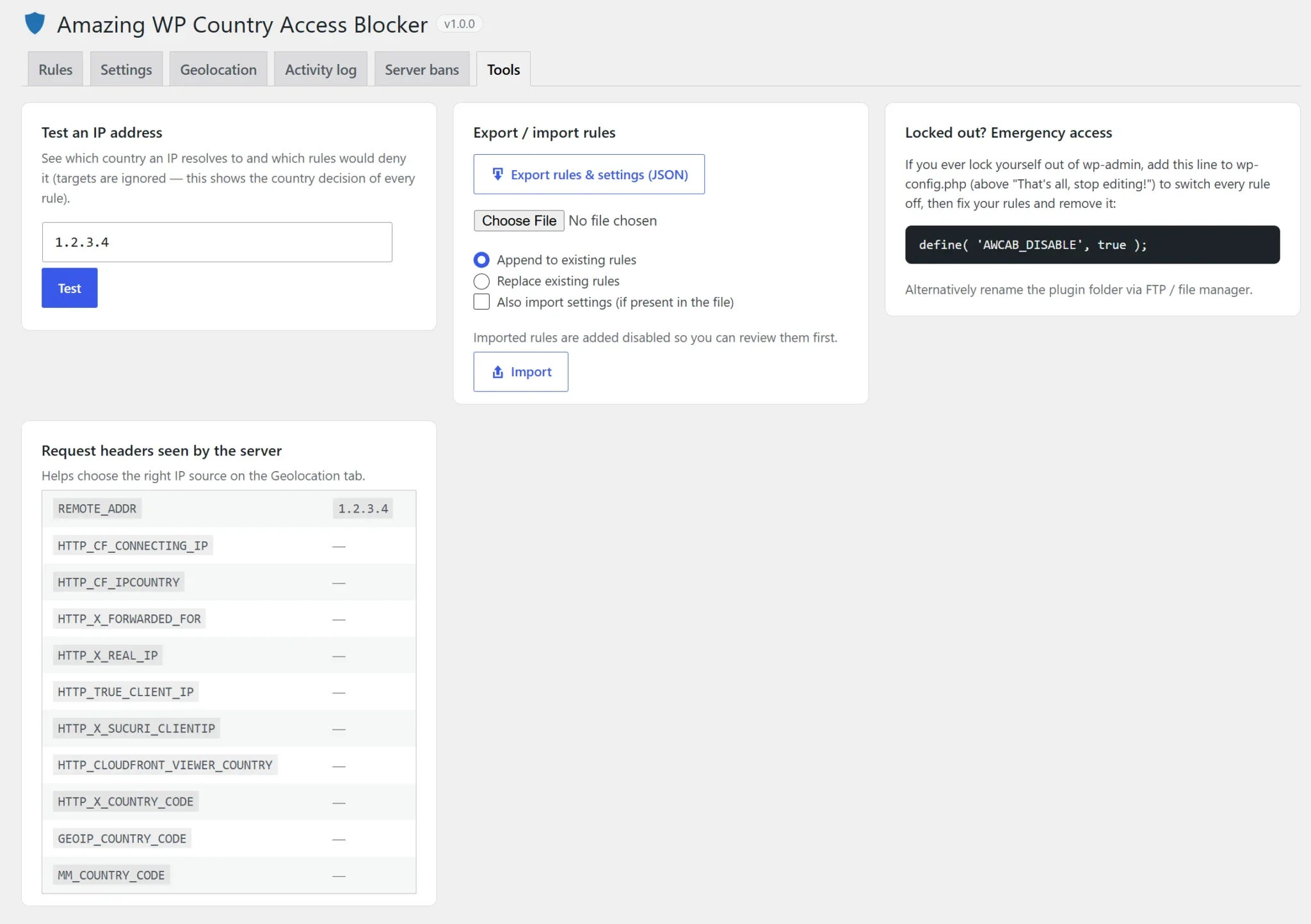
Lockout protection, an emergency switch in wp-config.php, monitor mode, and rule/settings export and import as JSON.
Fully translatable, works with WooCommerce’s HPOS order storage, and includes a theme-overridable block page.
FAQ
Will I lock myself out of my own site?
Very unlikely. The plugin refuses to save rules or settings that would block your current country or IP unless you explicitly confirm. If you ever need emergency access, add define( 'AWCAB_DISABLE', true ); to wp-config.php, fix the rules, then remove the line.
How does it know where a visitor is from?
It uses a free country database stored on your own server, updated automatically every week. You can also use MaxMind GeoLite2, your CDN’s country header (e.g. Cloudflare), WooCommerce geolocation, or an online lookup service as a fallback. Results are cached per IP.
Does it work behind Cloudflare or another proxy?
Yes. On the Geolocation tab, choose the header your proxy sends (CF-Connecting-IP, X-Forwarded-For, X-Real-IP or a custom one) and optionally trust Cloudflare’s country header. Server-level bans read the same header, and Cloudflare’s own IP ranges are never banned.
What's the difference between "Block" and "Allow only"?
“Block” denies the countries you list. “Allow only” denies every country you don’t list, which is ideal for wp-admin and logins. Each rule has its own list, and rules are checked top to bottom.
What are server-level bans and are they safe?
When a rule with bans enabled blocks someone, their IP is refused by your web server for the whole site, before WordPress loads. Logged-in users, valid logins, someone just opening the login page, whitelisted and private IPs, and visitors whose country is unknown are never banned. Bans expire automatically, and .htaccess is backed up before every change.
Does it work on Nginx?
Yes. Country rules work on any server. For server-level bans on Nginx the plugin uses its early PHP guard, which stops banned IPs before any plugin or theme loads. On Apache and LiteSpeed it also writes an .htaccess block.
Will blocking wp-admin break AJAX features on my site?
No. Front-end AJAX (admin-ajax.php and admin-post.php), WooCommerce’s cart AJAX and the REST API keep working when wp-admin is blocked. You can include admin-ajax.php in wp-admin rules if you want to.
Will it hurt my SEO?
Not if you don’t want it to. Verified search-engine crawlers (Google, Bing, Apple, Yandex and others) can be let through content rules. They’re verified by DNS, so fake “Googlebot” requests are still blocked. Login, admin and API rules always apply.
Does it work with page caching?
Yes. Pages covered by a rule tell caching plugins not to store them. Purge your page cache after you add a new content rule, so previously cached copies are cleared.
Can I block WooCommerce orders from certain countries?
Yes. A “WooCommerce: placing orders” rule lets visitors browse and add to cart but refuses checkout from countries you don’t sell to. It checks the visitor’s connection country, not the billing address.
Can I test rules before enforcing them?
Yes. Monitor mode records everything that would be blocked in the Activity log without blocking anyone. The Tools tab also has an IP tester that shows which rules would apply to any address.
Will it slow my site down?
No. When no rule applies to a page, the plugin adds no database queries and no front-end assets. Country lookups are local and cached, so visitors’ IPs aren’t sent to an outside service on every request.
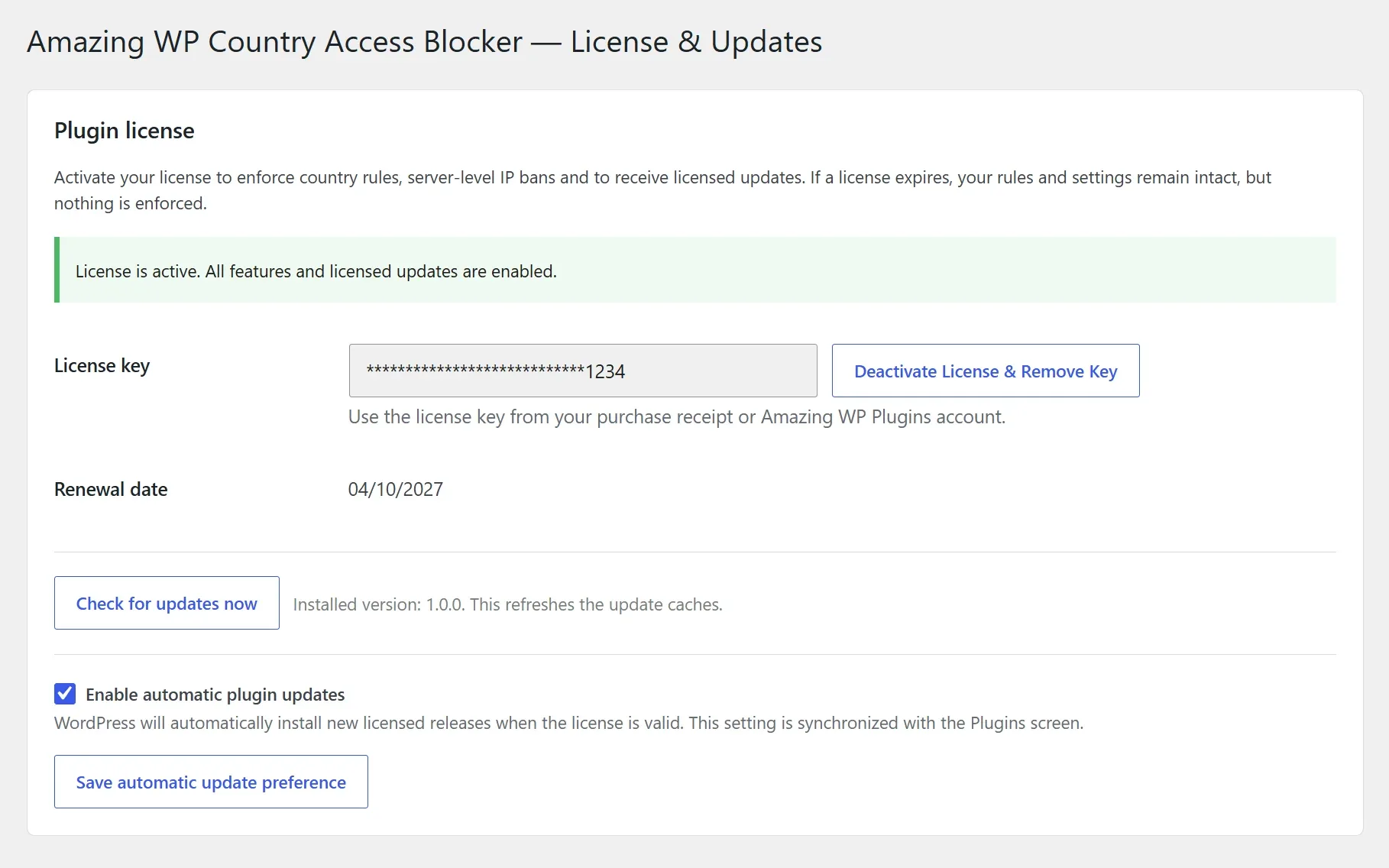
What happens if my license expires?
Your rules, settings and logs are kept, but the plugin stops enforcing rules and removes server-level bans until a valid license is activated again. Licensed sites receive updates directly in WordPress.
What are the requirements?
WordPress 6.0+ and PHP 7.4+. WooCommerce is optional and only needed for the checkout rule.
Get it Now!
Shut the door on brute-force logins and spam from abroad, without blocking the customers who matter.