


















Store your WordPress backups in MEGA directly from UpdraftPlus.
Keep a separate Mega.io cloud copy with encrypted transfers and organized backup folders.
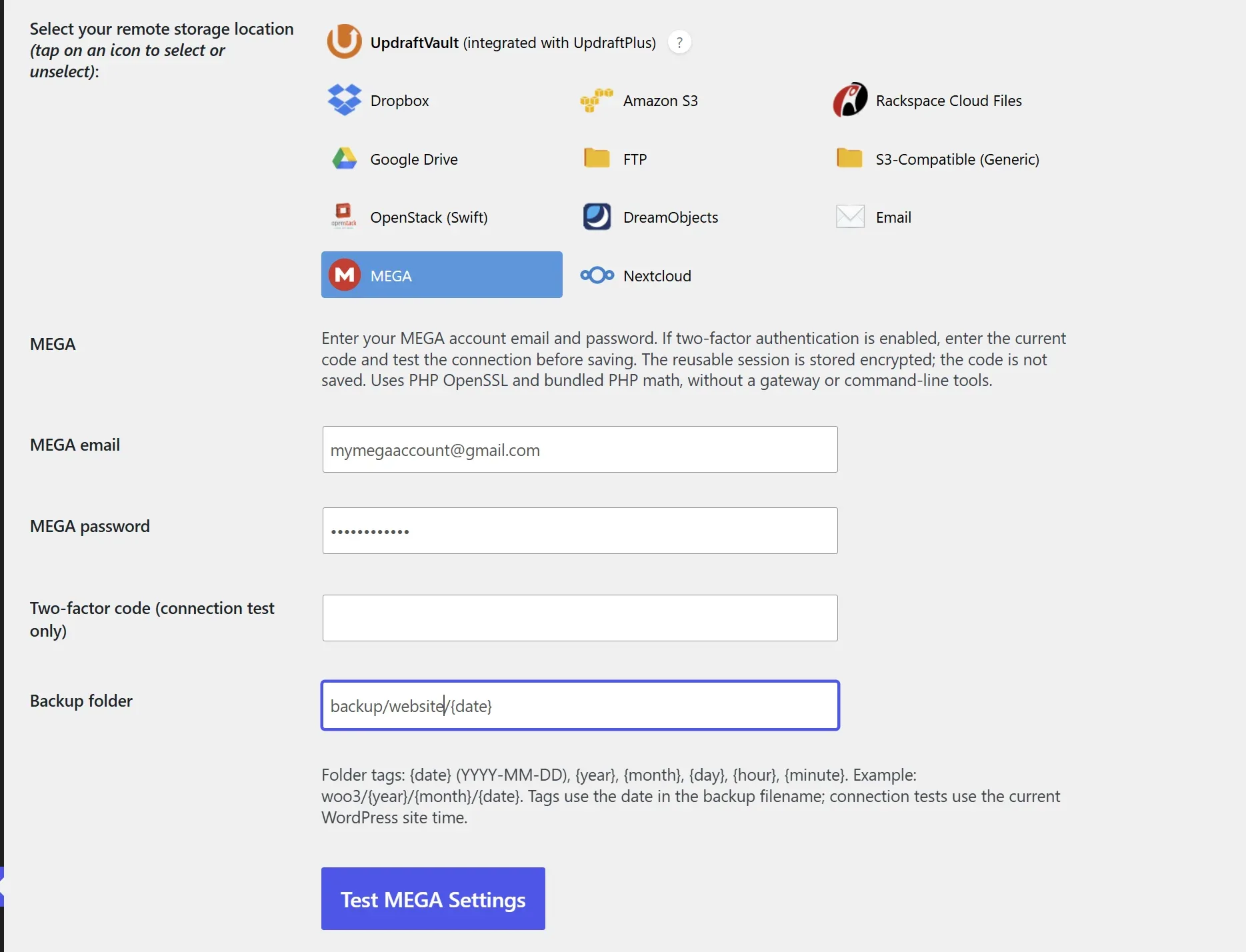
MEGA.io for UpdraftPlus adds MEGA to the familiar UpdraftPlus storage options, so you can keep a backup copy away from your WordPress server. Upload your backup archives to your own MEGA account using encrypted transfers, directly from your dashboard.
Install the add-on alongside UpdraftPlus, select MEGA, enter your account details and test the connection. Choose a folder for your site, then run manual or scheduled backups. Date tags help organize your archives, and you can download them through UpdraftPlus when you need to restore.
The plugin is free to download with an account at amazingwpplugins.com. You also need UpdraftPlus and your own MEGA account. It runs on ordinary compatible WordPress hosting without extra server software, and removes empty dated folders when their last backup is deleted.
Get it Now!
Get Mega.io for UpdraftPlus… it’s FREE
You will need to create an account with us
Getting started
- Install the plugins
Create or sign in to your amazingwpplugins.com account and download the free plugin. In WordPress, go to Plugins > Add Plugin > Upload Plugin, upload the ZIP and activate it. UpdraftPlus must also be installed and active. - Connect MEGA
Open Settings > UpdraftPlus Backups > Settings and select MEGA from the remote storage options. Enter your MEGA email and password. If two-factor authentication is enabled, enter your current six-digit code before testing the connection. - Choose your backup folder
Use a separate folder for each site, such as Backups/example.com/{year}/{month}/{date}. The plugin creates missing folders. Date tags follow the backup date in the archive filename, so retries use the same folder. - Test and save
Click Test MEGA Settings. This uploads a small test file, downloads and verifies it, then deletes it. When the test succeeds, click Save Changes. The one-time two-factor code is not saved. - Back up and check
Click Backup Now and include MEGA as the remote destination, or configure a schedule in UpdraftPlus. Wait until the remote upload is marked complete. Start with a small backup and test recovery before relying on your schedule. - Restore or delete backups
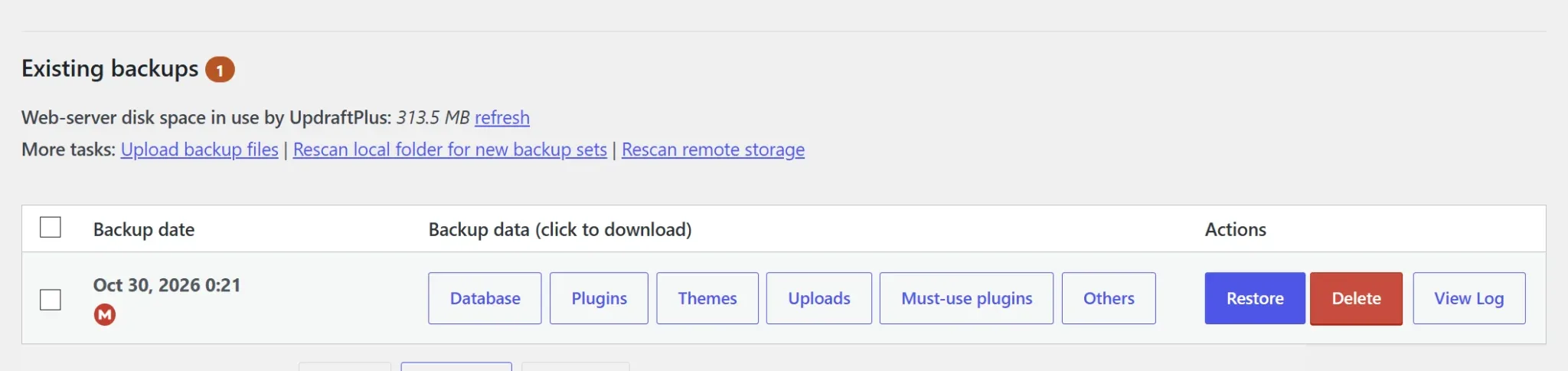
Open Existing backups and use Restore to choose the components to recover. If files are only in MEGA, UpdraftPlus retrieves them through the add-on. Restore to a test site first. To remove a backup, use Delete and select remote deletion when offered. Empty generated date folders are removed; fixed parent folders and folders containing other files are kept.
Hosting note
Requires 64-bit PHP 7.4 or later with OpenSSL and Hash support, plus outbound HTTPS access. Large archives must fit within your hosting execution limits. If needed, start with an UpdraftPlus archive split size of 25-50 MB and adjust after testing. Use a different backup path for each site.
Optional settings
Use date tags to organise backups automatically—for example, Backups/example.com/{year}/{month}/{date}. Supported tags are {date}, {year}, {month}, {day}, {hour}, and {minute}.
Set automatic backup schedules and retention in UpdraftPlus. When backups are deleted, the plugin also removes empty dated folders while preserving fixed parent folders and folders containing other files.
Before relying on scheduled backups, test restoring a backup on a separate WordPress installation.
FAQ
Is the plugin free?
Yes. The plugin is free to download. You need an account at amazingwpplugins.com to access the download, plus your own MEGA account to store backups. MEGA’s storage and transfer limits still apply.
Do I need UpdraftPlus Premium?
No. The add-on works with the free version of UpdraftPlus. UpdraftPlus’s own restrictions on using multiple remote destinations still apply.
Do I need additional server software?
No. The plugin uses PHP and the WordPress HTTP API. It does not require MEGAcmd, a WebDAV gateway or shell access on your hosting account.
Does it support two-factor authentication?
Yes. Enter your current six-digit MEGA code when testing the connection. The plugin encrypts the reusable session in WordPress and discards the one-time code. If the session expires or is revoked, repeat the test with a fresh code.
Can I organise backups by date?
Yes. Add tags such as {date}, {year} and {month} to the backup folder. For example, Backups/example.com/{year}/{month}/{date}. Each backup uses the timestamp in its archive filename, including on retries.
What happens to dated folders when backups are deleted?
After remote backup deletion, the plugin removes empty generated folders. It preserves fixed parent folders and any folder that still contains files or other backups.
Can I restore a backup from MEGA?
Yes. Use Restore in UpdraftPlus and select the components you need. The add-on downloads remote archives and verifies their integrity before handing them to UpdraftPlus for restoration. Test the process on a separate site before relying on it.
Are my backups encrypted?
The plugin encrypts file contents and filenames using MEGA’s transfer format before upload. Restore downloads are checked for integrity. Your configured MEGA credentials are retained in WordPress settings, so protect your database and WordPress security salts.
Why is a backup waiting to retry?
Check the UpdraftPlus log for the specific reason. Possible causes include MEGA quotas, rate limits, an expired session, blocked HTTPS requests, a hosting timeout or another upload already in progress. A competing upload is postponed to avoid creating another copy.
Can I use a shared MEGA folder or public link?
This version works with folders in your account’s own Cloud Drive. Shared/public links, incoming shares and the MEGA Backup Center are not supported.
Is this an official MEGA or UpdraftPlus product?
No. MEGA for UpdraftPlus is an independent integration provided by Amazing WP Plugins. It is not affiliated with or endorsed by MEGA or TeamUpdraft.
Is this an official MEGA or UpdraftPlus product?
No. MEGA for UpdraftPlus is an independent integration provided by Amazing WP Plugins. It is not affiliated with or endorsed by MEGA or TeamUpdraft.
More Amazing WP Plugins

Amazing Image Optimizer for WordPress
Amazing Image Optimizer for WordPress automatically optimizes, compresses, resizes, and converts images to WebP or AVIF, directly on your server.
Hetzner Storage Box for UpdraftPlus
Store UpdraftPlus backups in Hetzner Storage Box with date folders and restore downloads. Free plugin; Amazing WP Plugins account required.
Mega.io for UpdraftPlus
Store UpdraftPlus backups in MEGA with encrypted transfers, date-based folders and restore downloads. Free plugin; Amazing WP Plugins account required.

Amazing Orders & Reorder for WooCommerce
Amazing Orders & Reorder for WooCommerce plugin turns the My Account orders page into a repeat-sales engine: visual history, one-click reorder & Buy it again.