



















A fast, secure drag-and-drop form builder for WordPress, from a simple contact form to multi-step forms with calculations, uploads, payments and integrations.
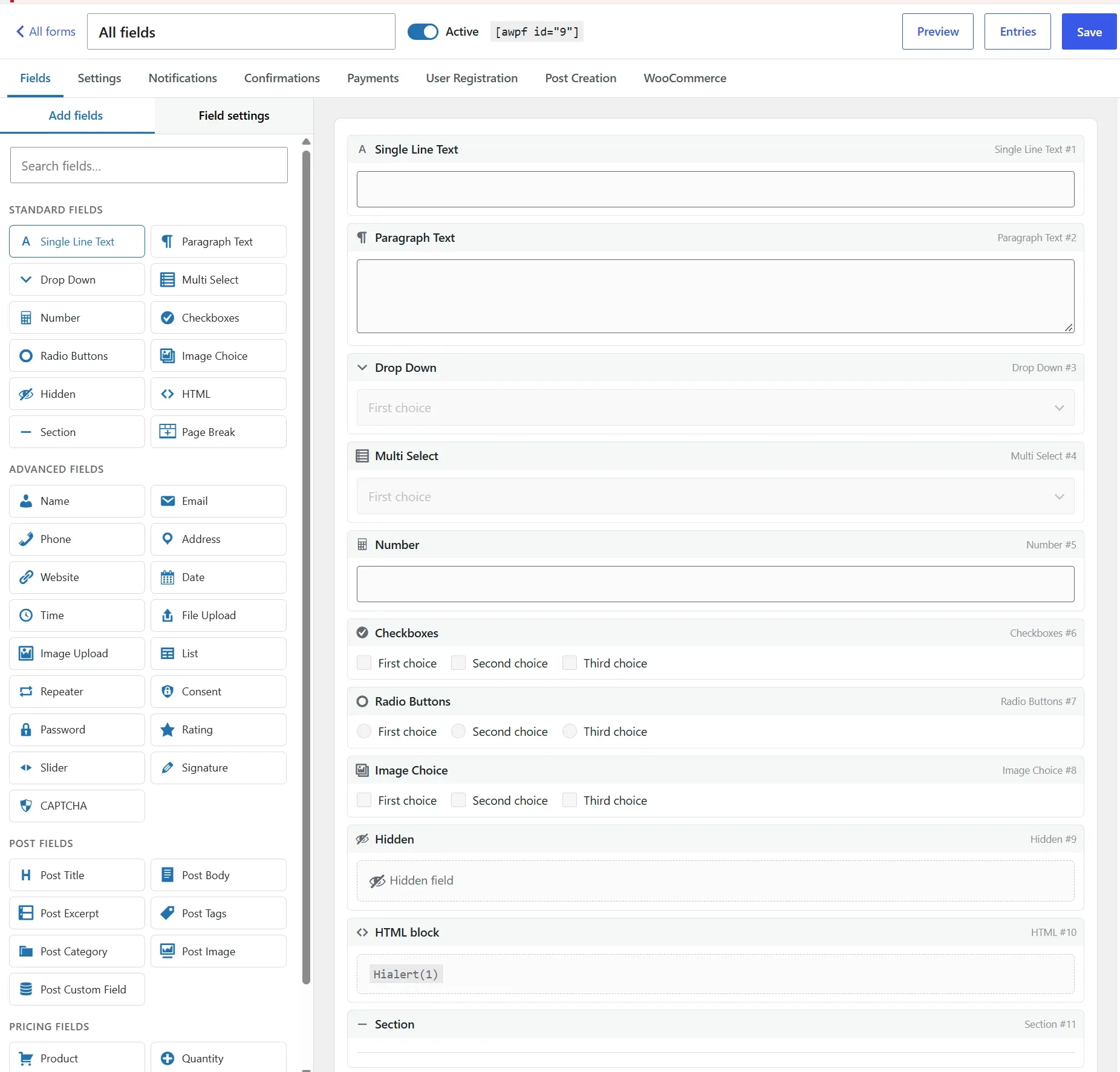
Amazing WP Forms is a WordPress Forms plugin that lets you build any form by dragging fields onto a canvas. Choose from 40+ field types, split long forms into steps, show or hide fields with conditional logic, and calculate prices and totals as visitors type.
Take payments with Stripe or PayPal, add product options to WooCommerce, register users or create posts. Every entry is stored, searchable and exportable, and notifications are sent through whatever mail setup your WordPress already uses.
Let visitors upload files and images (resized in the browser before upload), sign with a finger on their phone, fill in groups of fields as many times as needed with repeaters, and save a long form to finish later. Send as many notifications as you need with routing rules, and show a different confirmation depending on the answers.
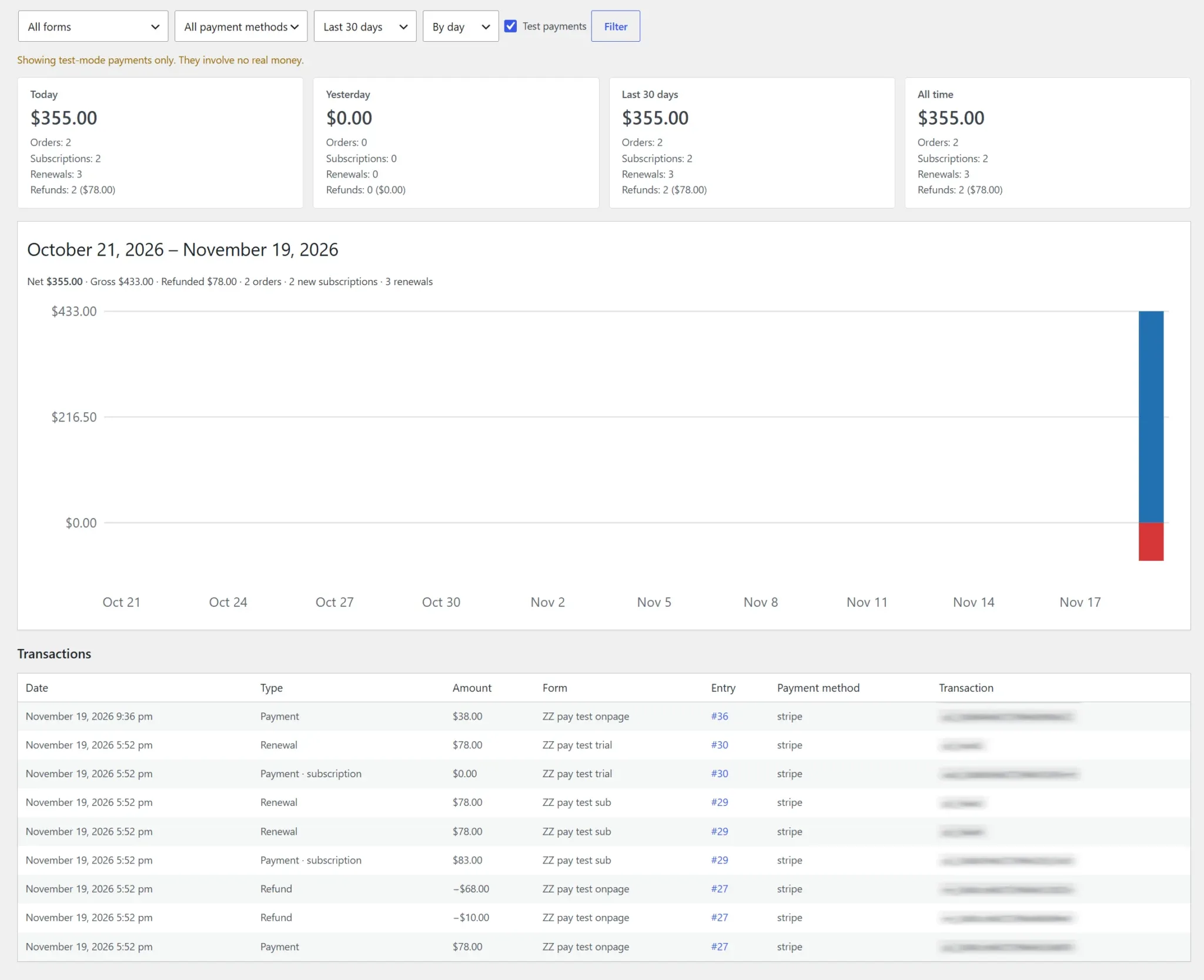
Place forms with the block, the shortcode or your page builder: Elementor, Divi, Beaver Builder, Bricks, WPBakery and Avada are supported. Follow your revenue in the built-in Sales report, and list entries on your site as a table, list or cards when a form allows it.
Spam is stopped without CAPTCHAs your visitors have to solve, and the front end stays light: no jQuery, and scripts and styles load only on pages that contain a form. Moving from another form plugin? Import your forms in a few clicks.

Get it Now!
Every form your site needs, in one fast plugin.
Contact forms, quotes, bookings, registrations and payments, without slowing your pages down.
Why WordPress site owners choose
Amazing WP Forms
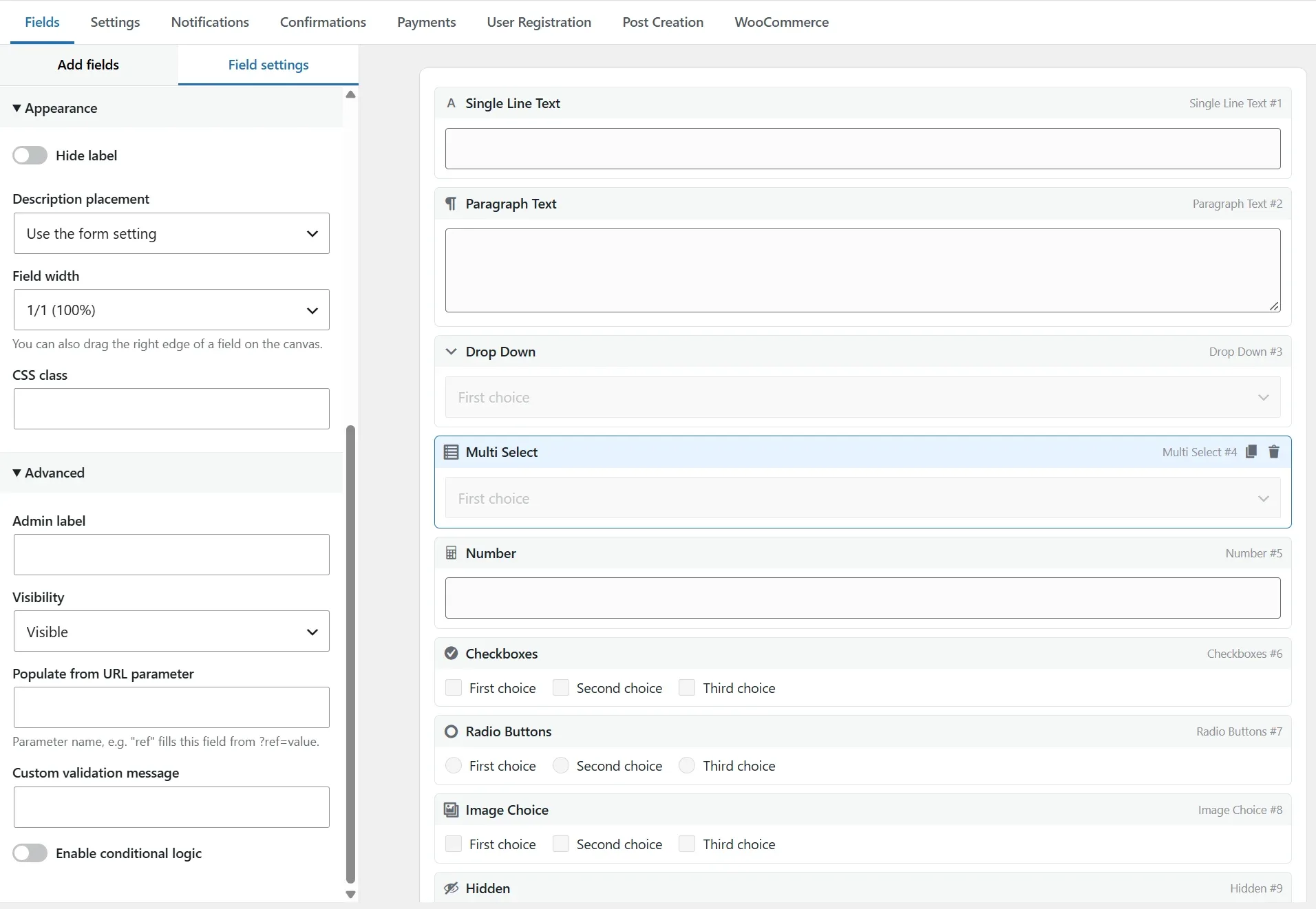
Build any form by drag and drop
40+ field types, multi-step forms, conditional logic and live calculations, all from one visual builder.
Start from a blank form or a ready-made template, and drag a field’s edge to set its width.
Spam stopped, no puzzles to solve
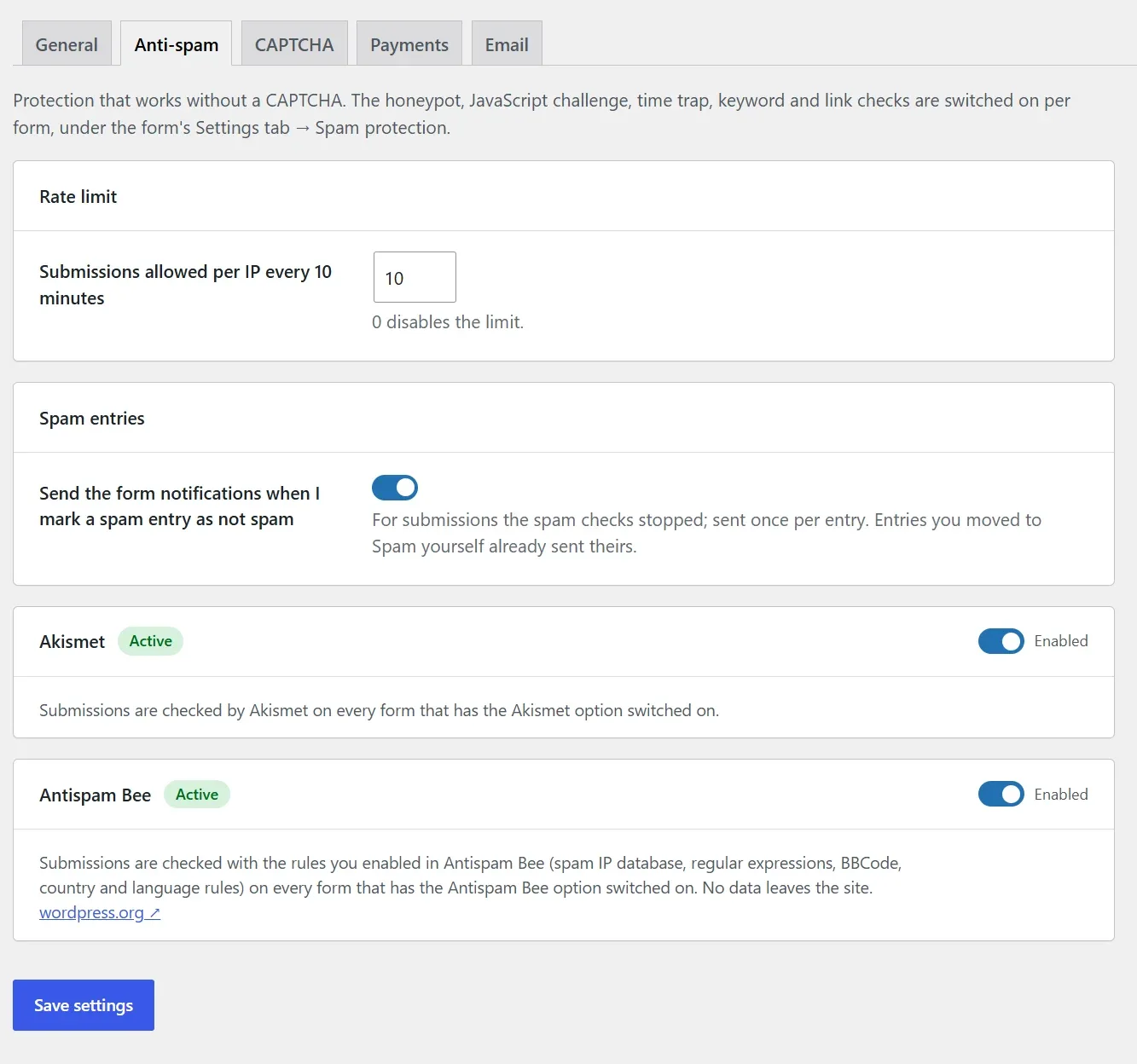
A hidden JavaScript challenge, a honeypot, a time trap, keyword and link limits, plus Akismet and Antispam Bee.
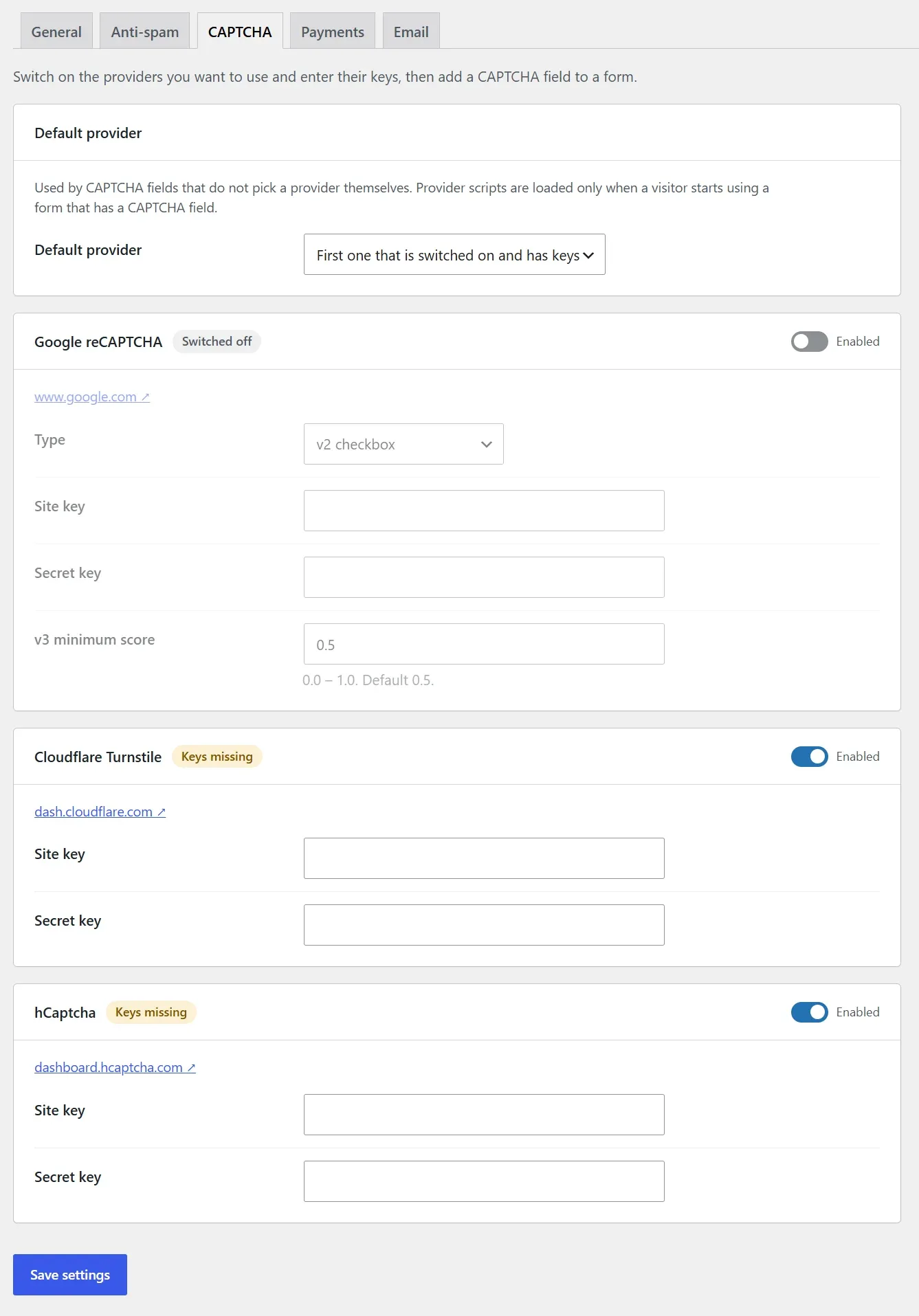
Need a CAPTCHA anyway? reCAPTCHA, hCaptcha and Cloudflare Turnstile are built in.
Fast and lightweight
No jQuery on the front end, and nothing loads on pages without a form.
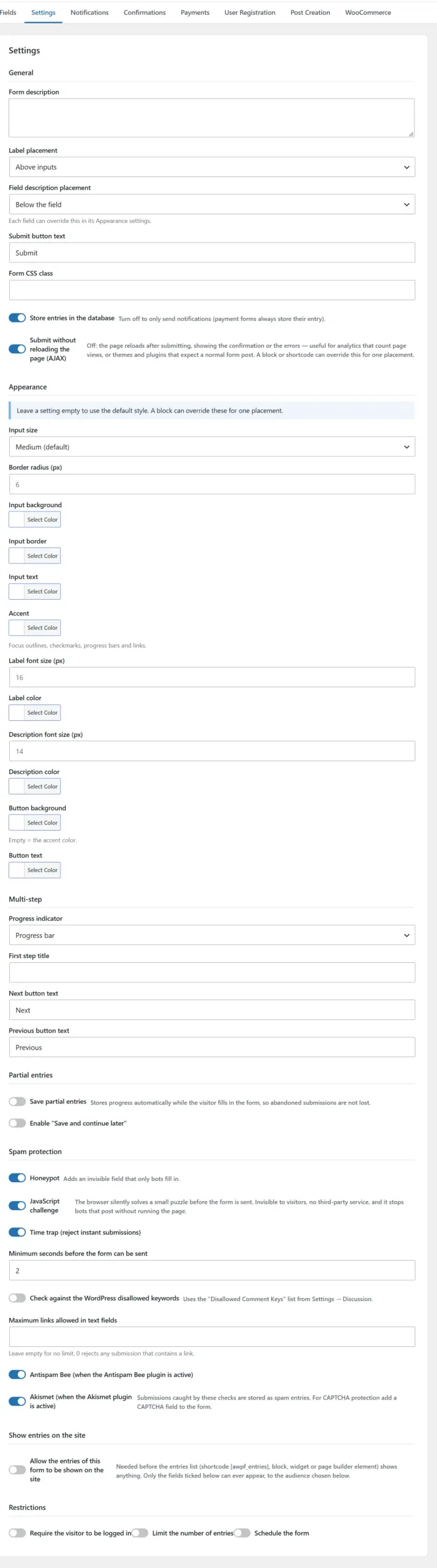
Submit with AJAX or a normal page reload, and style each form without writing CSS.
Screenshots
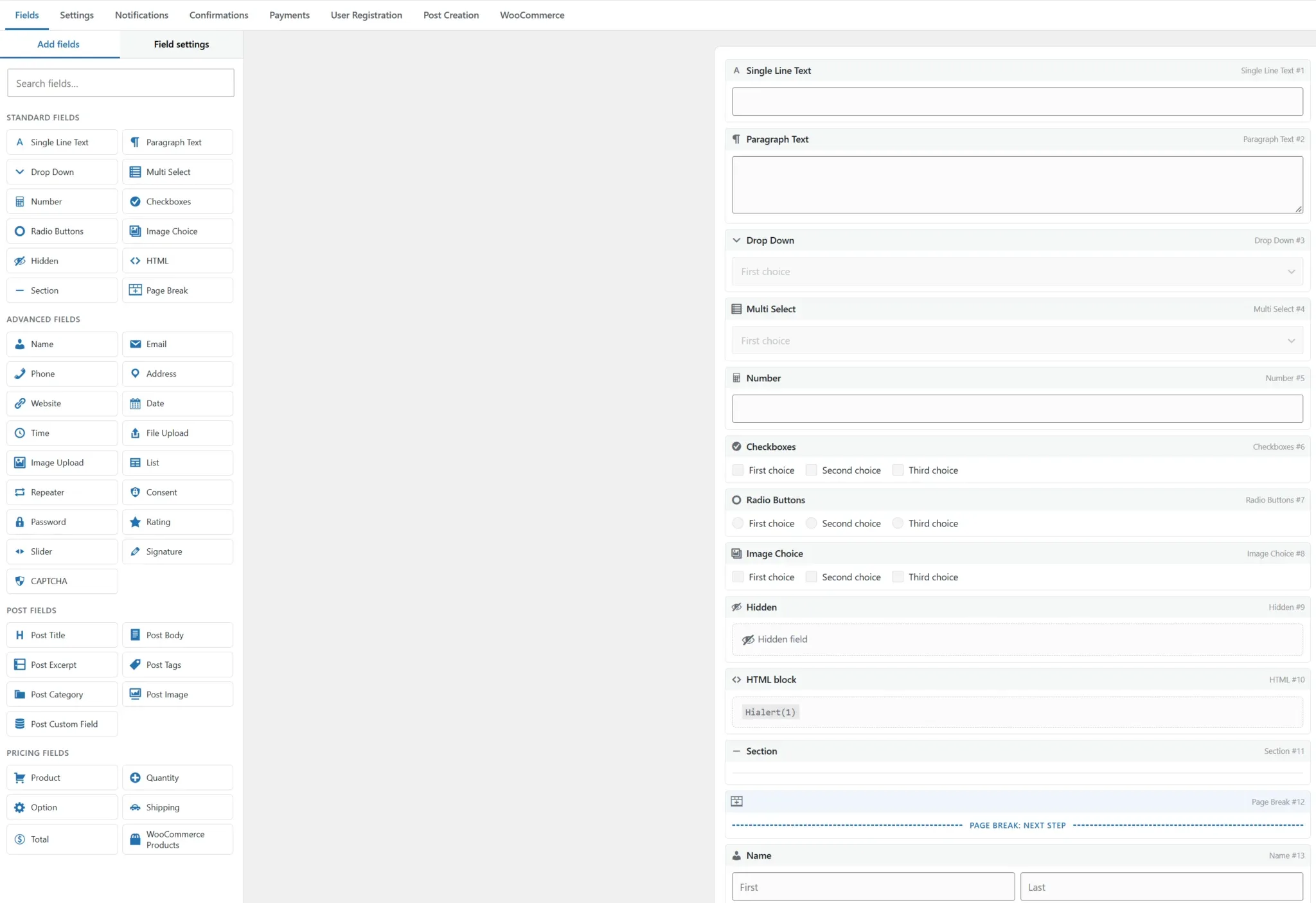
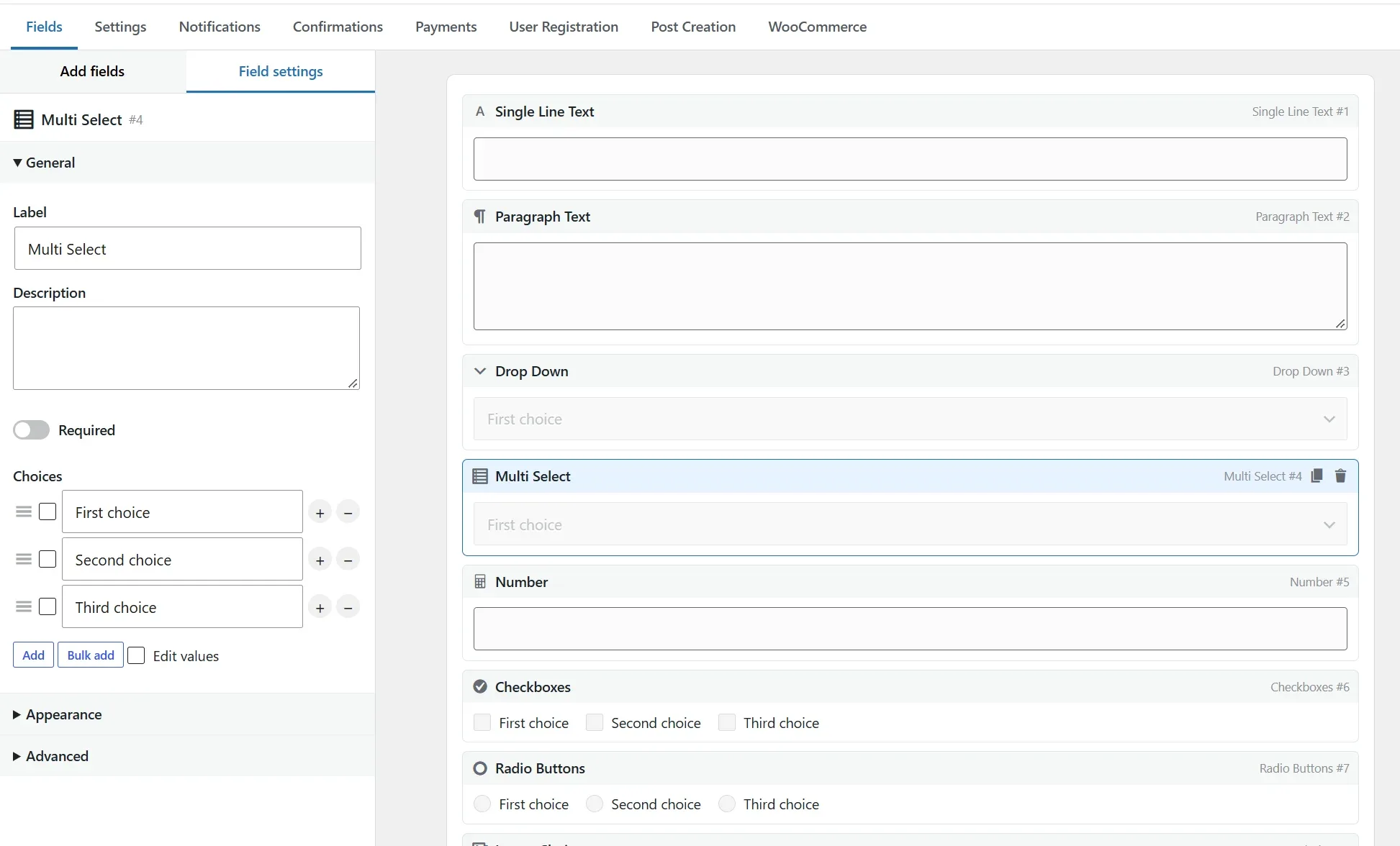
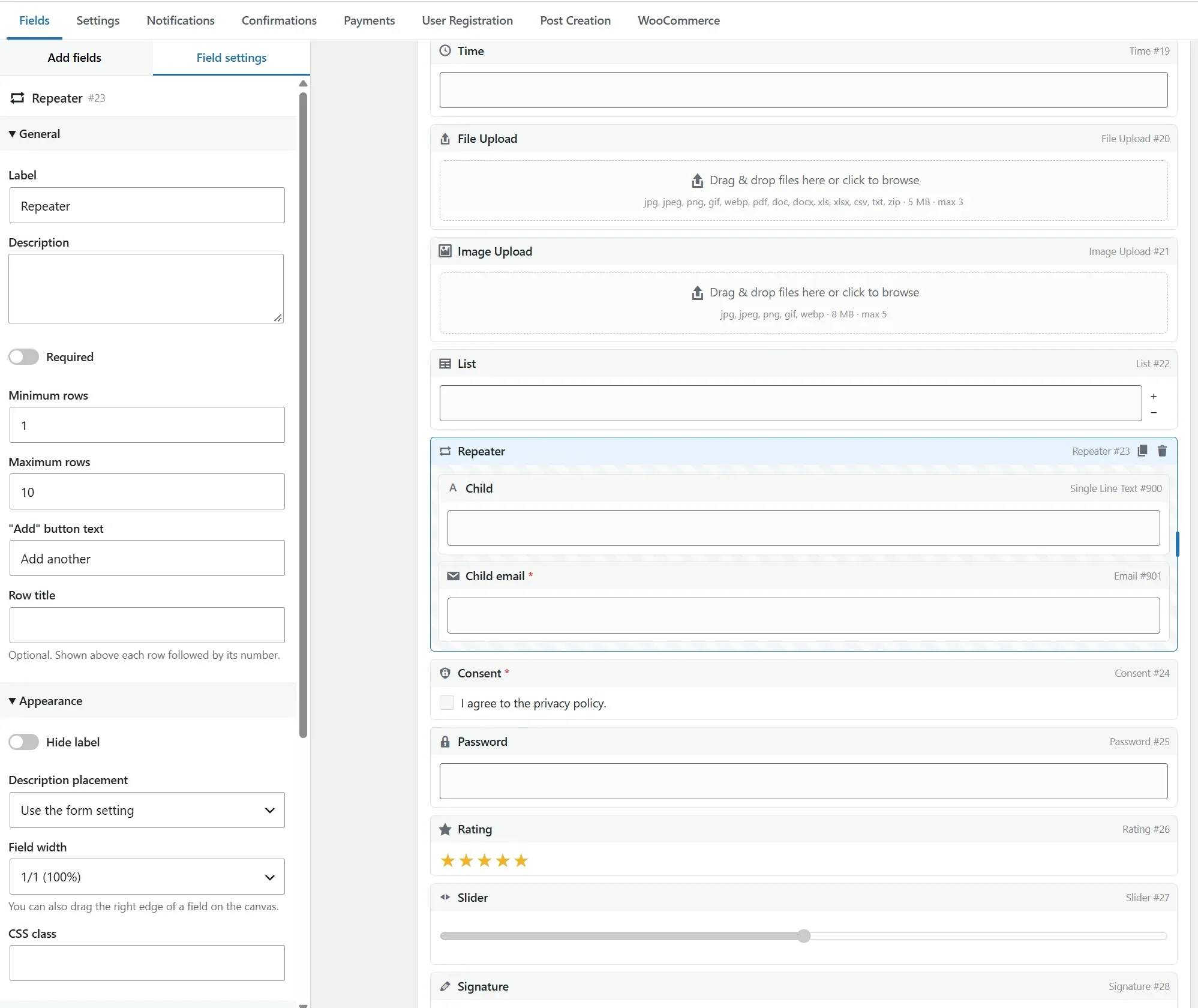
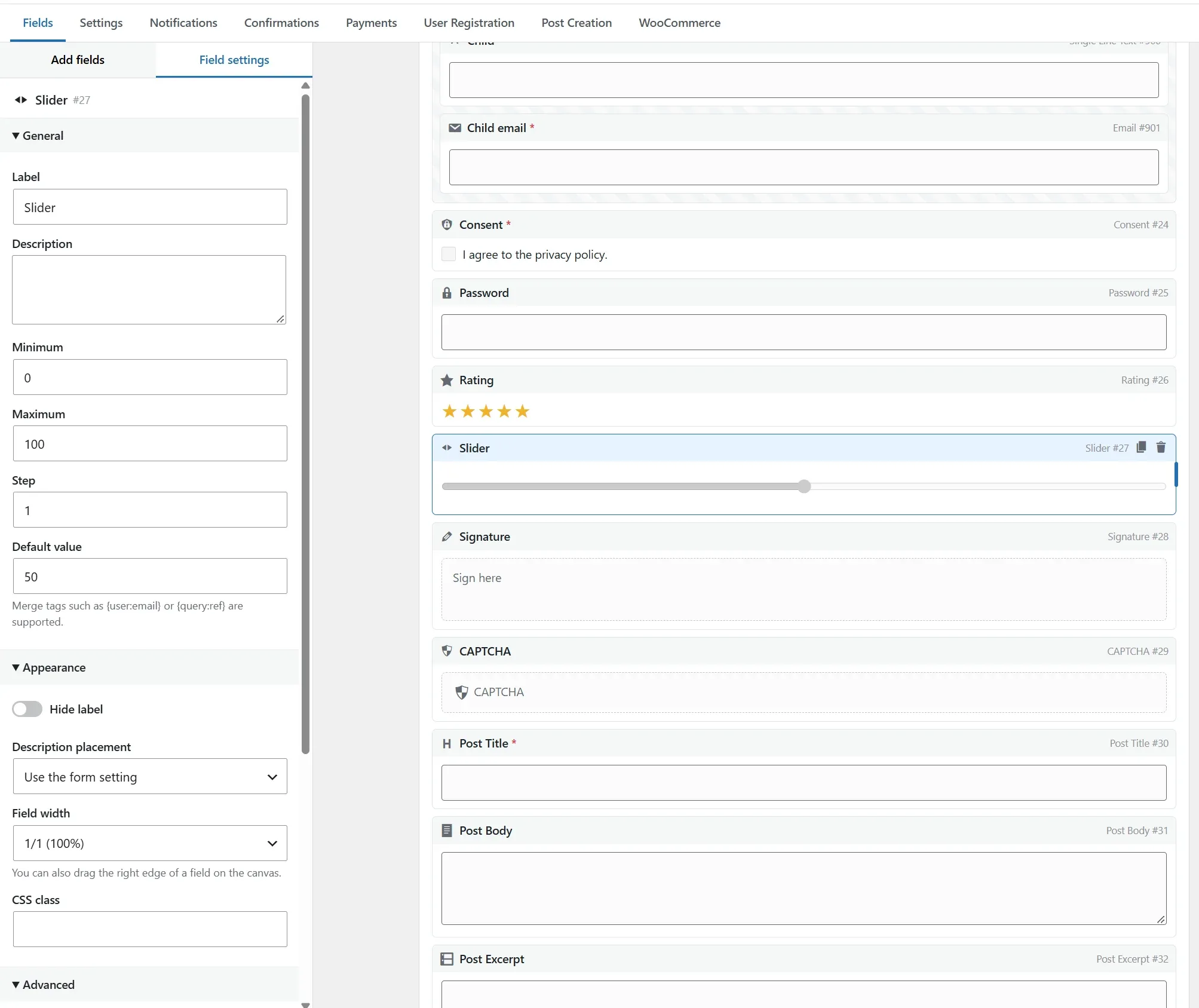
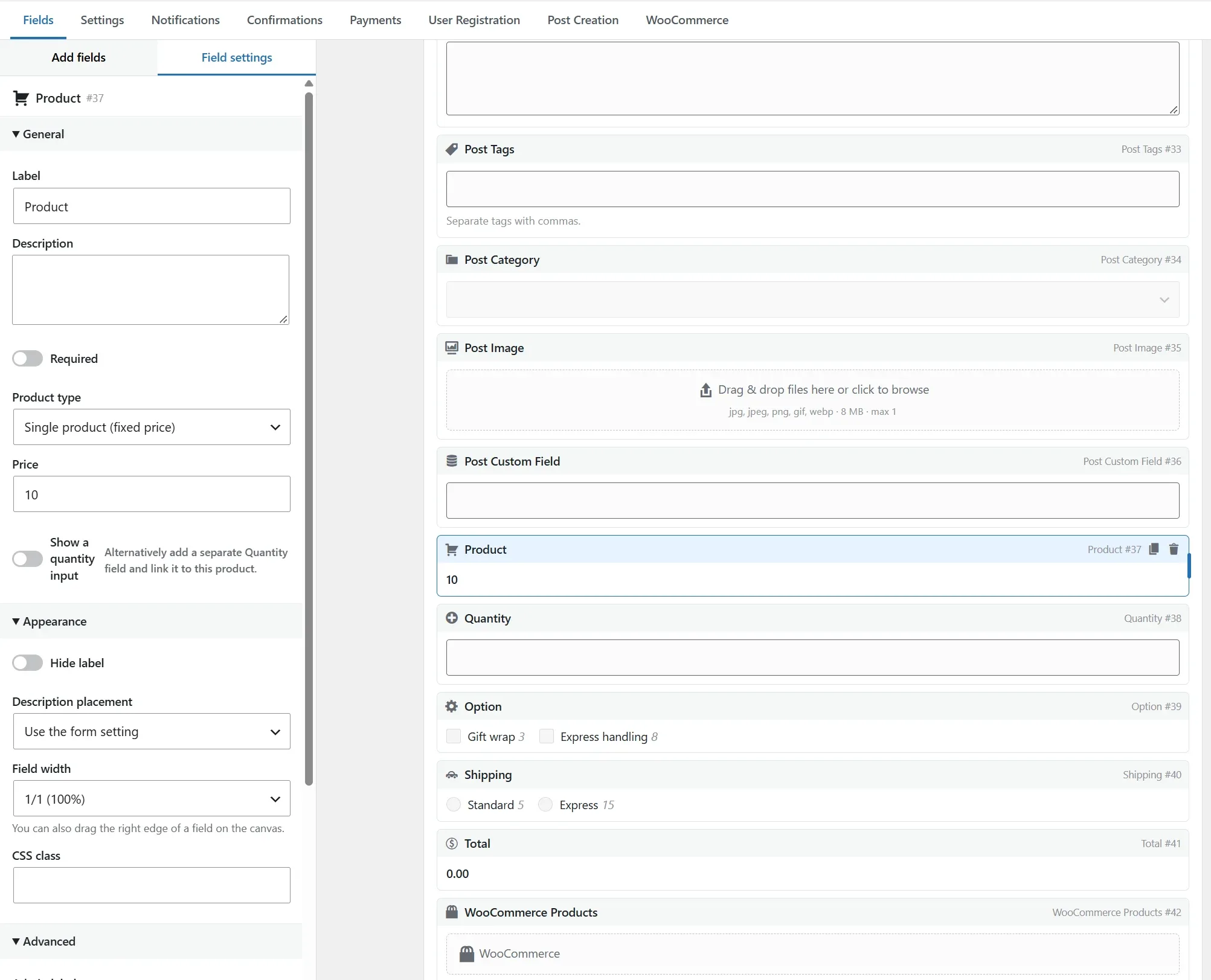
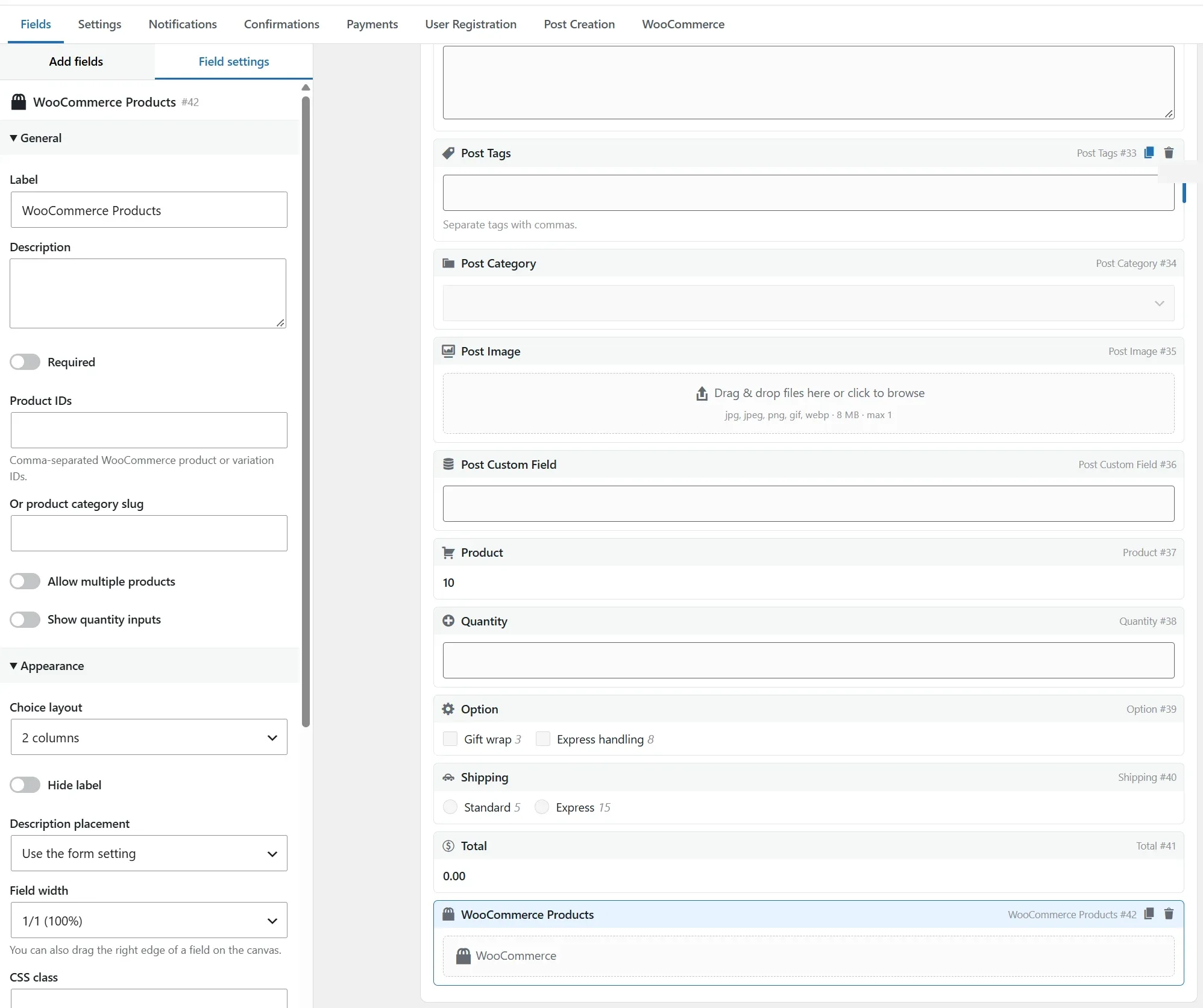
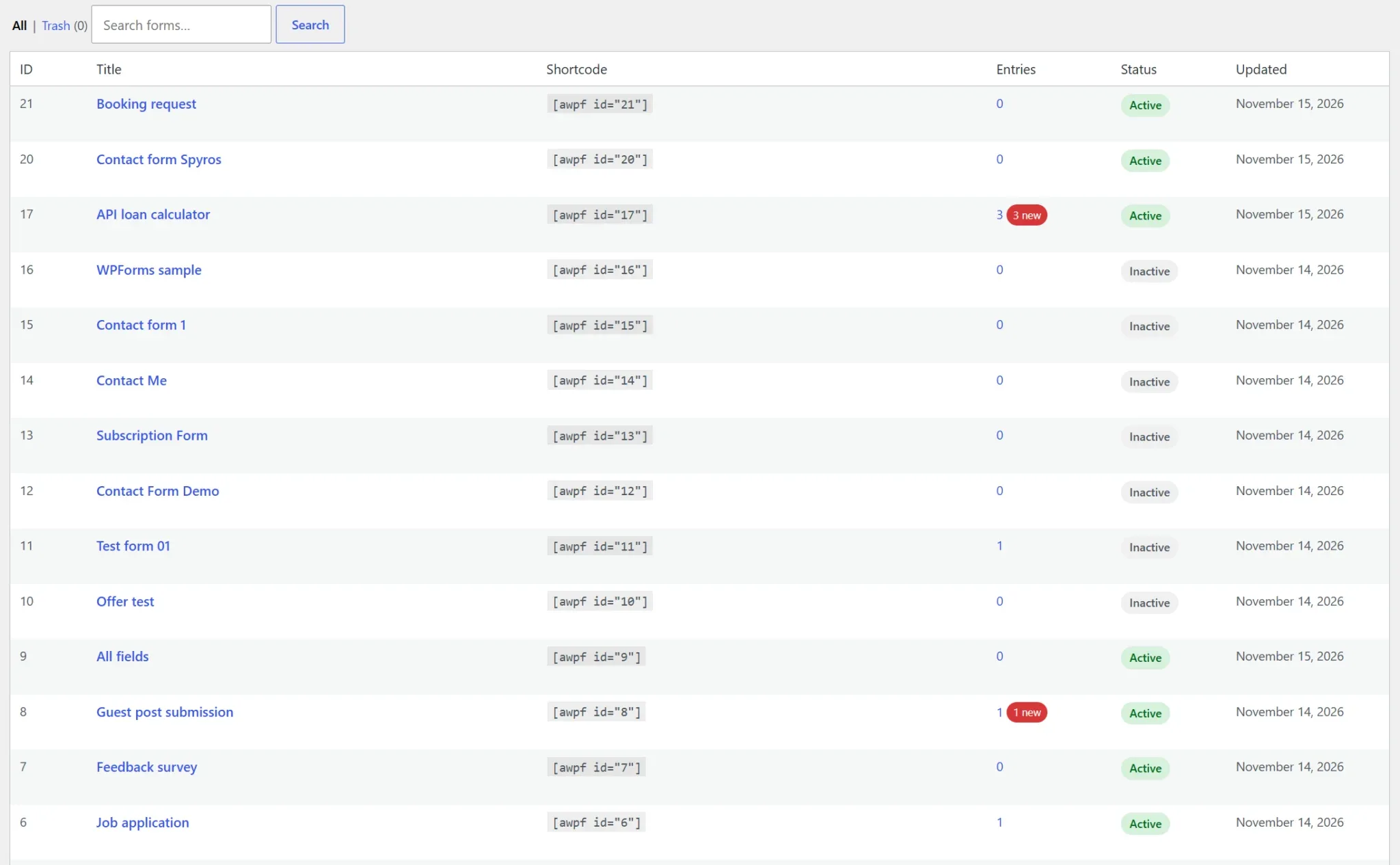
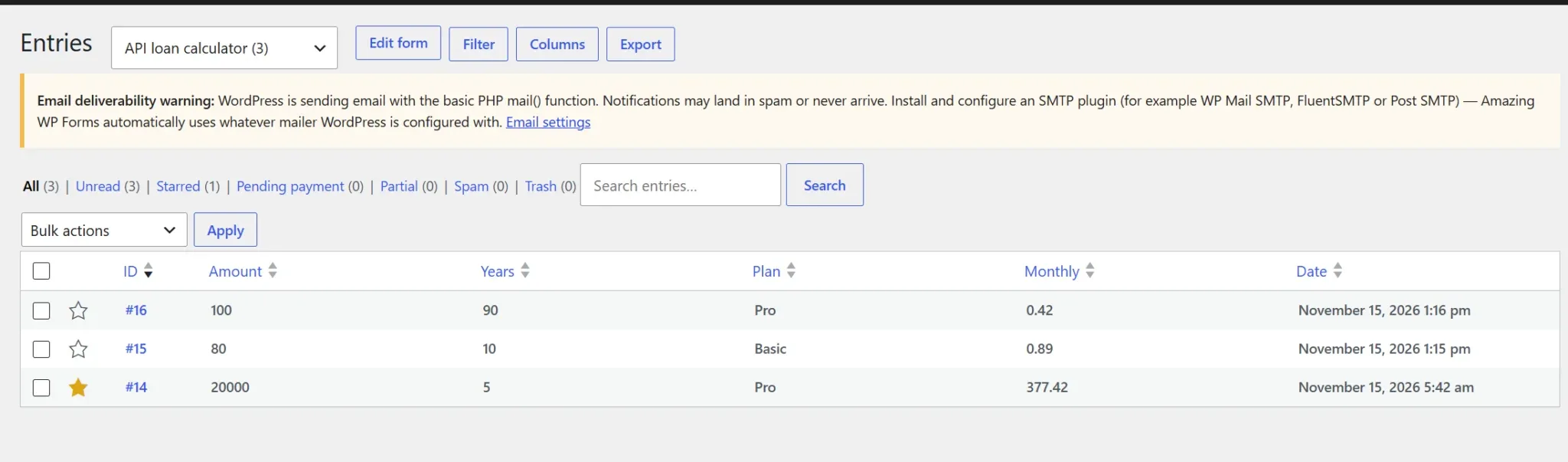
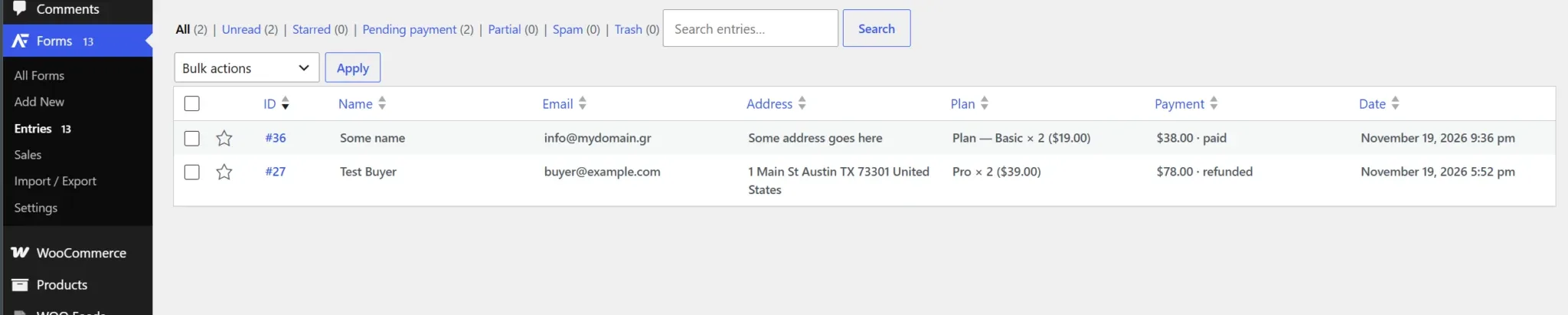
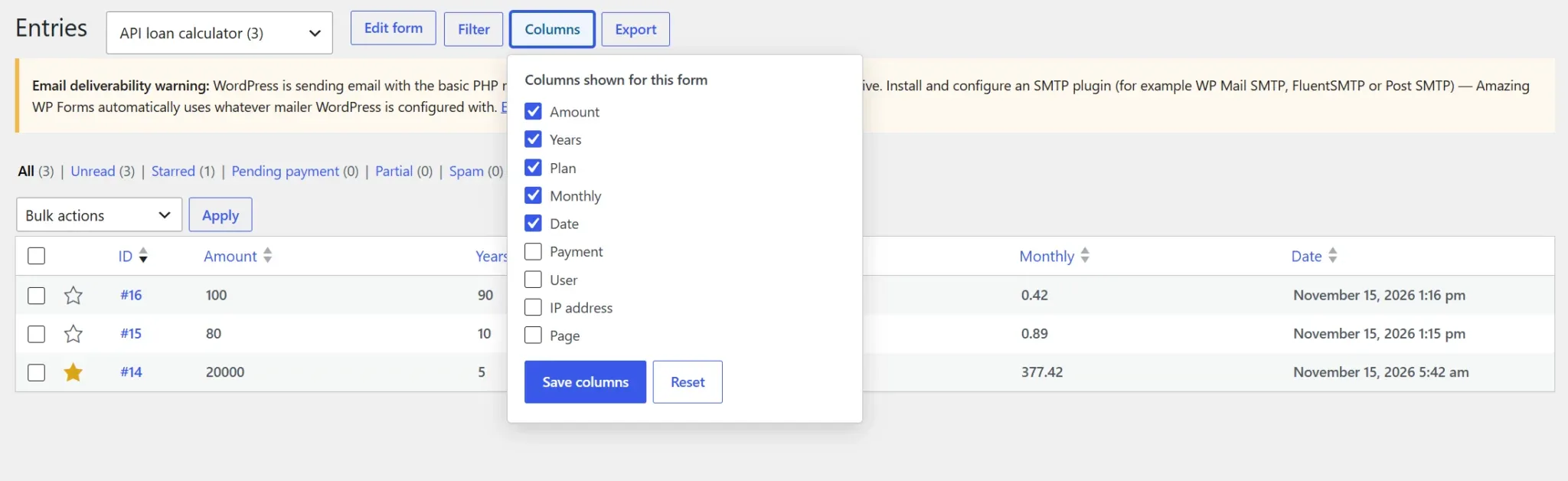


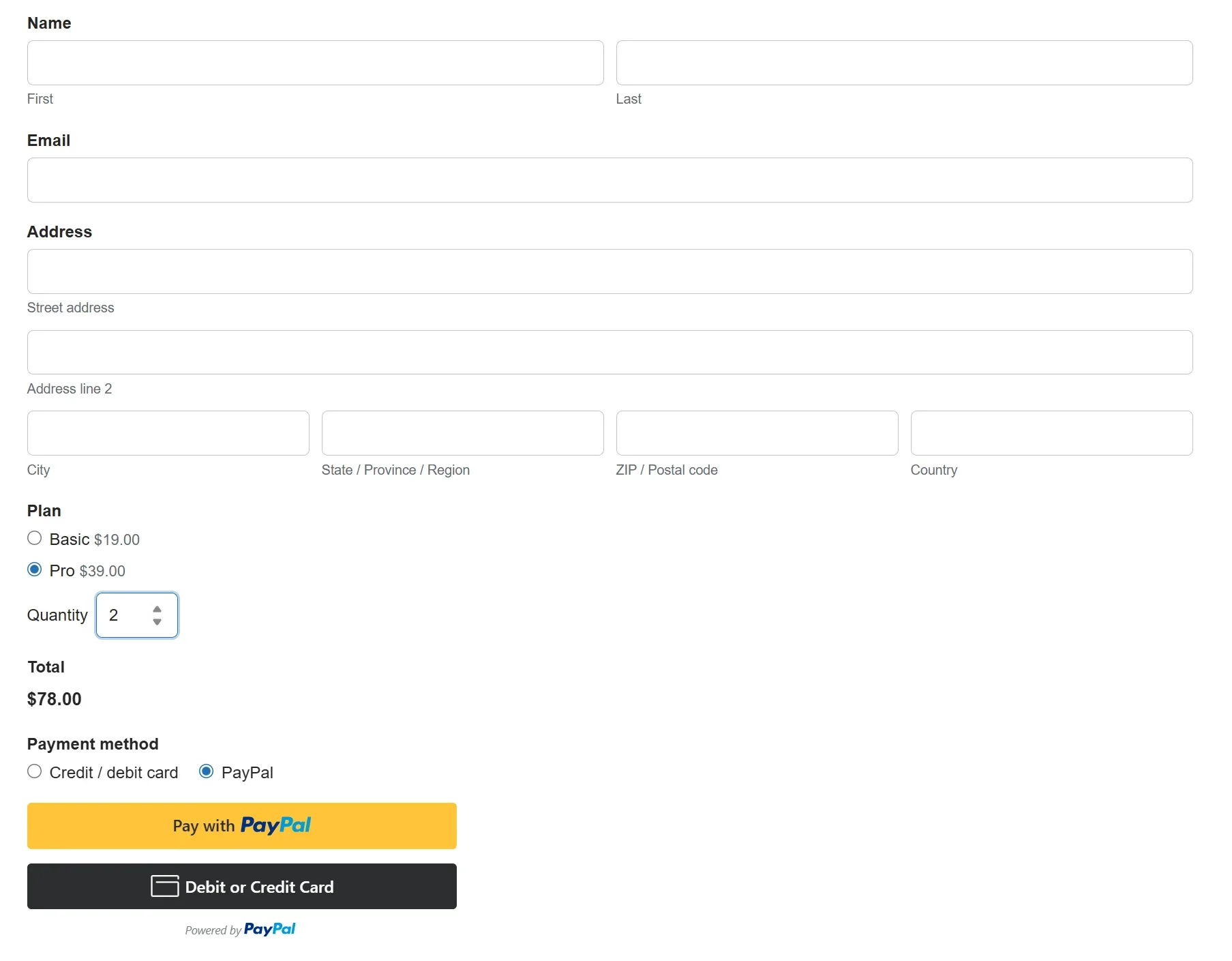
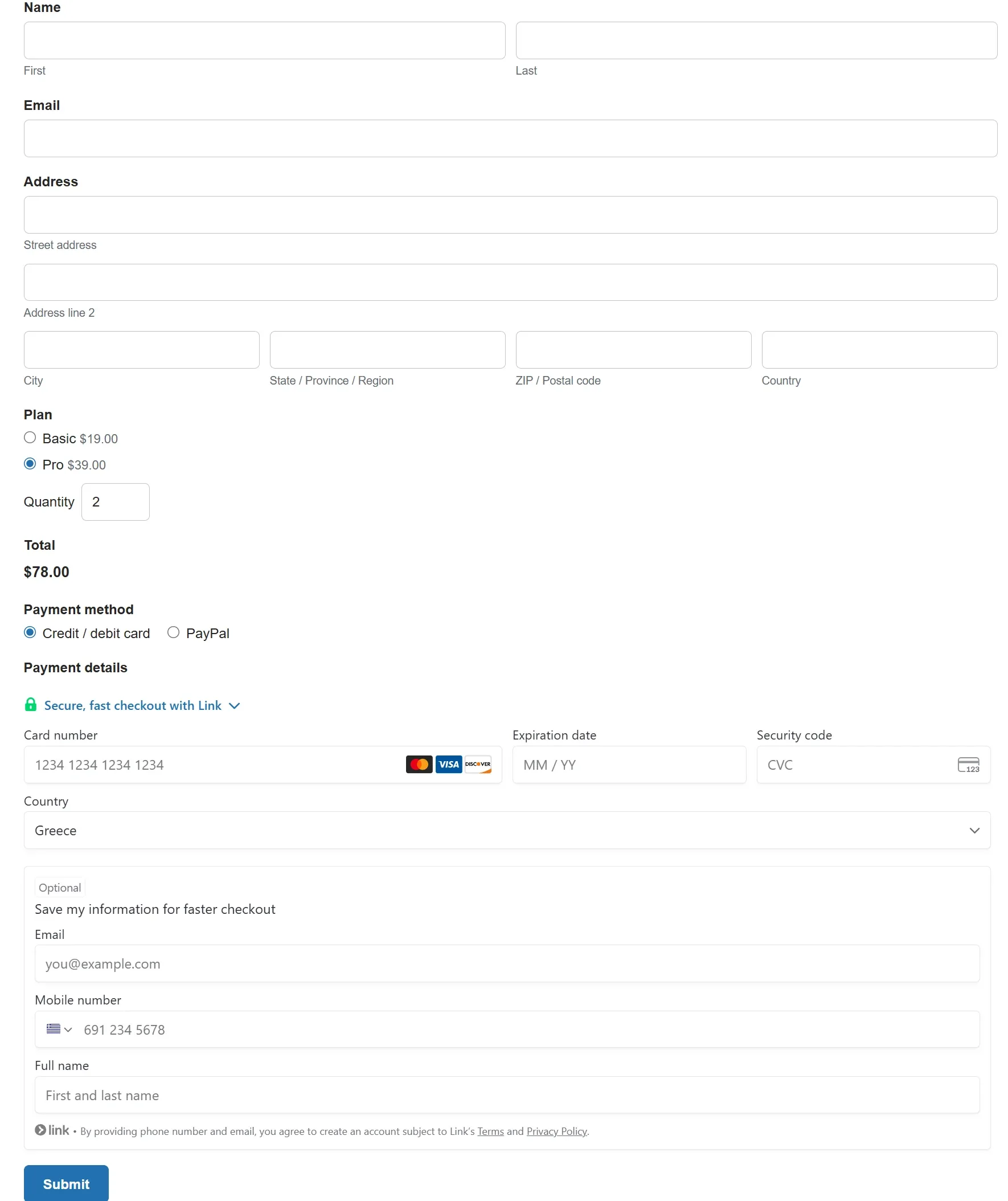
Amazing WP Forms Core features
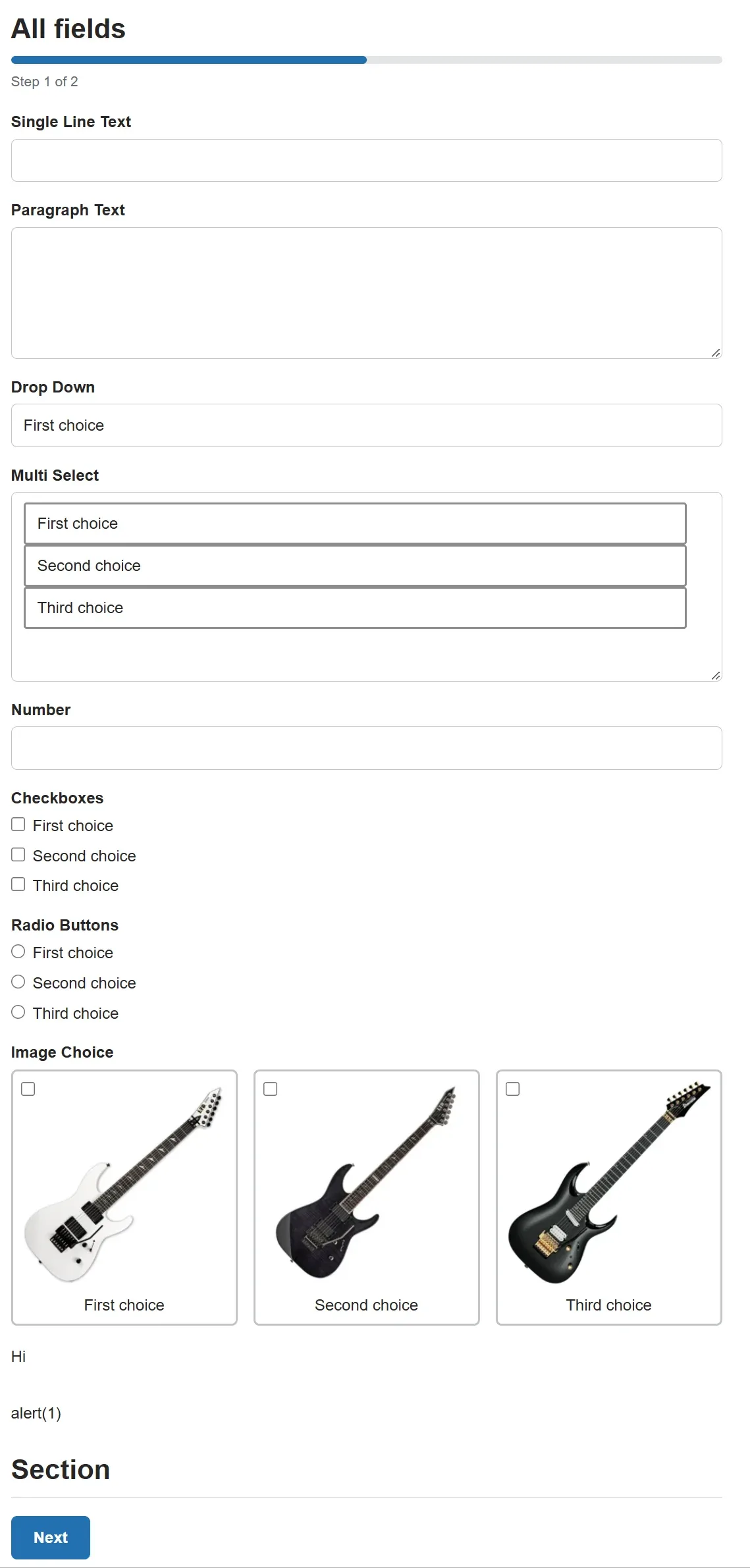
40+ field types
Standard, advanced, post and pricing fields: name, address, phone, date and time, repeaters, lists, signature pad, star rating, slider, image choices, consent and more.
Group fields into sections and columns, and put help text above or below each field.
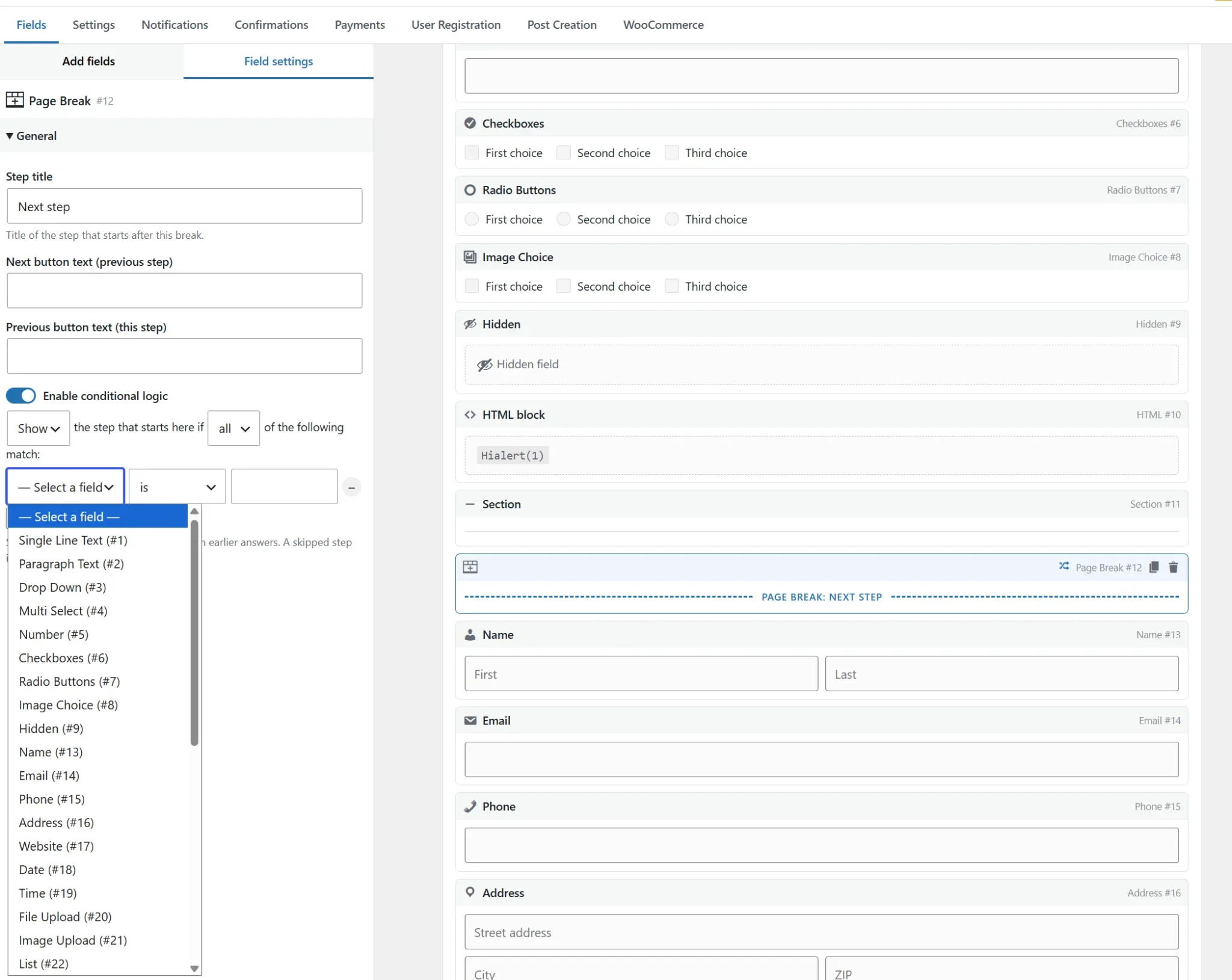
Multi-step forms & conditional logic
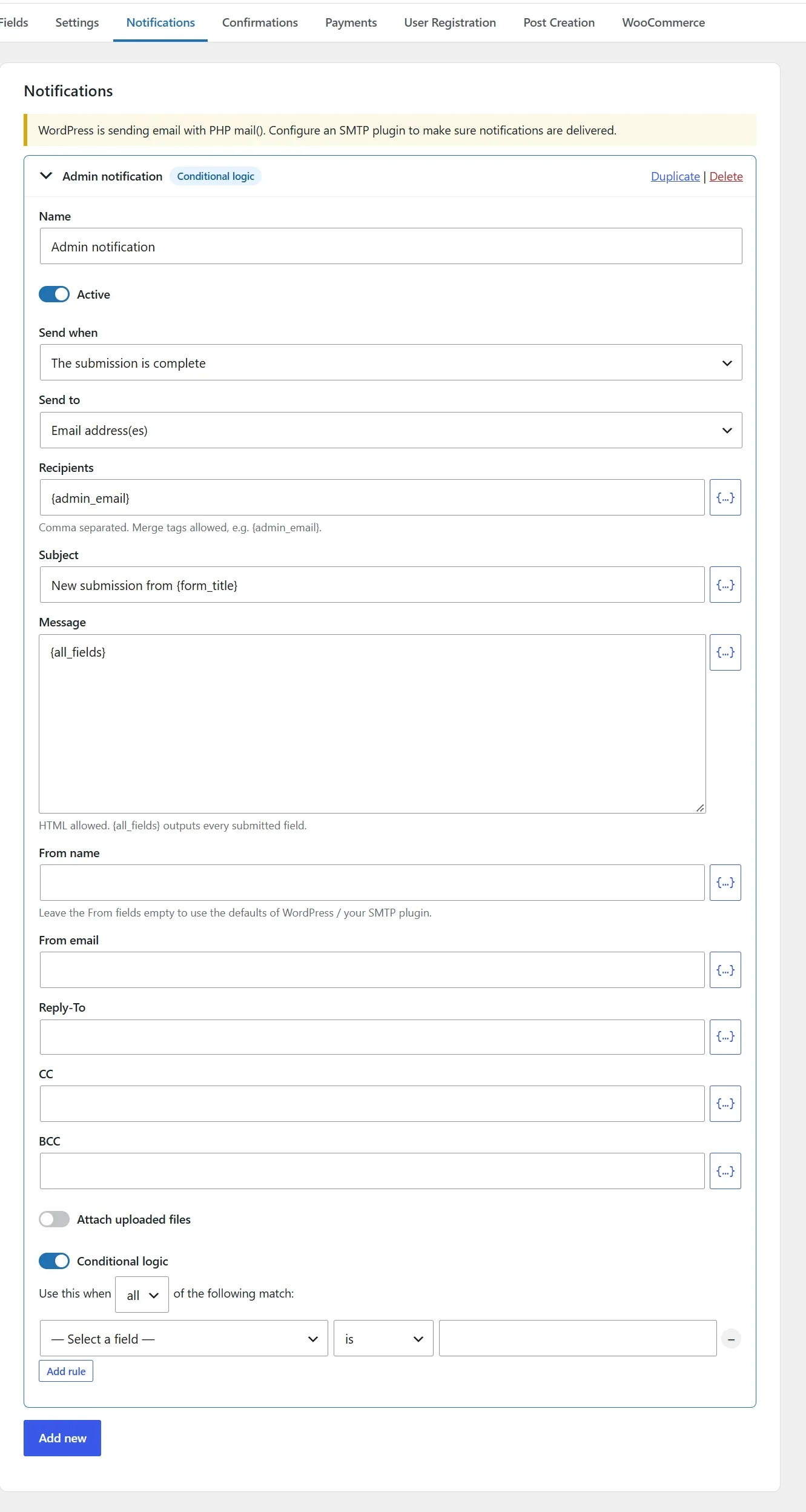
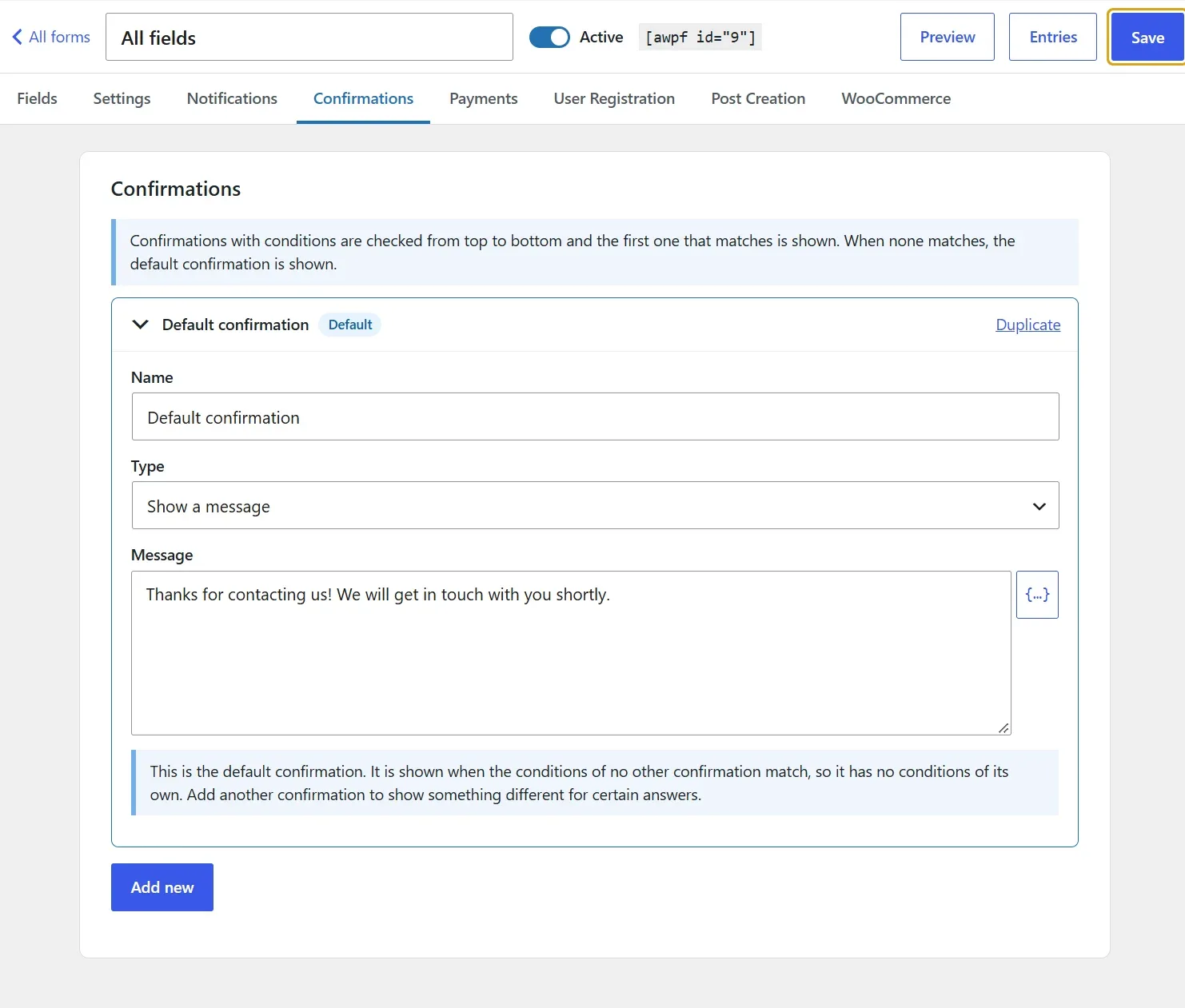
Split long WordPress forms into steps with a progress bar, and show or hide fields, steps, notifications and confirmations based on the visitor’s answers.
Linked date fields keep a departure after an arrival and can enforce a minimum or maximum stay.
Advanced calculations
Build quotes, loan and booking calculators with math, statistics, finance and date functions, if / else conditions and text comparisons.
Results update live as visitors type, and the builder checks every formula while you write it.
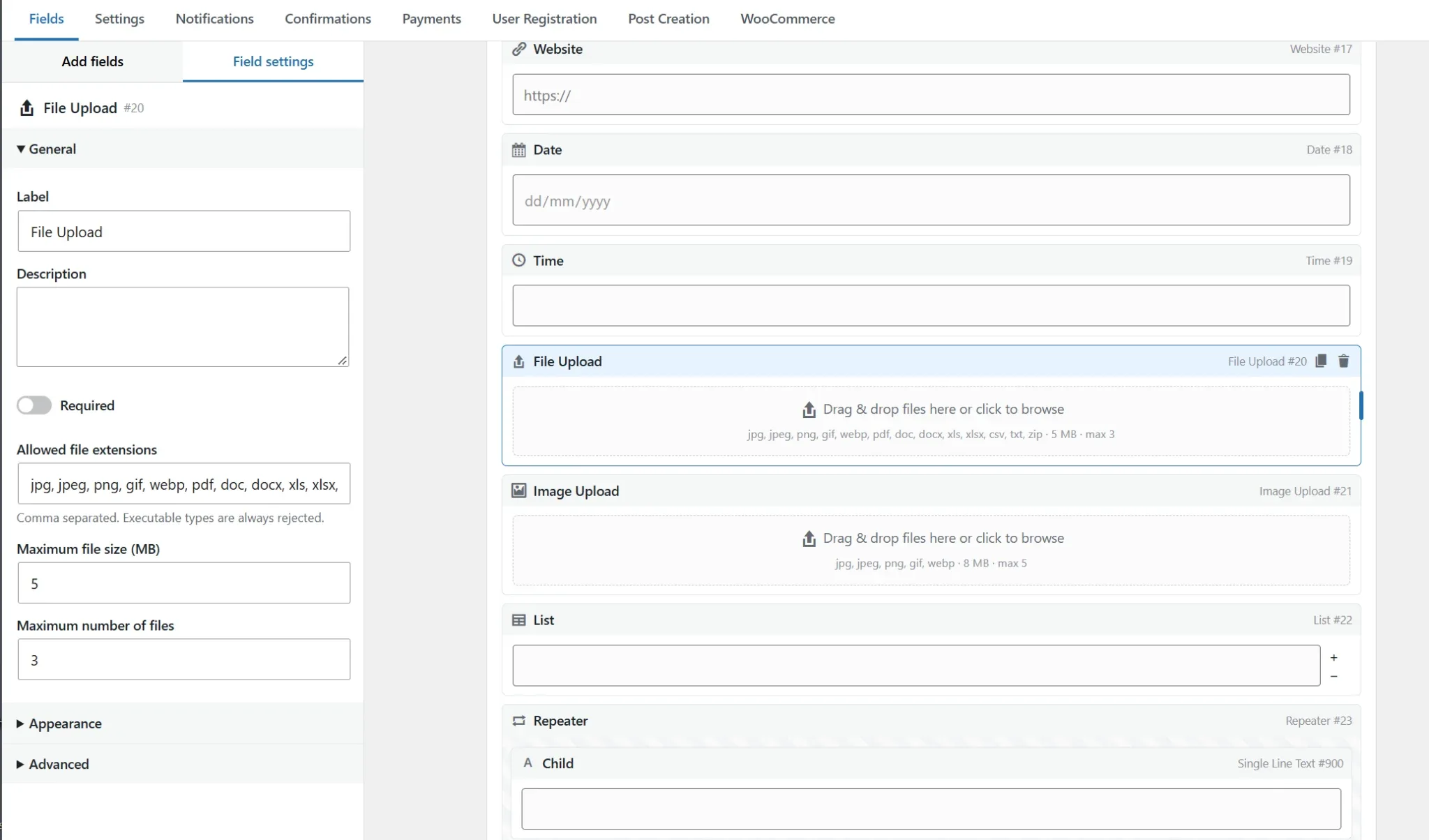
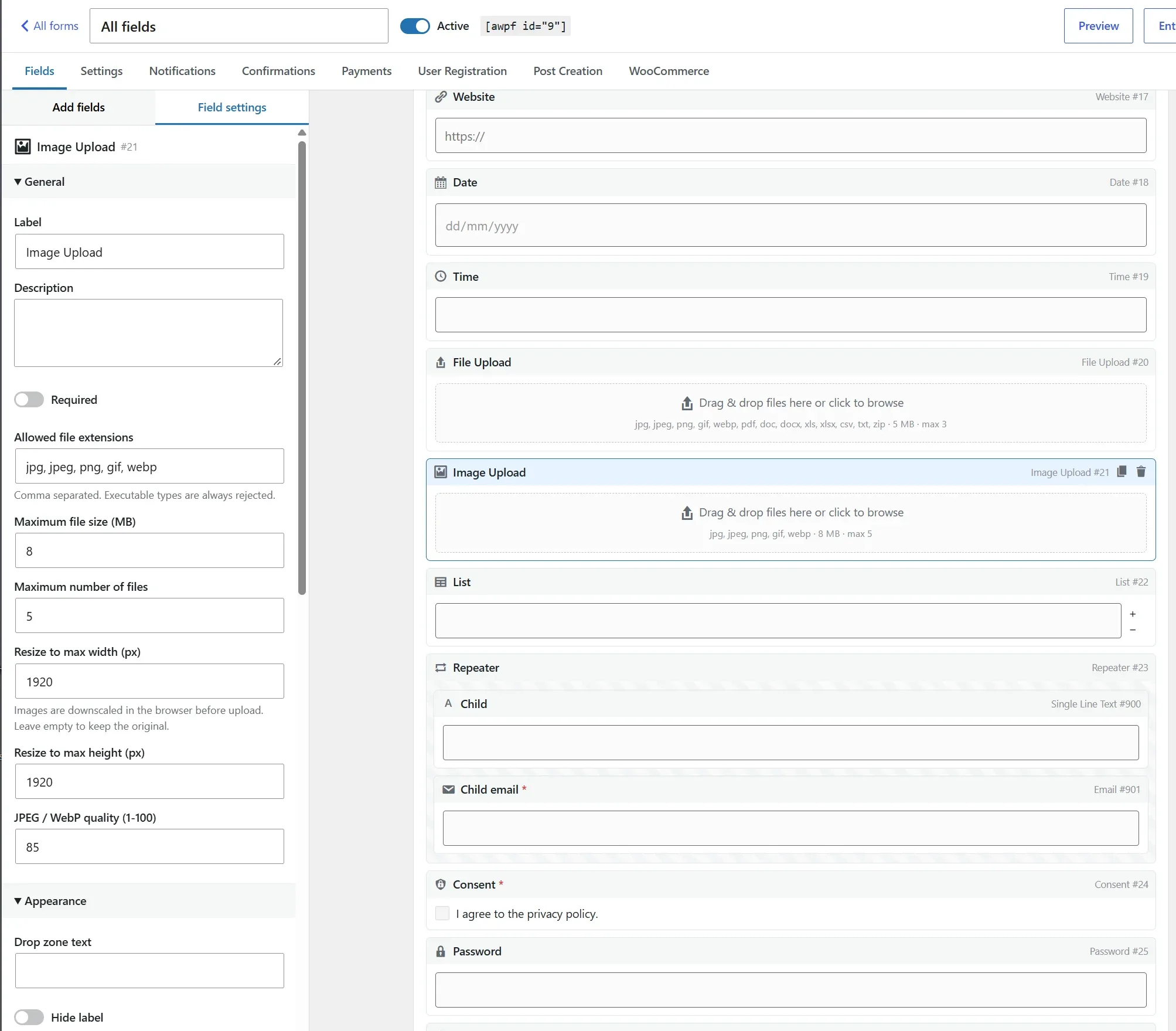
File & image uploads
Drag-and-drop uploads with allowed file types, size limits and file counts per field.
Image uploads show previews, can be reordered, and are resized in the browser before they are sent.
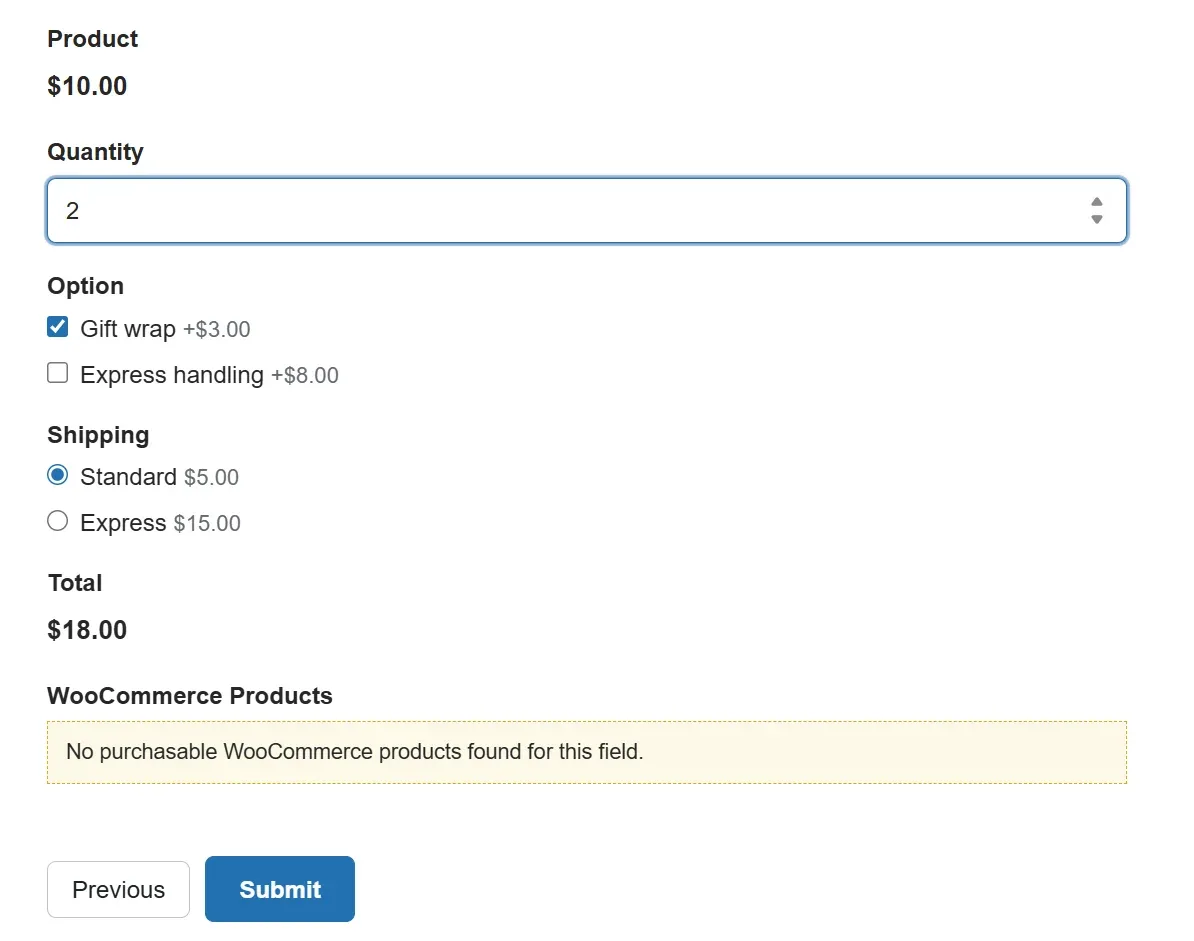
Payments, WooCommerce, users & posts
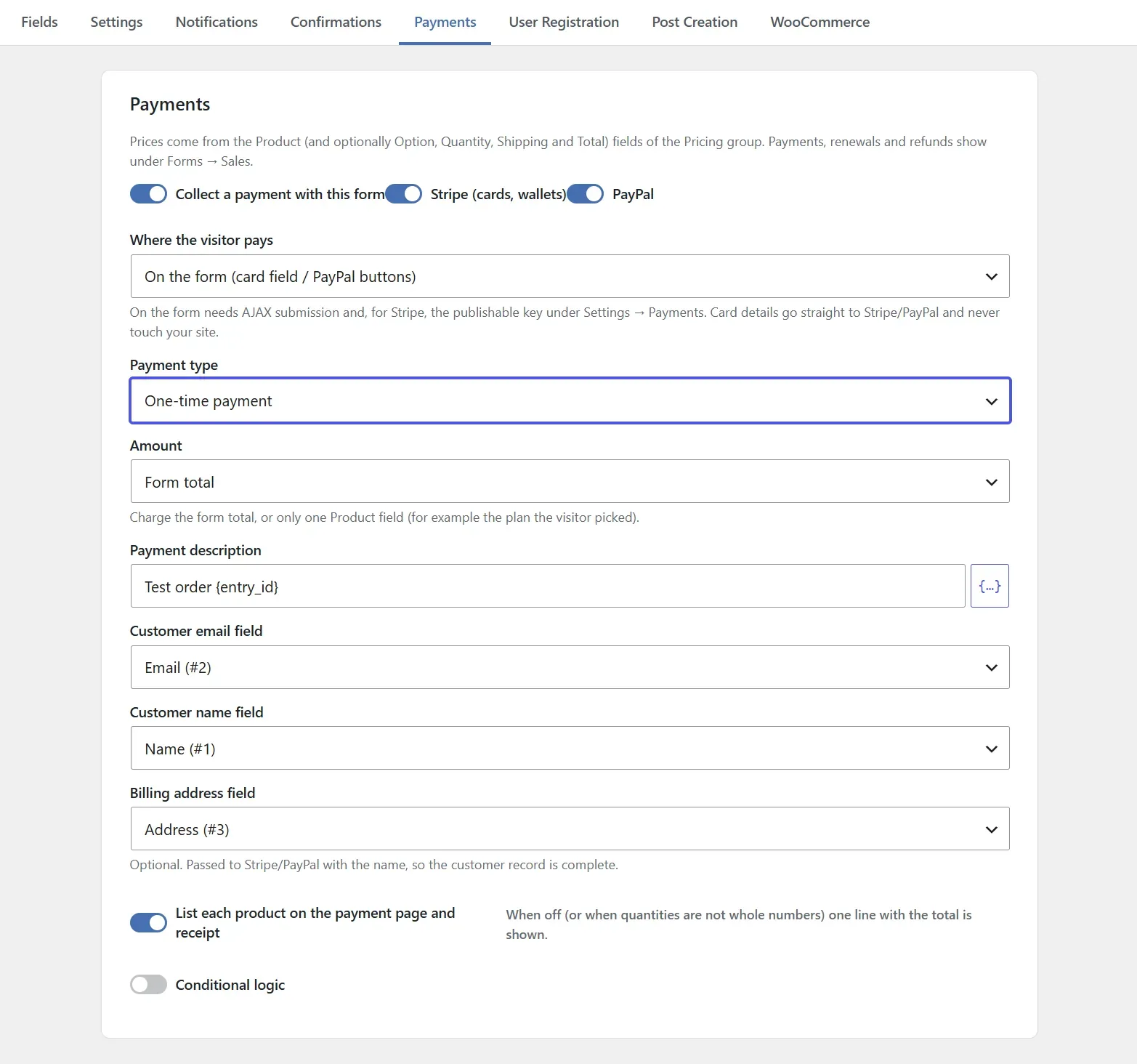
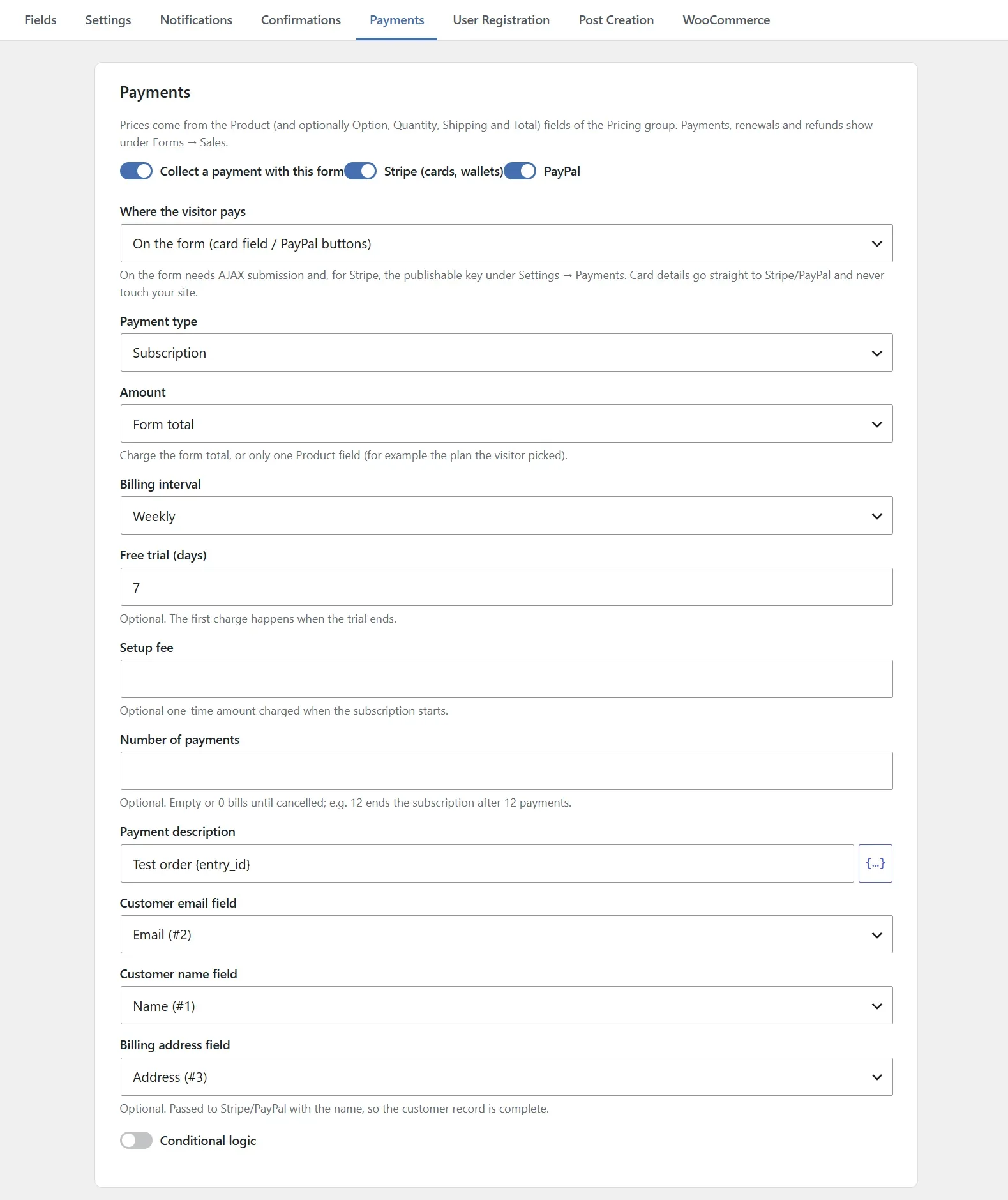
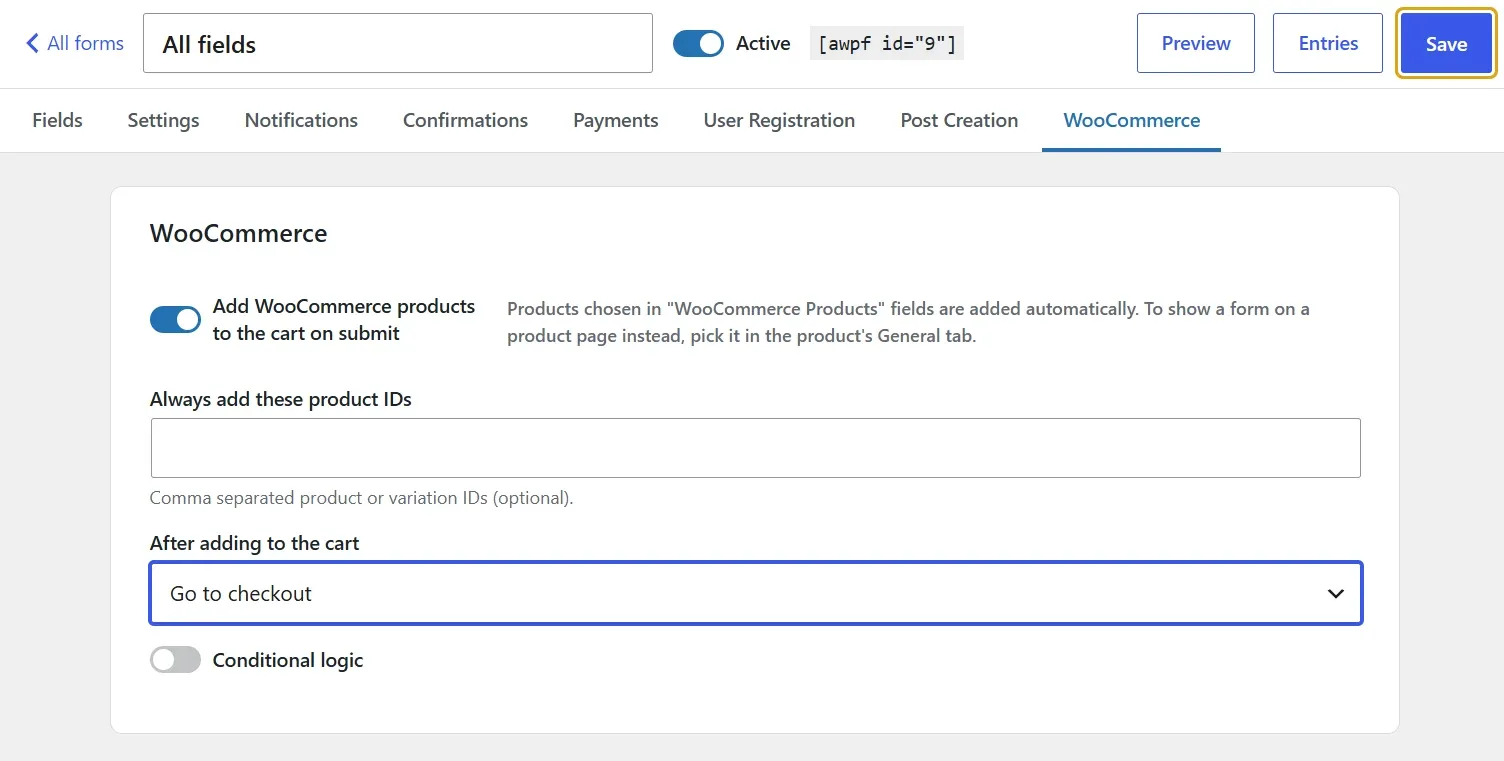
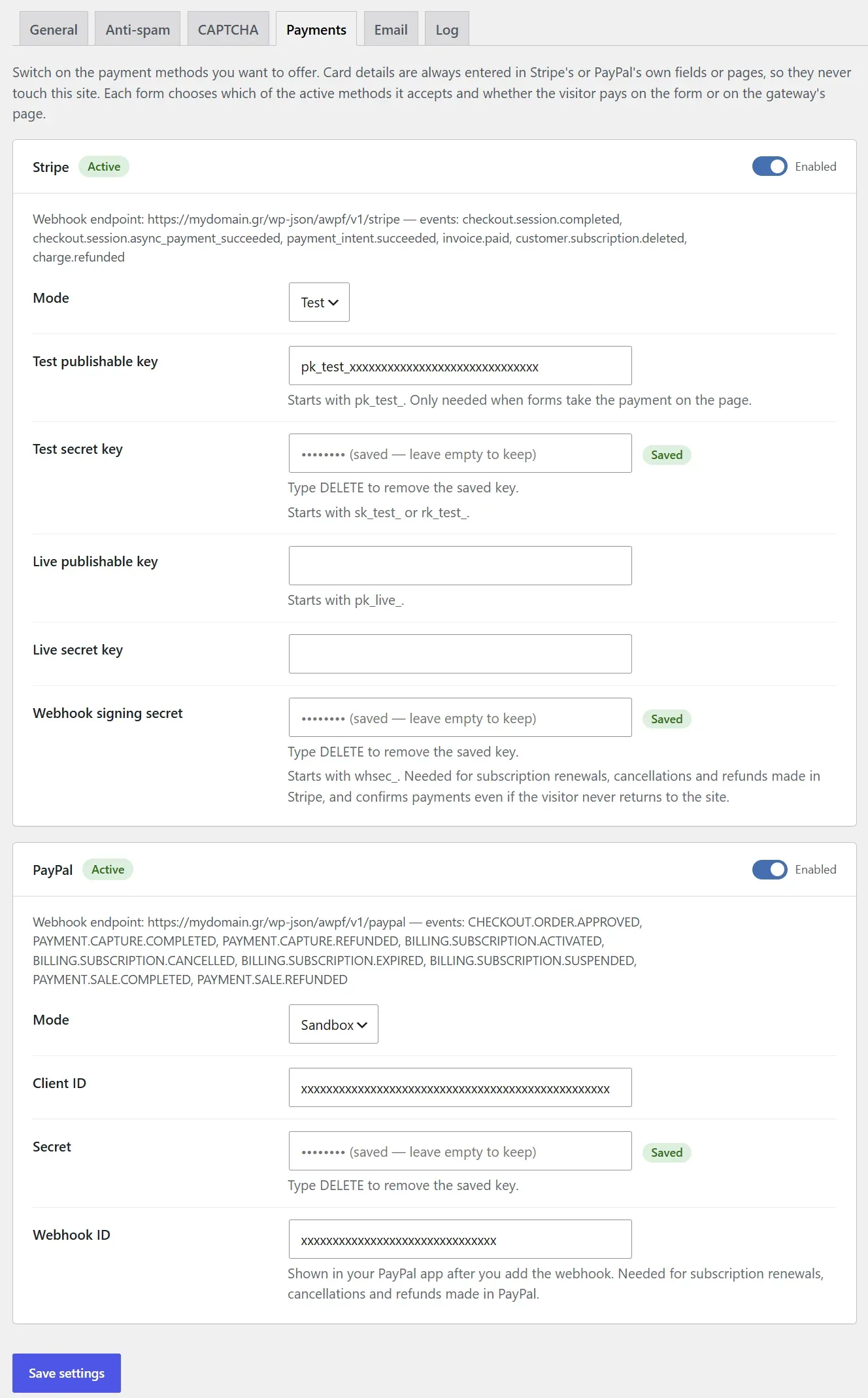
Accept one-time payments with Stripe or PayPal and recurring Stripe subscriptions. Add product options to WooCommerce products or send a form to the cart.
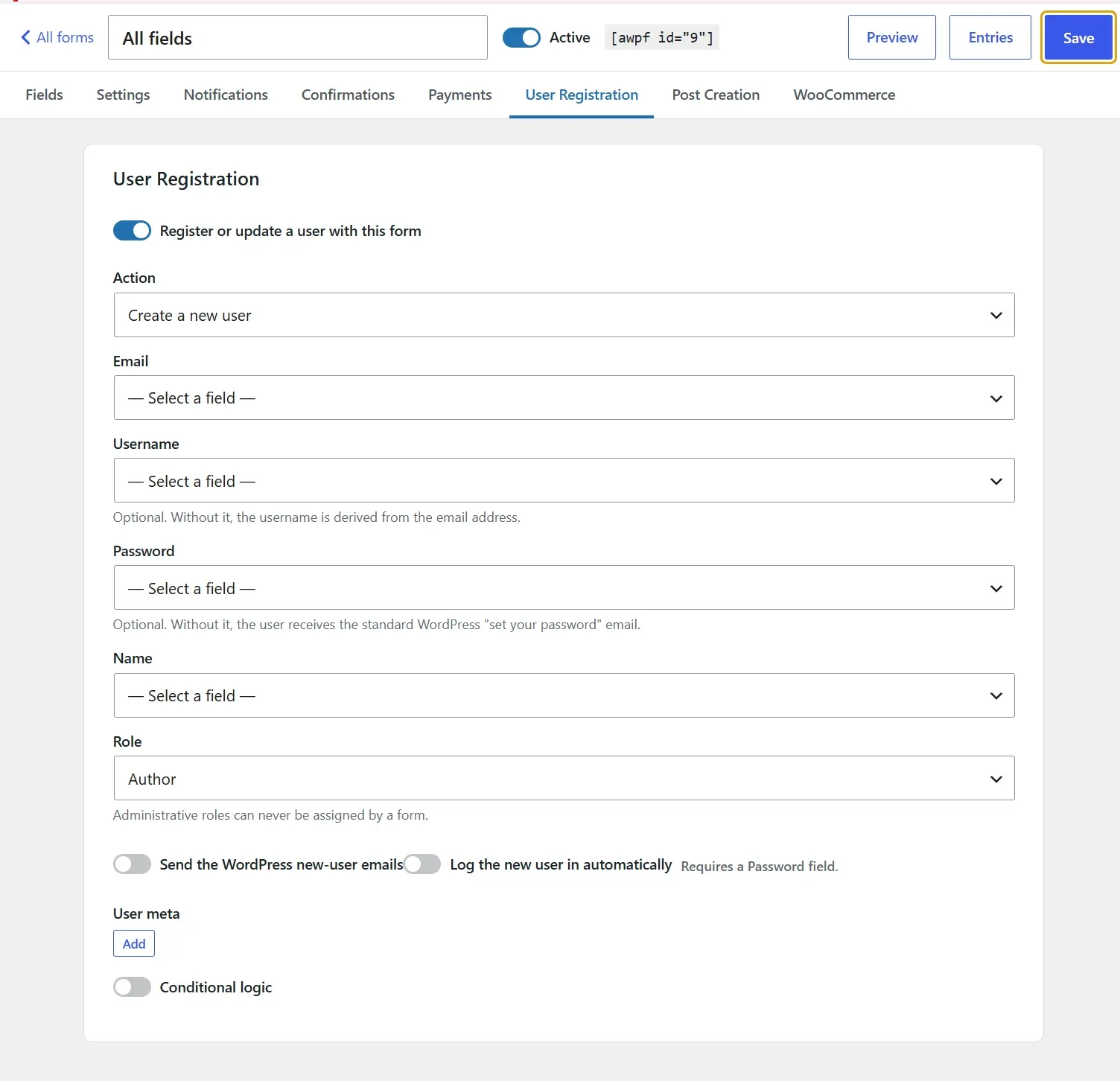
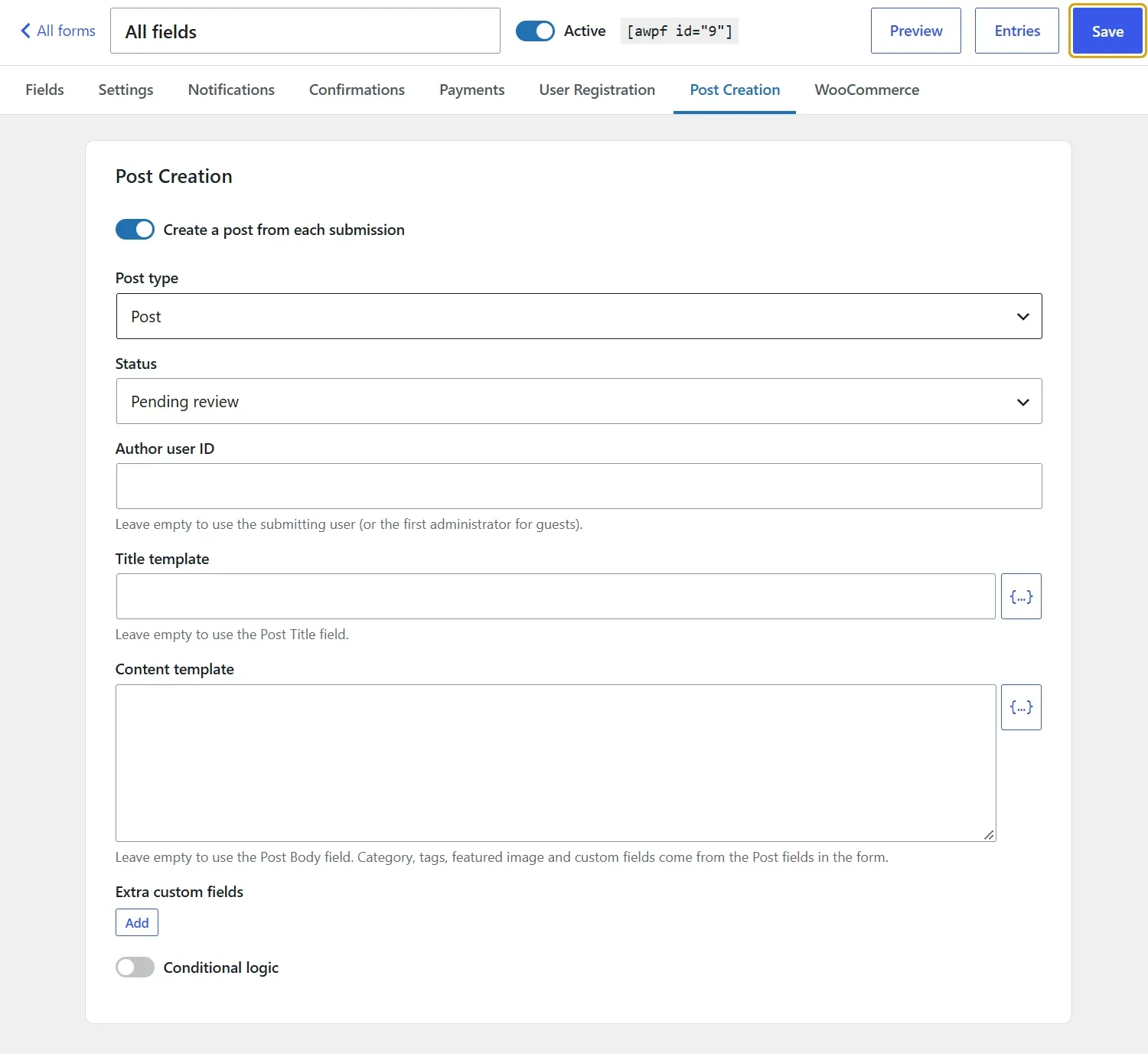
Register users and create posts straight from a form submission.
Save and continue later
Visitors can save a long form and finish it later, and partial entries capture what was typed even when a form is abandoned.
Form views & conversion rate
See how many people viewed each form and how many of them sent it.
Only daily totals are stored, with no cookies. View, start and submit events can also go to Google Analytics or Tag Manager.
Per-form settings & entry limits
Give one form its own currency, rate limit, CAPTCHA, IP storage or retention, without changing the others.
Limit entries in total or per day, week, month or year, counted for everyone, per visitor or per IP address.
CAPTCHA-free spam protection
A JavaScript challenge, honeypot, time trap, disallowed keywords and a link limit, set per form, plus Akismet and Antispam Bee.
Restore an entry flagged by mistake and its notifications are sent then.
Notifications & confirmations
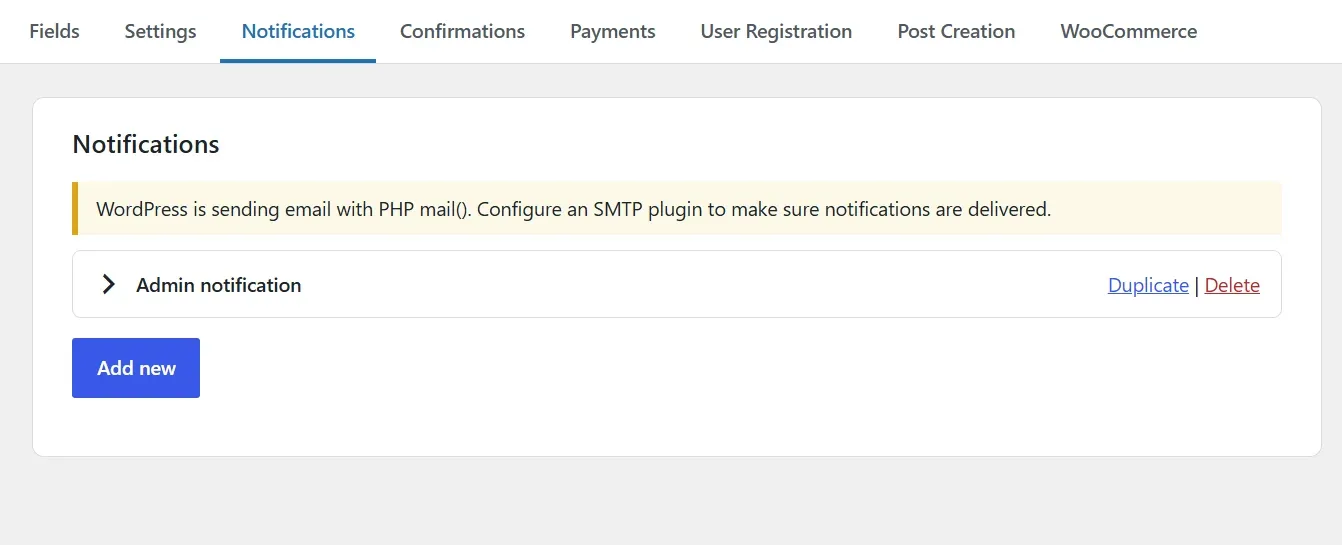
Send as many emails as you need per form, each with its own recipients, routing and conditions.
Show different confirmation messages, pages or redirects depending on the answers.
Entries you can work with
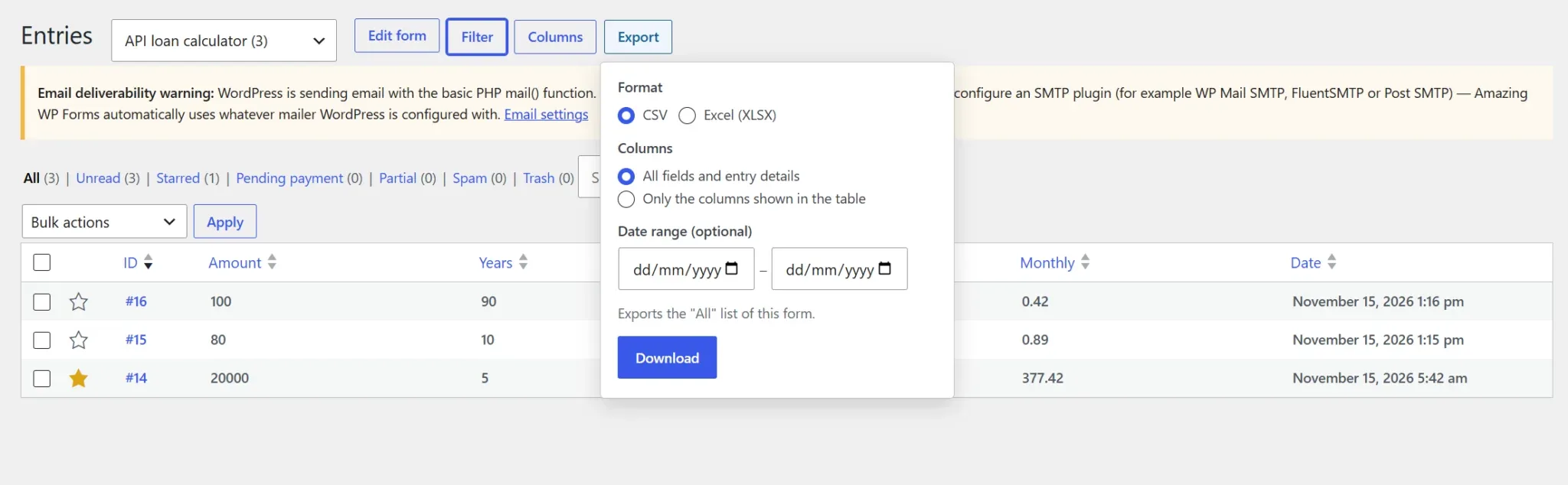
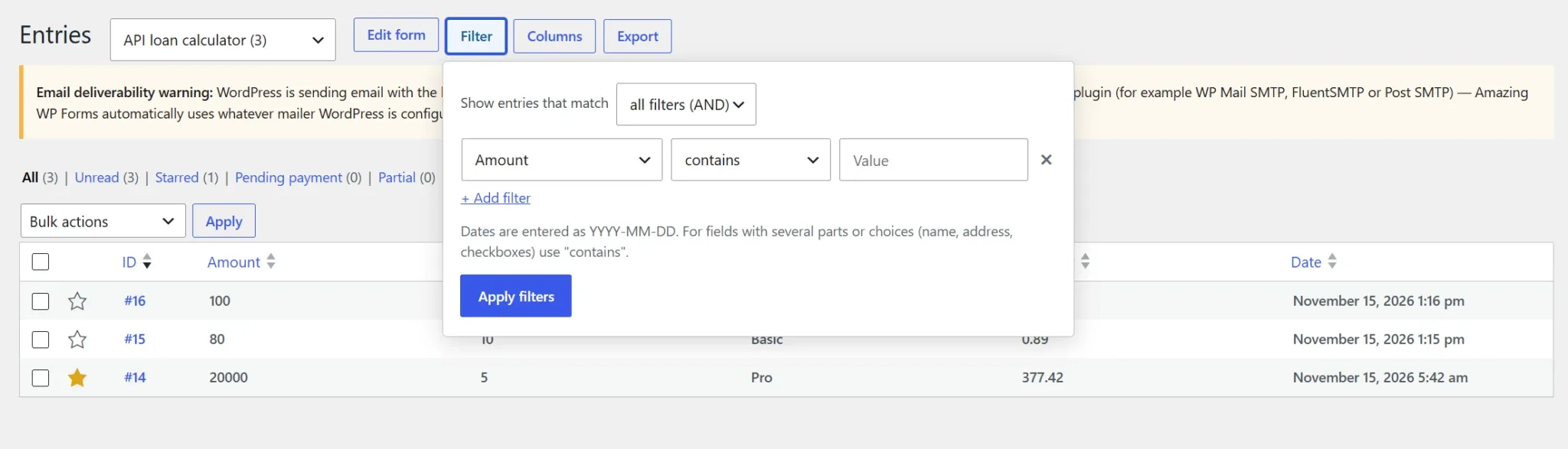
Sort, search and filter entries by any field with AND / OR conditions, pick the columns for each form, and export to CSV or Excel.
Optionally show entries on the site as a table, list or cards, with search and paging, for the fields and audience the form allows.
Works with your page builder
A Gutenberg block plus elements for Elementor, Beaver Builder, WPBakery, Bricks, Divi and Avada, a classic widget, a shortcode and a Classic Editor button.
Style each form (sizes, colors, radius, labels and buttons) and override the look per block.
Switch from another form plugin
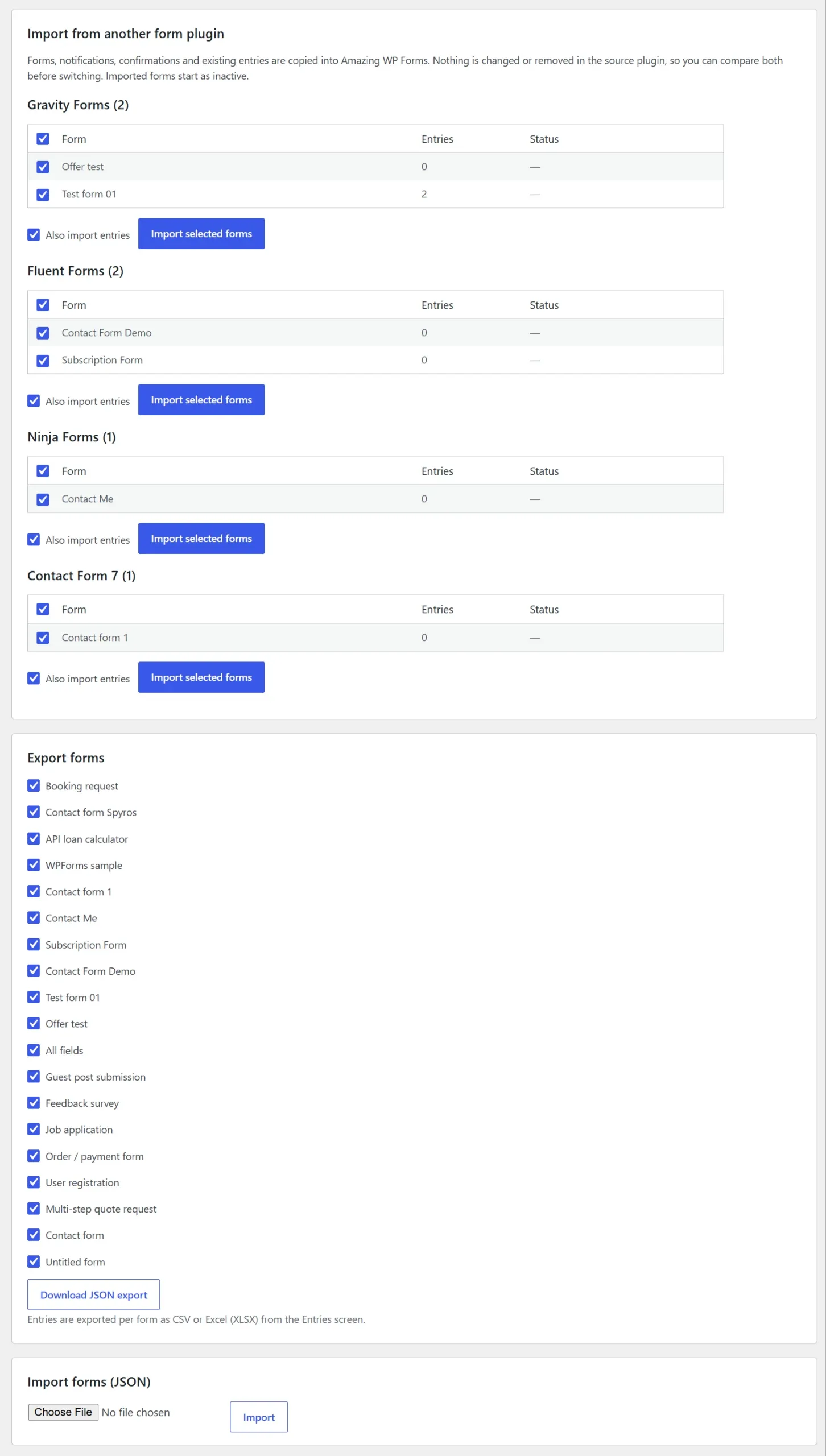
Import forms and their entries from Gravity Forms, WPForms, Fluent Forms, Ninja Forms and Contact Form 7 (entries through Flamingo).
Keep the old plugin active until you have checked the imported forms.
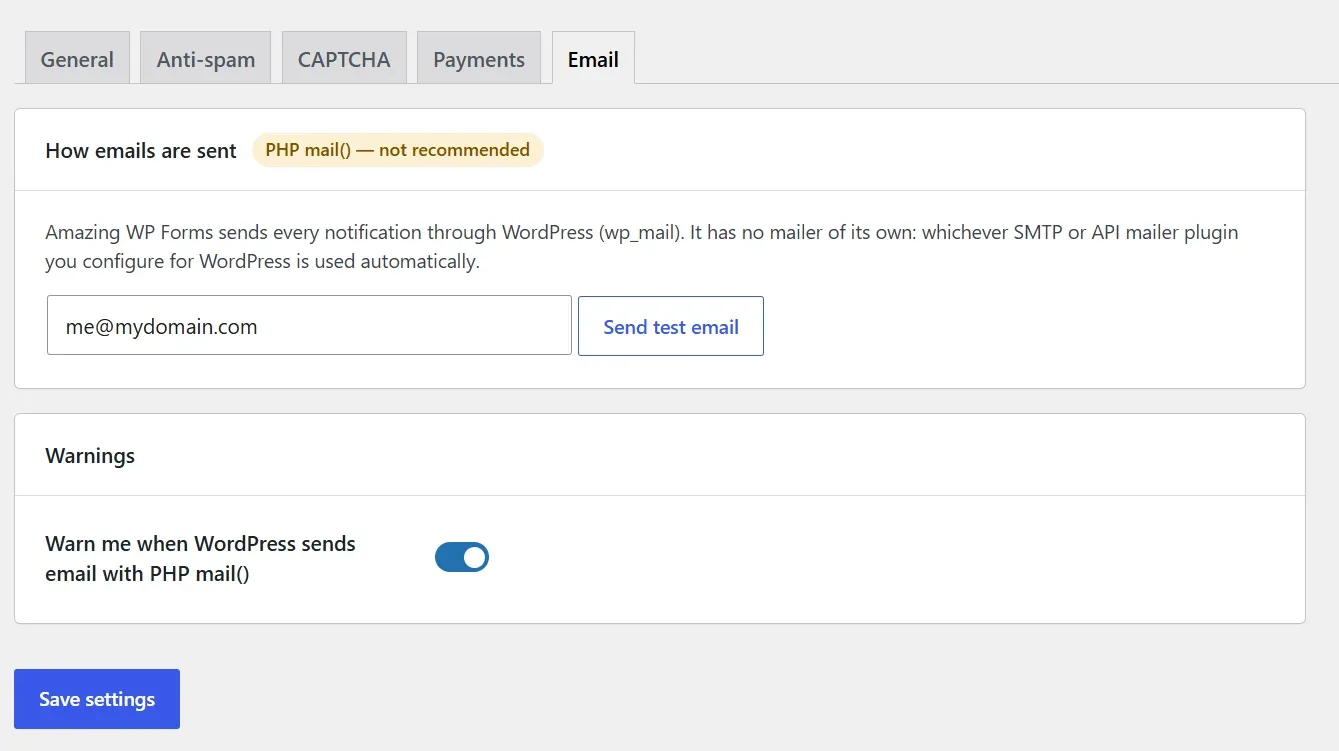
Uses your WordPress email setup
Every email goes through WordPress’s own mailer, so your SMTP plugin is used automatically.
If your site is still sending with plain PHP mail, the plugin warns you.
Translate with WPML or Polylang
Labels, placeholders, choices, buttons, messages, confirmations and emails are ready to translate in WPML String Translation or Polylang.
Choice values stay the same in every language, so entries and conditions keep working.
Send entries to the tools you already use
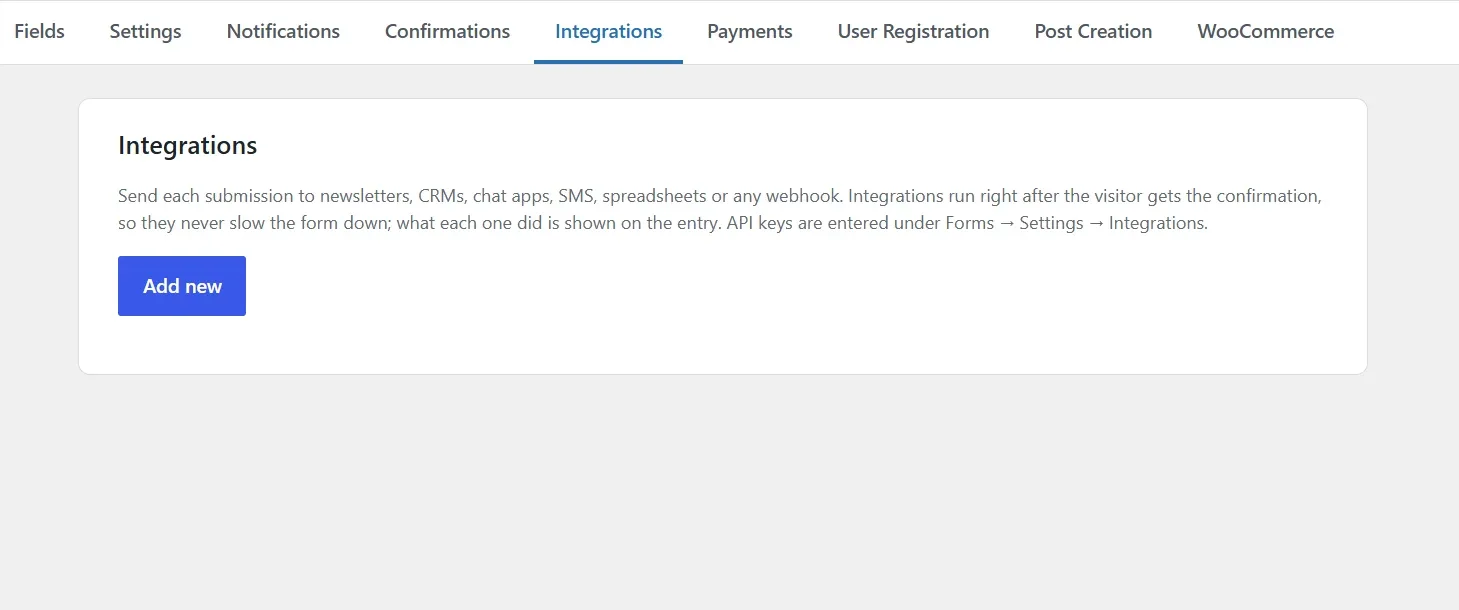
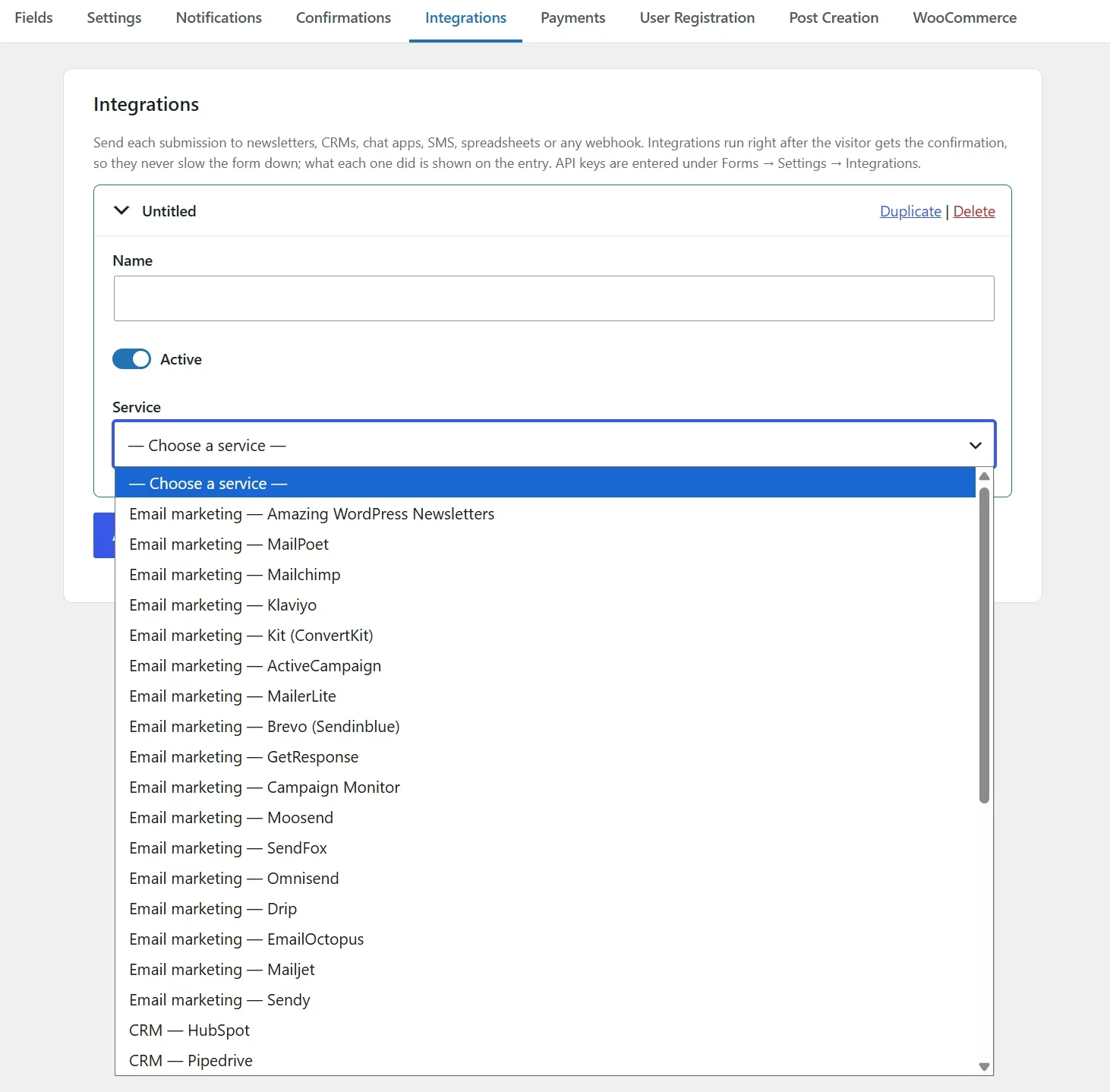
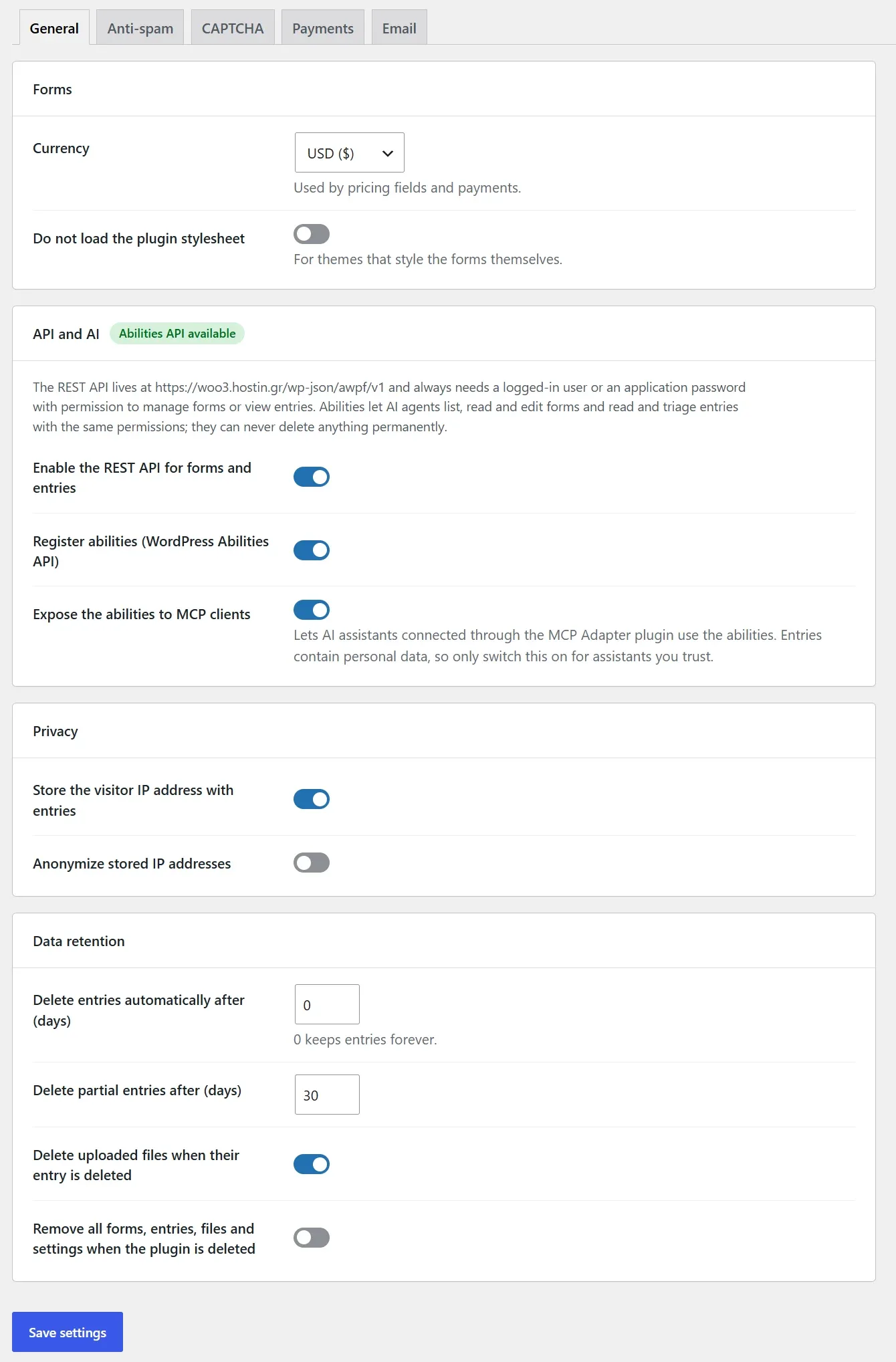
Add integrations in each form’s Integrations tab. Your API keys are entered once, under Forms → Settings → Integrations.
Email marketing
Mailchimp, Klaviyo, Kit, ActiveCampaign, MailerLite, Brevo and 9 more, plus Amazing WordPress Newsletters and MailPoet on your own site.
Lists and tags load from your account.
CRM
HubSpot contacts are created, or updated when the email already exists, and can be added to a list.
Pipedrive gets a person, with an optional note or lead.
Team chat
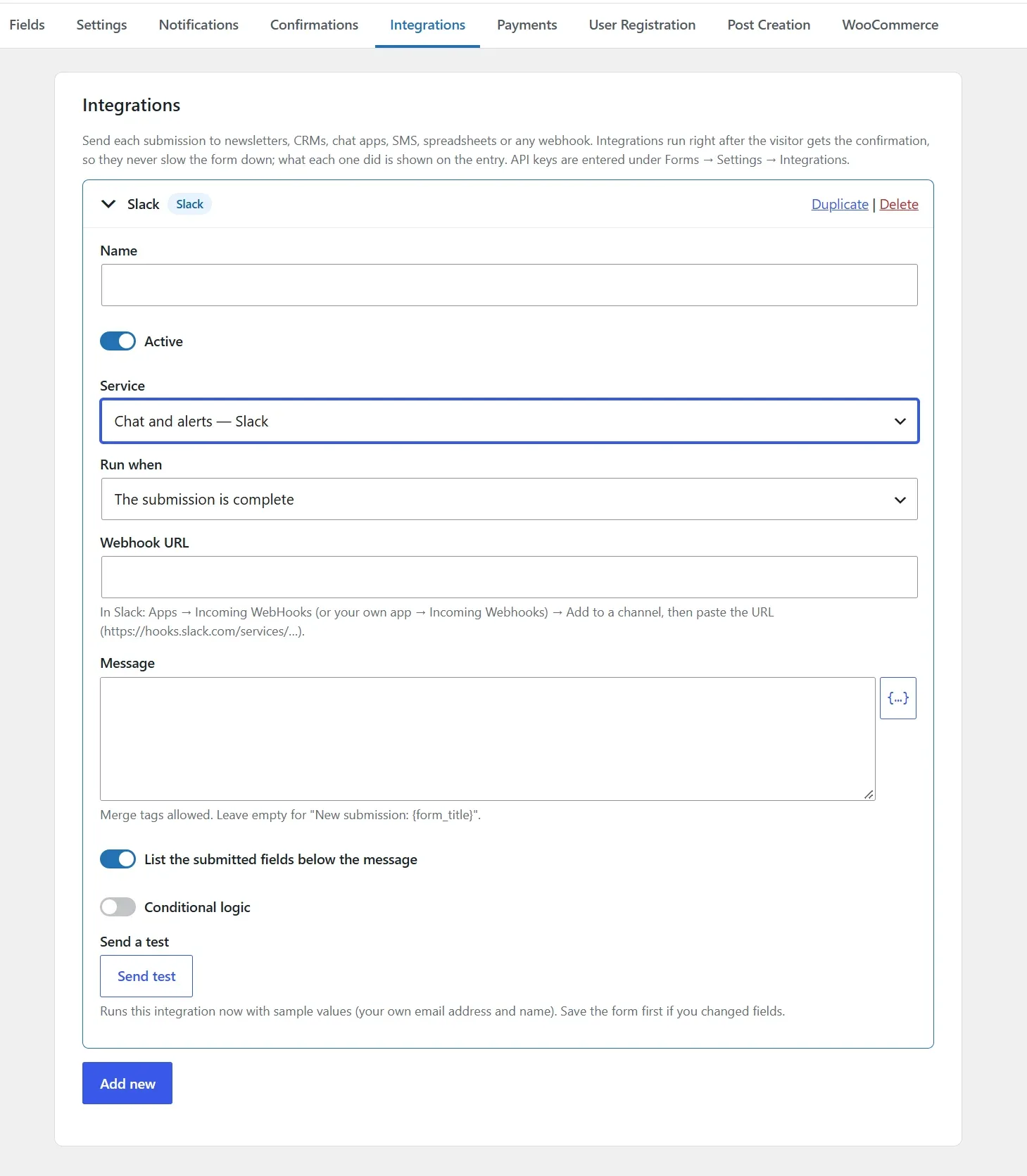
Post every entry to Slack, Discord, Microsoft Teams or Telegram, with your own message and the fields you choose.
SMS
Text yourself or the visitor through Twilio, Vonage, Clickatell or SMSGlobal.
Merge tags work in the recipients and in the message.
Spreadsheets & databases
Add a row to Google Sheets, Airtable or Notion for each entry.
Columns are matched by name, and missing Google Sheets columns are added for you.
Webhooks & automation
Send JSON or form data to any URL, with your own headers and an HMAC signature.
Zapier, Make, n8n and Pabbly Connect reach thousands of other apps.
An integration can run when the form is sent or after the payment is completed, and only when its conditions match. It runs after the visitor already sees the confirmation, failed calls are retried, and each entry shows what was sent, with a Run again button.
Import from the WordPress Forms plugin you use today
Forms → Import / Export lists every supported plugin whose data is found on your site, with its forms and entry counts. The old plugin doesn’t even need to be active.
Gravity Forms
Standard, advanced, post and pricing fields, pages, column widths, conditional logic and calculations. Notifications with routing, confirmations, and entries with their status, read and starred flags and payment data. Translations made with WPML come along too.
WPForms
Fields, page breaks, conditional logic and payment fields, with notifications and confirmations. Entries too, from WPForms Pro (WPForms Lite doesn’t store any).
Fluent Forms
Fields, columns, steps, repeaters and conditional logic. Notifications with routing, confirmations and entries.
Ninja Forms
Fields and their options, the email, success message and redirect actions, and entries.
Contact Form 7
Form tags, labels and options, Mail, Mail (2) and the success message. Entries come from Flamingo, if you use it.
Nothing is changed or deleted in the source plugin, and imported forms start inactive so you can check them first.
Merge tags are translated, entries are imported in batches so large sites don’t time out, and uploaded files stay linked.
Built for developers too
- Dozens of actions and filters
Hook into submissions, validation, notifications, entries and rendering. Add your own payment methods withawpf_payment_gatewaysand CAPTCHA providers withawpf_captcha_providers, and integrations withawpf_feed_services.
Embed any form withContact Form
awpf_form( 1 );in a template. - REST API and AI abilities
Read and manage forms and entries through theawpf/v1REST API.
On WordPress 6.9+, the plugin registers abilities for AI agents through the WordPress Abilities API, with optional MCP exposure that is off by default. - Light on the front end, careful on the server
Vanilla JavaScript with no jQuery, loaded only where a form is shown. Every submission is validated and sanitized on the server, and uploads are checked against each field’s allowed file types.
Fully translatable, with a documentation folder included in the download.
Who this plugin is for
WordPress sites that need forms with multiple steps, calculations or conditional paths. From a basic contact form for a single enquiry to a complicated form that needs to change its fields or results according to the answers.
FAQ
Can I move my forms from Gravity Forms, WPForms or Contact Form 7?
Yes. The importer brings over forms and their entries from Gravity Forms, WPForms, Fluent Forms, Ninja Forms and Contact Form 7 (entries through Flamingo). Fields, conditional logic and notifications are converted where an equivalent exists, so check each imported form before switching it on your pages.
Do I need a CAPTCHA to stop spam?
No. Each form can use a hidden JavaScript challenge, a honeypot, a time trap, disallowed keywords and a link limit, and the plugin works with Akismet and Antispam Bee. Visitors never see a puzzle. If you still want one, reCAPTCHA (v2 and v3), hCaptcha and Cloudflare Turnstile are built in.
What happens if a real message is marked as spam?
It is kept in the Spam view of the entries screen. Mark it as not spam and the notifications that were held back are sent then, once per entry. You can turn this off under Settings → Anti-spam.
Which service sends the emails?
Whatever your WordPress already uses. Emails go through WordPress’s own mailer, so an SMTP plugin such as WP Mail SMTP is picked up automatically. If your site is sending with plain PHP mail, which often lands in spam folders, the plugin shows a warning.
Can I send entries to Mailchimp, HubSpot, Google Sheets or Slack?
Yes. Each form has an Integrations tab with more than 30 services: Mailchimp, Klaviyo, Kit, ActiveCampaign, MailerLite, Brevo, GetResponse, Campaign Monitor, Moosend, SendFox, Omnisend, Drip, EmailOctopus, Mailjet and Sendy, Amazing WordPress Newsletters and MailPoet, HubSpot and Pipedrive, Slack, Discord, Microsoft Teams and Telegram, SMS through Twilio and others, Google Sheets, Airtable and Notion, and webhooks for Zapier, Make, n8n or any other URL. A Send a test button checks the connection before you save.
Can I translate my forms with WPML or Polylang?
Yes. Field labels, placeholders, choices, buttons, messages, confirmations and notification emails appear in WPML String Translation or in Polylang’s string translations, and each visitor sees the form in their language. When you import a Gravity Form that was translated with WPML, its translations are copied too.
Can I see how many people view a form?
Yes. The Forms screen shows each form’s views and conversion rate. Views are counted once per visit, bots and logged-in editors are left out, and only daily totals are stored, without cookies or IP addresses.
Will it slow my site down?
No. The plugin’s scripts and styles load only on pages that contain a form, and the front end uses plain JavaScript with no jQuery. Pages without a form are not affected at all.
Can I take payments?
Yes. Stripe and PayPal are supported through their hosted checkout pages, for one-time payments and for Stripe subscriptions. Pricing fields and calculations work out the total. Card details are entered on Stripe’s or PayPal’s page and never touch your server.
Does it work with WooCommerce?
Yes. Attach a form to a product to collect extra options or add-ons with their prices, or use a form to add products to the cart. WooCommerce is optional and only needed for these features.
Which page builders are supported?
There is a Gutenberg block and elements for Elementor, Beaver Builder, WPBakery, Bricks, Divi and Avada. Anywhere else you can use the shortcode, the classic widget or the “Add form” button in the Classic Editor.
Can I show submitted entries on my site?
Yes, if you allow it. Each form opts in and decides which fields can be shown and who can see them: managers only, each user their own entries, logged-in users or everyone. Entries are shown as a table, list or cards with search and paging. Nothing is public until you switch it on.
Can visitors save a long form and finish it later?
Yes. Turn on “save and continue later” and visitors get a link to come back to their form. Partial entries can also keep what was typed in forms that were never submitted.
Should the form submit with AJAX or reload the page?
Your choice, per form or per block. AJAX shows the confirmation without leaving the page; a page reload works even when other scripts on the page break. Both use the same validation and spam checks.
What happens if my license expires?
Your forms, entries and settings keep working. A valid license gives you updates directly in WordPress and support; renew it at any time to start receiving updates again.
What are the requirements?
WordPress 6.0+ and PHP 7.4+. WooCommerce, Stripe and PayPal accounts and CAPTCHA keys are optional and only needed for the features that use them. The AI abilities need WordPress 6.9+.
What happens after I purchase?
After checkout, open My Downloads for the ZIP and My Licenses for the license key. Upload the ZIP in WordPress under Plugins → Add New → Upload Plugin, then activate the key in the plugin’s settings. See the product documentation for its setup steps.
Get it Now!
Build the forms you need today and the ones you’ll need next year, with one fast, secure plugin.